
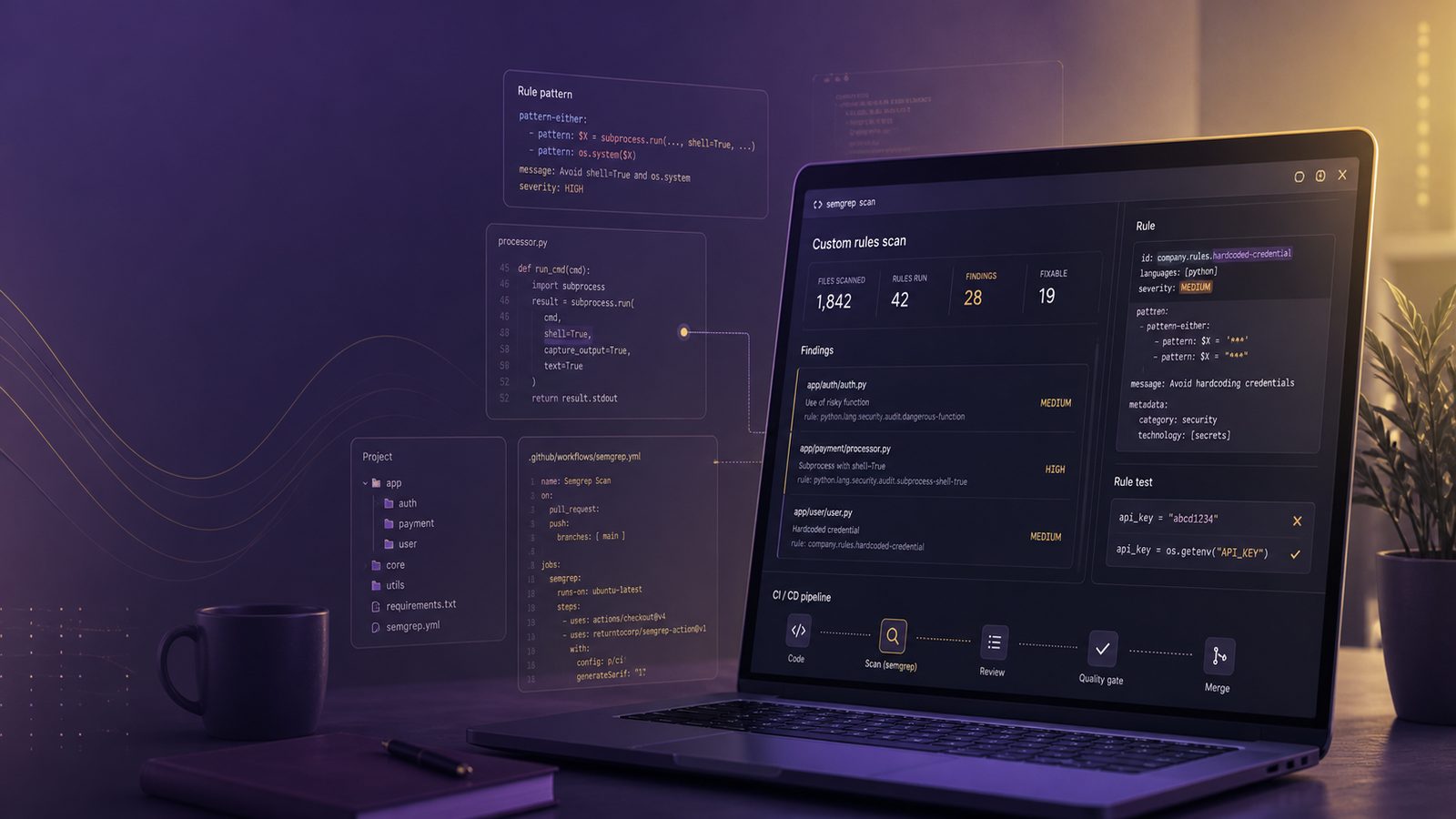
Custom Semgrep rules are most useful when you already know the kinds of mistakes your team tends to make, or the patterns that matter in your codebase but are not covered well by generic rules. For a technical team, the value is not in writing rules for the sake of it. The value is in turning local knowledge into repeatable checks that run early, produce useful findings, and fit the way your engineers actually build software.
This tutorial focuses on that practical workflow. It assumes you already use Semgrep, or are comfortable introducing it into a pipeline, and want to go beyond off-the-shelf rules. If you are still getting to grips with the broader role of static analysis, our article on writing custom SAST rules with Semgrep is a useful companion. Here, we will stay closer to the engineering work of building rules for your own repository, testing them against real code, and keeping them maintainable over time.
Key takeaways
- Start with a real recurring issue in your own codebase, then design the Semgrep rule around the unsafe and safe patterns you already know.
- Keep custom rules narrow, test them with positive and negative fixtures, and tune them until false positives are low enough for developers to trust them.
- Treat rules as code by versioning them, assigning ownership, and reviewing them as frameworks and application patterns change.
- Roll rules into CI gradually, usually in warning-only mode first, then decide which checks are strong enough to block merges.
What custom Semgrep rules are for and when to use them
Semgrep ships with large community and vendor-maintained rulesets, which are a good starting point for common issues such as injection, insecure deserialisation, weak cryptography, or unsafe API usage. Custom rules are different. They are for the patterns that are specific to your stack, your frameworks, your wrappers, and your business logic.
That usually falls into three broad categories. First, there are local code patterns, such as a helper function that bypasses validation, a wrapper that disables TLS verification, or a project-specific way of handling authentication state. Second, there are framework conventions, where a safe pattern exists but your implementation has drifted from it, such as a custom middleware stack or a non-standard controller pattern. Third, there are business-specific risks, such as a function that exposes privileged actions, a dangerous admin-only endpoint, or a data handling pattern that should never appear in a particular service.
Custom rules are most effective when they are narrow and intentional. If you try to encode every security concern into Semgrep, you will end up with noisy rules that developers ignore. A better approach is to focus on high-signal checks that catch recurring issues, especially where code review is unlikely to spot them consistently. That is the same principle you would use in secure design reviews and architecture checkpoints in the SDLC: target the decisions and patterns that create real risk, not every theoretical weakness.
Plan the rule before you write YAML
The biggest mistake teams make is opening a YAML file before they have defined the problem properly. Good rules start with a concrete finding, code smell, or recurring bug pattern. If you cannot describe the issue in one or two sentences, the rule is probably not ready yet.
Start by collecting examples from your own codebase. Look at past bugs, security review notes, incident tickets, and recurring pull request comments. Ask what the unsafe pattern looks like in code, what the safe pattern should look like, and whether the rule should detect only one exact misuse or a family of related misuses. For example, if a team repeatedly forgets to enforce authorisation before a sensitive action, the rule should probably look for the action being called without the expected guard, not just one specific function name.
Once you have the pattern, define the scope. Decide which languages, folders, services, or frameworks the rule should apply to. A rule that is valid in one service may be useless in another. Also decide the severity up front. In practice, severity should reflect the likely impact of the issue in your environment. A rule that flags a potential information disclosure in a public-facing service may deserve a higher severity than the same pattern in a low-risk internal tool.
It also helps to write down the expected outcome. For example: “Detect direct calls to the payment approval helper unless the request has passed the privileged access check.” That sentence becomes your design brief. It tells you what to match, what to exclude, and how to test the rule later.
Set up a maintainable ruleset structure
Custom rules age badly when they are scattered across personal laptops or hidden in ad hoc pipeline steps. Treat them like code. Put them in version control, give them owners, and structure the repository so that rules, tests, and metadata live together.
A simple layout works well for most teams:
semgrep-rules/
  rules/
    auth/
      privileged-action-without-check.yml
    crypto/
      tls-verification-disabled.yml
  tests/
    auth/
      privileged-action-without-check/
        positive.py
        negative.py
    crypto/
      tls-verification-disabled/
        positive.go
        negative.go
  README.md
Keep rule names descriptive and stable. A good rule ID should tell you what it detects without needing to open the file. For example, auth.privileged-action-without-check is easier to manage than rule1 or check-07. Use tags to help with filtering and reporting. Tags can reflect the language, framework, weakness class, or internal policy area. That makes it easier to group findings later and map them to remediation work.
Ownership matters as well. If a rule is tied to a specific service or framework, assign it to the team that understands that code. Security can curate the process, but the engineering team should be able to explain whether the rule still makes sense after a refactor. This is especially important in growing SMEs, where the same engineer may be responsible for implementation, review, and maintenance.
Write your first custom rule
A Semgrep rule is usually built from a small set of fields: id, message, languages, severity, and one or more matching patterns. The art is in choosing the right combination of structural constraints so that the rule is precise enough to be useful.
A minimal rule might look like this:
rules:
  - id: auth.privileged-action-without-check
    message: Privileged action called without the required access check.
    languages: [python]
    severity: ERROR
    patterns:
      - pattern: perform_admin_action(...)
      - pattern-not-inside: |
          if has_admin_access(...):
            ...
This is only a sketch, but it shows the basic idea. The rule looks for a function call and excludes cases where that call appears inside a known access check. In real code, you will usually need more structure than this. You may need pattern-either to match several function names, pattern-inside to limit the search to a specific class or function, or metavariables to capture variable names and argument positions.
Metavariables are especially useful when the exact identifier varies. If your codebase has several helper functions that all follow the same shape, you can match the shape rather than the name. For example, you might look for a call to a dangerous sink where the source is a request object, a configuration flag, or a user-controlled parameter. That is often more durable than matching one hard-coded symbol.
Use pattern-either when you want one rule to cover several equivalent forms. For example, a project may use different wrappers for the same risky operation in different services. Rather than duplicating the rule, you can group the variants together. Use pattern-inside when context matters, such as only flagging a call inside a request handler, a background job, or a specific namespace.
If you are dealing with framework-specific code, it is often worth matching the framework idiom rather than the underlying language syntax. That reduces noise and makes the rule easier for developers to understand. For teams using broader secure development practices, this kind of rule design fits neatly alongside input validation and output sanitisation techniques, because the rule can enforce the project’s preferred safe pattern rather than a generic warning.
Test the rule against real code
A rule is not ready until it has been tested against both positive and negative examples. Positive examples should contain the unsafe pattern you want to catch. Negative examples should contain safe code that looks similar enough to prove the rule is not overreaching.
Use small fixtures that are easy to read. Keep one example focused on the exact issue and another that exercises a nearby but safe pattern. For example, if you are detecting a disabled TLS verification setting, include one sample where verification is explicitly turned off, and another where the code uses the default secure configuration. If the rule is about authorisation, include one handler that lacks the guard and one that performs the correct check before the sensitive call.
Run Semgrep locally against the fixtures before you add the rule to CI. The goal is to confirm three things: the rule fires where expected, it does not fire on the safe example, and the message is understandable to the developer who will receive it. If the output is too vague, tweak the message before you worry about the pattern. A precise rule with a poor message still creates friction.
It is also worth testing against a small slice of real production code, ideally in a branch or a clone of the repository. Synthetic examples are useful, but they do not always capture the oddities of your codebase, such as helper abstractions, aliasing, or framework wrappers. Real code will show you where the rule needs to be more flexible.
Reduce false positives and false negatives
False positives are the quickest way to lose trust in a custom rule. False negatives are the reason the rule exists in the first place. You need enough precision to keep noise down, but enough coverage to catch the pattern when it matters.
To reduce false positives, narrow the scope with structural constraints. Use pattern-not and pattern-not-inside to exclude known safe cases. Add context around the sink, not just the sink itself. If a function is only dangerous when called from a specific code path, encode that path in the rule. If a helper is safe only when a guard has already run, match for the absence of that guard in the same block or function.
To reduce false negatives, avoid overfitting to one exact code sample. If the same issue appears in several forms, use a broader structural pattern or a small set of alternatives. This is where a balance is needed. A rule that is too broad becomes noisy. A rule that is too narrow becomes brittle and misses the very cases you care about.
One practical technique is to keep a small “known misses” file. Whenever a developer finds a real issue that the rule did not catch, add a sample to the test set and refine the rule. That turns tuning into a repeatable process rather than an occasional firefight.
Tune rules for your language and framework
Semgrep works best when you respect the idioms of the language and framework you are analysing. A rule that works well in Python may be awkward in JavaScript, Go, or Java because the syntax and abstractions differ. The same is true across frameworks. A controller pattern in one service may be implemented as middleware in another, or as a decorator, interceptor, or helper function.
For example, in a web application you may want to detect a dangerous function only when it is called from a request handler. In that case, pattern-inside can anchor the rule to the handler context. If your codebase uses wrappers, such as a custom database helper or a security abstraction around HTTP clients, match the wrapper call rather than the raw library call. That gives you a rule that reflects how the team actually writes code.
Framework conventions matter even more when teams have built their own internal libraries. If every service uses a shared authorisation helper, a shared logging wrapper, or a common configuration loader, your rule should target those abstractions. That is often where the real risk lives. It is also where a rule can provide the most value, because it enforces the organisation’s standard pattern across multiple repositories.
For teams with a broader software supply chain programme, custom Semgrep rules can complement dependency and build controls. A secure code check that prevents unsafe patterns in application code works well alongside software supply chain assurance controls, because both aim to reduce the chance that unsafe code or unsafe dependencies reach production.
Integrate custom rules into CI/CD
Once a rule is stable, run it where developers will see it early. Pull request checks are usually the best starting point. They give fast feedback, keep the scope small, and make it easier to discuss a finding while the change is still fresh.
Most teams start in warning-only mode. That means the rule runs in CI, findings are visible, but the build does not fail. This is a sensible rollout pattern for new rules, especially if you expect some tuning. Once the false positive rate is acceptable and the team trusts the output, you can decide whether the rule should block merges or remain advisory.
For example, a GitHub Actions job might run Semgrep on changed files in a pull request, then run the full ruleset on the main branch overnight. That gives you both fast developer feedback and broader coverage. If you use a central pipeline, store the ruleset in a versioned repository and pin the pipeline to a specific revision so that rule changes are controlled.
Be deliberate about failure conditions. Not every rule should fail the build. A high-confidence rule that detects a serious security issue may justify a hard gate. A lower-confidence rule, or one that is still being tuned, may be better as a warning with triage in the backlog. The point is to create a workflow that engineers can live with.
Operationalise rule maintenance
Custom rules are not a one-time task. They need maintenance as the codebase, frameworks, and team conventions change. Treat them as living controls, not static artefacts.
Put rules through the same review process as application code. Changes should be peer reviewed, tested, and documented. If a rule is updated because a framework changed, note the reason in the commit message or changelog. That makes future tuning much easier. It also helps if you need to explain why a rule exists, which code paths it covers, and what safe alternatives developers should use.
Review the rules periodically. Ask which ones still produce useful findings, which ones are generating noise, and which ones have become obsolete because the codebase has changed. It is better to retire a stale rule than keep it around because it once found something useful. A small, high-quality ruleset is easier to maintain than a large, neglected one.
It can also help to align rule maintenance with your wider secure development maturity work. If you already use a framework such as OWASP SAMM to measure secure development maturity, custom rules can be one of the practical controls that shows whether your secure coding expectations are being applied consistently. The rule itself is not the maturity model, but it can be one of the measurable outputs.
Measure whether the rules are worth keeping
If you cannot measure value, custom rules tend to accumulate without much discipline. Track a small set of metrics that tell you whether the rule is doing useful work.
Useful measures include alert volume, precision, time to triage, and remediation outcome. If a rule fires 50 times and 48 of those findings are dismissed, it probably needs tuning or retirement. If a rule finds a recurring issue that leads to a meaningful code fix, it is earning its place. You can also track whether the same issue reappears after remediation. If it does, the rule may need to be made more specific, or the team may need better guidance on the safe pattern.
Another useful measure is developer friction. If a rule consistently interrupts work without changing behaviour, it may be too broad. If it finds a serious issue once a quarter and is easy to understand, it is probably well calibrated. The goal is not maximum alert volume. The goal is useful prevention.
Common mistakes when building Semgrep rules
The most common mistake is writing a rule that is too broad. Broad rules are tempting because they are quick to write, but they often create a flood of findings that are hard to action. Another common mistake is copying a generic rule and assuming it will fit your codebase without adaptation. Your wrappers, naming, and framework conventions matter.
Teams also sometimes make rules that are technically correct but operationally awkward. For example, a rule may detect a risky call but not explain the safe alternative. Or it may fire in generated code, test fixtures, or migration scripts where it adds little value. If a rule does not help a developer decide what to do next, it is only half useful.
Finally, do not forget that Semgrep is one control among several. It works best when combined with code review, secure design, dependency scanning, and targeted testing. It is a strong way to encode known bad patterns, but it will not replace broader engineering discipline.
A practical starter checklist for teams
If you want to get started without overcomplicating it, pick one high-value pattern that already exists in your codebase. Write down the unsafe and safe forms. Build one rule and two or three test fixtures. Run it locally. Tune it until the false positives are acceptable. Then add it to CI in warning-only mode and watch how the team responds.
Once that first rule is stable, repeat the process for the next pattern. Over time, you will build a small ruleset that reflects the way your organisation actually writes software. That is usually far more valuable than a large generic ruleset that nobody trusts.
If you want help building practical secure coding checks into your delivery process, speak to a consultant.
Frequently asked questions
What is the best way to start writing a custom Semgrep rule for an existing codebase?
Pick one recurring pattern that already appears in your code, define the unsafe and safe examples clearly, and write a narrow rule that matches the project’s actual framework and helper functions rather than a generic language pattern.
How do you reduce false positives when customising Semgrep rules?
Add structural context with pattern-inside, exclude known safe cases with pattern-not or pattern-not-inside, and test the rule against real code so you can tighten the scope before rollout.
Comments are closed