
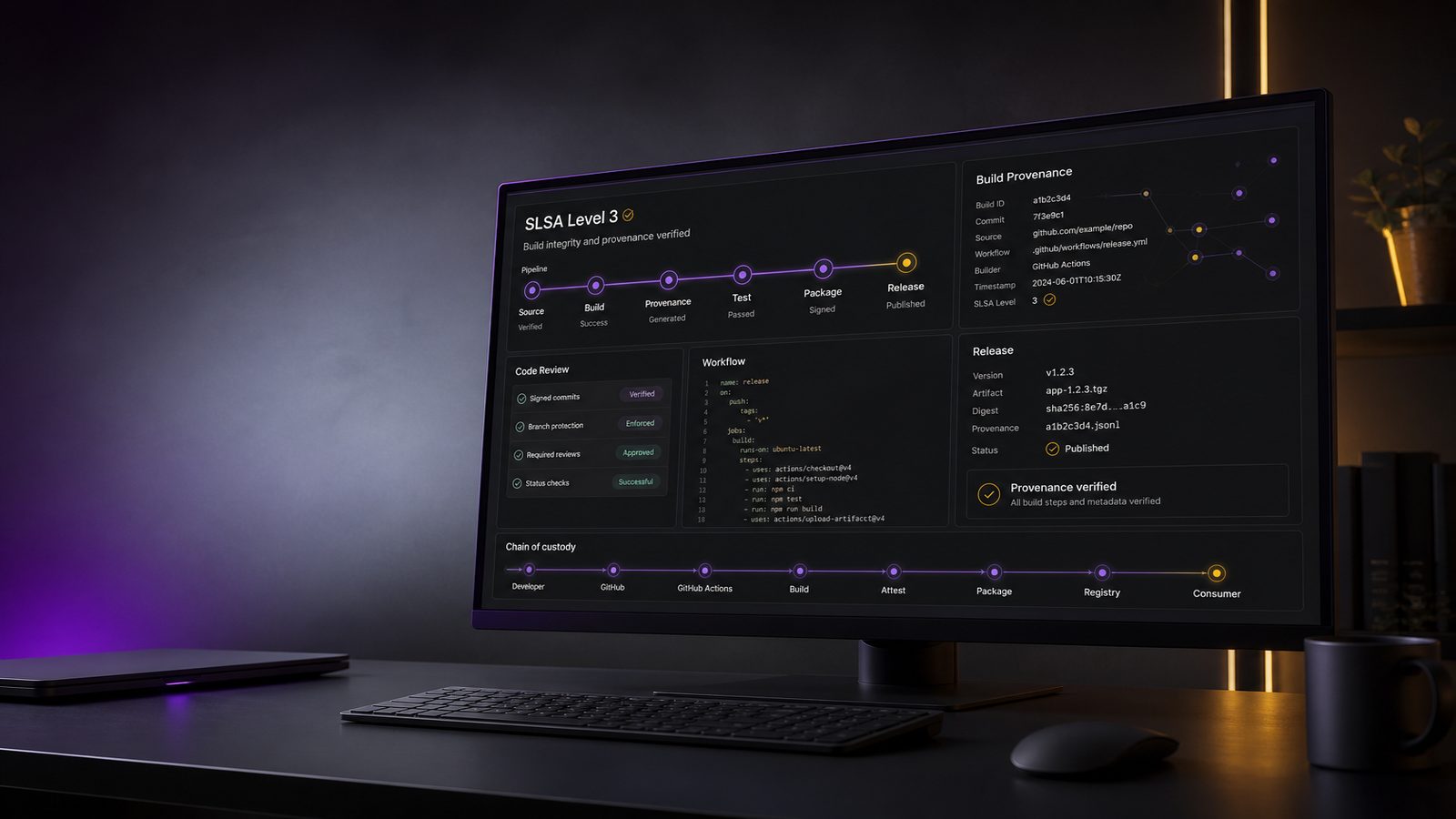
Software supply chain security has moved from a specialist concern to a practical delivery issue for many UK SMEs. If you build software, ship containers, or publish internal packages, you need some way to show that what you released really came from the source you intended, built in the way you expected, without hidden changes slipping in along the way. That is where SLSA, the Supply-chain Levels for Software Artifacts, becomes useful.
This article explains SLSA levels in plain terms and shows how to move towards level 3 using GitHub. It is written for technical practitioners who need implementation detail rather than a high-level overview. If you want a broader view of software supply chain assurance, it is worth pairing this with our software supply chain assurance controls for technical teams guidance and our article on generating and verifying SLSA build provenance for artifacts.
Key takeaways
- SLSA focuses on build integrity and provenance, not on replacing secure coding, dependency management or vulnerability scanning.
- For many GitHub-based teams, level 3 is a practical target because it balances stronger assurance with achievable implementation effort.
- Pinned actions, protected branches, least-privilege workflow permissions and runner isolation are the core controls that support level 3.
- Provenance is only useful if the build environment and workflow changes are controlled, so treat GitHub Actions as part of your security boundary.
- Start with one high-value repository, phase the controls in gradually and verify provenance at the point where release trust matters.
What SLSA is and why it matters for software supply chain security
SLSA in plain terms
SLSA is a maturity model for build integrity. It does not replace secure coding, dependency management, or vulnerability scanning. Instead, it focuses on whether your build and release process can be trusted to produce the artefact you think it produced. In practice, SLSA asks questions such as: was the build triggered from reviewed source, was the build environment controlled, were the inputs known, and can you prove how the artefact was created?
For SMEs, the value is straightforward. If a release pipeline is compromised, or if an attacker can alter source, workflows, or build outputs, the business impact can include customer trust loss, emergency patching, support overhead, and contractual issues with downstream buyers. SLSA gives you a structured way to reduce that risk without trying to solve every supply chain problem at once.
Where SLSA fits alongside SBOMs, provenance and signing
SLSA is often discussed alongside SBOMs, provenance and signing, but they solve different problems. An SBOM tells you what components are in a release. Signing tells you that a specific key approved an artefact. Provenance tells you how and where the artefact was built. SLSA adds a target level of assurance around the build process itself.
In a mature pipeline, these controls reinforce each other. You might generate an SBOM during the build, sign the artefact and the provenance, and then verify all three at deployment time. That gives release engineering, platform teams and consumers a more defensible chain of evidence than a checksum alone.
How the SLSA levels work
What each level is trying to prove
The SLSA levels are best understood as increasing confidence in the build process rather than as a checklist of isolated controls. Lower levels focus on basic provenance and tamper resistance. Higher levels add stronger guarantees about source control, build isolation and the ability to reproduce or verify the build.
At a practical level, the progression is about reducing the number of places where an attacker or a careless change can influence the output. Early levels may tell you that a build happened. Later levels aim to show that the build happened from reviewed source, in a controlled environment, with limited opportunities for hidden manipulation.
For many teams, the important point is not to chase the highest number possible. It is to choose the level that matches the risk profile of the software you ship. Internal tools may justify a lighter approach. Customer-facing services, regulated workloads and software distributed to third parties usually justify a stronger target.
Why level 3 is the practical target for many GitHub-based teams
SLSA level 3 is often the sweet spot for organisations using GitHub because it is ambitious enough to materially improve build integrity, but still achievable without building a bespoke supply chain platform. It usually implies controlled source, controlled build definitions, isolated build execution, and provenance that can be trusted by downstream consumers.
For a UK SME, level 3 is a sensible target when you want to reduce the risk of workflow tampering, compromised runners, or unauthorised changes to release logic. It is also a useful target when customers, partners or internal governance teams want evidence that your release process is not just automated, but controlled.
What SLSA level 3 requires in practice
Build integrity, provenance and controlled build environments
Level 3 is about more than generating a provenance document after the fact. The build environment itself needs to be controlled enough that the provenance is meaningful. That means the workflow definition should be protected, the build inputs should be known, and the runner should not be a shared, mutable environment that can be influenced by unrelated jobs.
In GitHub terms, this usually means using GitHub Actions with tight permissions, pinned action versions, protected branches, and a runner strategy that reduces cross-job contamination. If you are using self-hosted runners, you need to treat them as part of your security boundary. If they are ephemeral, isolated and rebuilt frequently, that helps. If they are long-lived and shared across repositories, that makes level 3 much harder to defend.
Reproducibility is helpful, but do not confuse it with provenance. A reproducible build can help you validate that source and output match expectations. Provenance helps you show how the output was produced. Level 3 usually needs both the process controls and the evidence trail.
Identity, access and change control expectations for the pipeline
To reach level 3, your pipeline needs strong identity and access control. The people who can change source should not automatically be the people who can alter release workflows, runner configuration or secret material. That separation matters because the build pipeline is itself a high-value target.
In practice, that means using branch protection, required reviews, restricted workflow changes, environment approvals where appropriate, and least-privilege tokens. It also means reviewing who can administer the GitHub organisation, who can edit repository settings, and who can approve changes to reusable workflows. If those controls are weak, provenance may still exist, but the trust you can place in it drops sharply.
How GitHub can support a SLSA level 3 approach
Using GitHub Actions as the build system
GitHub Actions can support a level 3 approach if you treat it as a controlled build platform rather than a convenience feature. The main design goal is to make the workflow deterministic enough that the build is traceable and the execution context is constrained.
Start by reducing the default permissions in workflow files. Use the narrowest possible permissions block, for example:
permissions:
  contents: read
  id-token: write
Only grant additional scopes when a job genuinely needs them. Avoid broad repository write access for build jobs. If a workflow needs to publish packages or attestations, isolate that step into a separate job with a separate permission set.
Pin third-party actions to a commit SHA rather than a floating tag. Mutable tags such as v1 or latest make it harder to reason about what actually ran. This is one of the most common gaps in otherwise well-run pipelines. If you need to update an action, do it deliberately and review the change as you would any other dependency.
For teams already using GitHub Actions, the article on hardening GitHub Actions against pwn requests and token theft is a useful companion, because many of the same controls that reduce token theft also support a stronger SLSA posture.
Protecting workflows, runners and secrets
Workflow files should be protected as carefully as application code. If an attacker can change the workflow, they can often change the build logic, exfiltrate secrets, or alter the artefact without touching the application source. Use branch protection on the default branch, require reviews for workflow changes, and restrict who can modify reusable workflows.
Secrets should be scoped to the smallest practical audience. Prefer GitHub environments for deployment secrets, with approval gates where needed. Where possible, use OIDC-based federation rather than long-lived cloud credentials. That reduces the blast radius if a workflow is compromised.
Runner isolation is equally important. GitHub-hosted runners are easier to reason about because they are ephemeral, but they may not fit every workload. If you use self-hosted runners, consider ephemeral runners, per-repository isolation, hardened base images, and network egress restrictions. A self-hosted runner that persists across jobs and repositories can become a hidden trust problem.
A reference architecture for GitHub-based SLSA level 3
Source control and branch protection
A sensible starting point is a protected main branch with mandatory pull requests, at least one approving review, and status checks that must pass before merge. For release branches, apply the same discipline if they are used. If your organisation uses trunk-based development, keep the trunk protected and make release tagging a controlled event.
Repository settings should prevent direct pushes to protected branches. If you use CODEOWNERS, include workflow files, reusable workflow definitions and release automation scripts so that changes to the delivery mechanism are reviewed by the right people. This is one of the simplest ways to reduce the risk of accidental or malicious pipeline changes.
Workflow permissions, environments and runner isolation
Use separate workflows for build, test, package and release where that separation improves control. A build job should not need the same privileges as a release job. Keep the build job read-only where possible, and move publishing or deployment into a later stage with explicit approvals and environment protection.
For runners, a common pattern is to use GitHub-hosted runners for standard build and test jobs, then use a tightly controlled self-hosted runner pool only where required for network access or specialised tooling. If you do use self-hosted runners, make them ephemeral, rebuild them from a known image, and avoid reusing them across trust zones. That aligns well with broader secure development practices and with the controls discussed in our Microsoft Secure Development Lifecycle explained for UK SMEs article.
Implementation checklist for moving towards level 3
Lock down source and workflow changes
Begin with the source control layer. Protect the default branch, require reviews, and make workflow files subject to the same review standard as application code. Remove unnecessary admin access from developers who do not need it. Review GitHub organisation roles, repository permissions and access to reusable workflows.
Next, audit your actions usage. Replace floating references with pinned SHAs. Review marketplace actions for maintenance status and trustworthiness. If you depend on internal reusable workflows, version them explicitly and treat them as controlled artefacts.
Then review secrets and tokens. Replace static credentials with OIDC where your cloud platform supports it. Use environment-scoped secrets for deployment, and avoid exposing secrets to jobs that only need read access. If a job does not need a secret, do not give it one.
Make builds reproducible and attestable
Build reproducibility does not need to be perfect before you start, but you should aim for deterministic inputs. Pin package versions, lock dependencies, and avoid pulling mutable artefacts during the build. Where practical, capture build metadata such as commit SHA, workflow run ID, runner image, dependency lockfiles and build parameters.
Generate provenance as part of the pipeline, not as a manual afterthought. The provenance should be tied to the exact build that produced the artefact. If you also sign the artefact, keep the signing step separate from the build step and protect the signing identity carefully. That separation helps preserve trust if one part of the pipeline is later questioned.
It is also worth scanning the build output and the pipeline itself. Tools such as Trivy can help identify vulnerable dependencies and misconfigurations in GitHub Actions pipelines, which supports the broader assurance picture even though scanning alone does not create SLSA compliance. See our Trivy in GitHub Actions guide for a practical implementation pattern.
Common gaps that stop teams reaching level 3
Unpinned actions and mutable dependencies
One of the most common blockers is reliance on mutable references. If your workflow uses actions by tag, downloads scripts from the internet during the build, or installs packages without lockfiles, you have introduced change points that are hard to audit. Level 3 expects stronger control than that.
Another common issue is hidden dependency drift. Even if your own source is protected, transitive dependencies can change the build result or introduce risk. That is why dependency management, lockfiles and package source control matter so much in a SLSA programme.
Over-privileged tokens and weak runner controls
Many teams give GitHub Actions more permission than it needs because it is convenient. That convenience becomes a problem when a workflow is compromised. Broad write permissions, long-lived cloud keys and shared runners all increase the chance that a single issue can affect multiple repositories or environments.
Weak runner controls are especially important. If a runner can retain state between jobs, access internal networks broadly, or execute unreviewed code from multiple repositories, it becomes difficult to argue that the build environment is controlled. Level 3 does not require a perfect environment, but it does require one that is deliberately constrained.
How to verify SLSA provenance in your delivery pipeline
Verification points for release engineering and consumers
Verification should happen at the point where trust matters. For internal release engineering, that may be before promotion into production. For external consumers, it may be during package installation, container admission or deployment admission control. The key is to verify the provenance against the expected source, builder identity and build parameters.
In practical terms, your verification logic should check that the artefact was built by the expected workflow, from the expected repository and commit, using the expected build system. If the provenance does not match those expectations, the artefact should not be promoted. This is where policy enforcement becomes more valuable than a one-off manual check.
Where SLSA verifier tools fit into the process
Verifier tools are useful, but they are not a substitute for pipeline design. They should be treated as enforcement points that consume the evidence your pipeline produces. Depending on your stack, that may mean verifying attestations in CI, in a package registry, in a container admission controller, or in deployment automation.
For teams already building release governance, the verification step can be integrated into change management and release approval. That gives security, platform and engineering teams a shared control point rather than a separate security-only process.
How SLSA aligns with wider supply chain controls
Relationship to SBOMs, dependency management and signing
SLSA should sit alongside, not instead of, other supply chain controls. SBOMs help you understand what is in the release. Dependency management reduces the chance of unexpected input. Signing gives you a cryptographic assertion over the artefact. SLSA helps you prove the build path that produced it.
That combination is particularly useful when you need to answer supplier assurance questions or support internal governance. If you are already working on supplier controls, our guidance on verifying supplier compliance with secure software requirements may help you translate technical controls into procurement and assurance language.
How to map SLSA work into broader assurance programmes
For UK SMEs, SLSA work often fits naturally into secure development lifecycle, DevSecOps and supplier assurance programmes. It can also support ISO 27001-aligned governance by giving you evidence that build integrity, change control and access restrictions are being applied in a structured way. That said, SLSA is not a certification scheme, and it should not be presented as one.
A practical way to map the work is to treat SLSA as a technical control set under your wider risk management process. Define the repositories and artefacts in scope, identify the trust assumptions for each pipeline, and record the controls that protect source, workflow, runner and release. That creates a clear path for improvement without overcomplicating the programme.
Practical roadmap for UK SMEs
What to do first if you are starting from GitHub Actions
If you are starting from a typical GitHub Actions setup, begin with the controls that give the biggest risk reduction for the least operational cost. Protect the default branch, pin actions, reduce workflow permissions, and review who can edit workflow files. Those changes are usually achievable quickly and immediately improve your security posture.
Then move to runner isolation and secret handling. Replace static credentials where possible, use environment protections for deployment, and decide whether GitHub-hosted runners are sufficient or whether you need a hardened self-hosted model. If you need self-hosted runners, design them as disposable infrastructure rather than long-lived pets.
How to phase improvements without disrupting delivery
Do not try to rebuild the entire pipeline in one go. A phased approach works better. Start with one high-value repository, implement the controls, measure the friction, and then roll the pattern out to the rest of the estate. That lets you tune the balance between assurance and delivery speed.
As you mature, add provenance generation, artefact signing, verification gates and stronger isolation. Keep the controls visible to developers so they understand why a workflow is restricted. When teams see that the controls reduce rework and release risk, adoption is usually easier.
If you want help designing a practical target state for GitHub-based software supply chain controls, we can help you shape the roadmap, prioritise the controls and align the work with your wider governance and risk objectives. Speak to a consultant if you would like to discuss it.
In summary, SLSA level 3 is not about adding bureaucracy to your pipeline. It is about making the build process trustworthy enough that you can defend what you ship. For UK SMEs using GitHub, that is a realistic and worthwhile target when the software matters to customers, operations or compliance.
Frequently asked questions
What does SLSA mean in software supply chain security?
SLSA stands for Supply-chain Levels for Software Artifacts. It is a maturity model that helps teams improve build integrity, provenance and trust in the software release process.
What is the difference between SLSA level 2 and level 3 in GitHub?
Level 2 mainly improves provenance and traceability, while level 3 adds stronger controls around source integrity, build isolation and the trustworthiness of the build environment.
Do we need level 3 for every repository?
Not necessarily. A sensible approach is to reserve level 3 for repositories that produce customer-facing, regulated or otherwise high-value artefacts, and apply lighter controls where the risk is lower.
Can a small team achieve SLSA level 3 without heavy tooling?
Yes. Many of the most important controls are configuration choices in GitHub, such as branch protection, pinned actions, least-privilege permissions, environment controls and runner isolation.
Comments are closed