
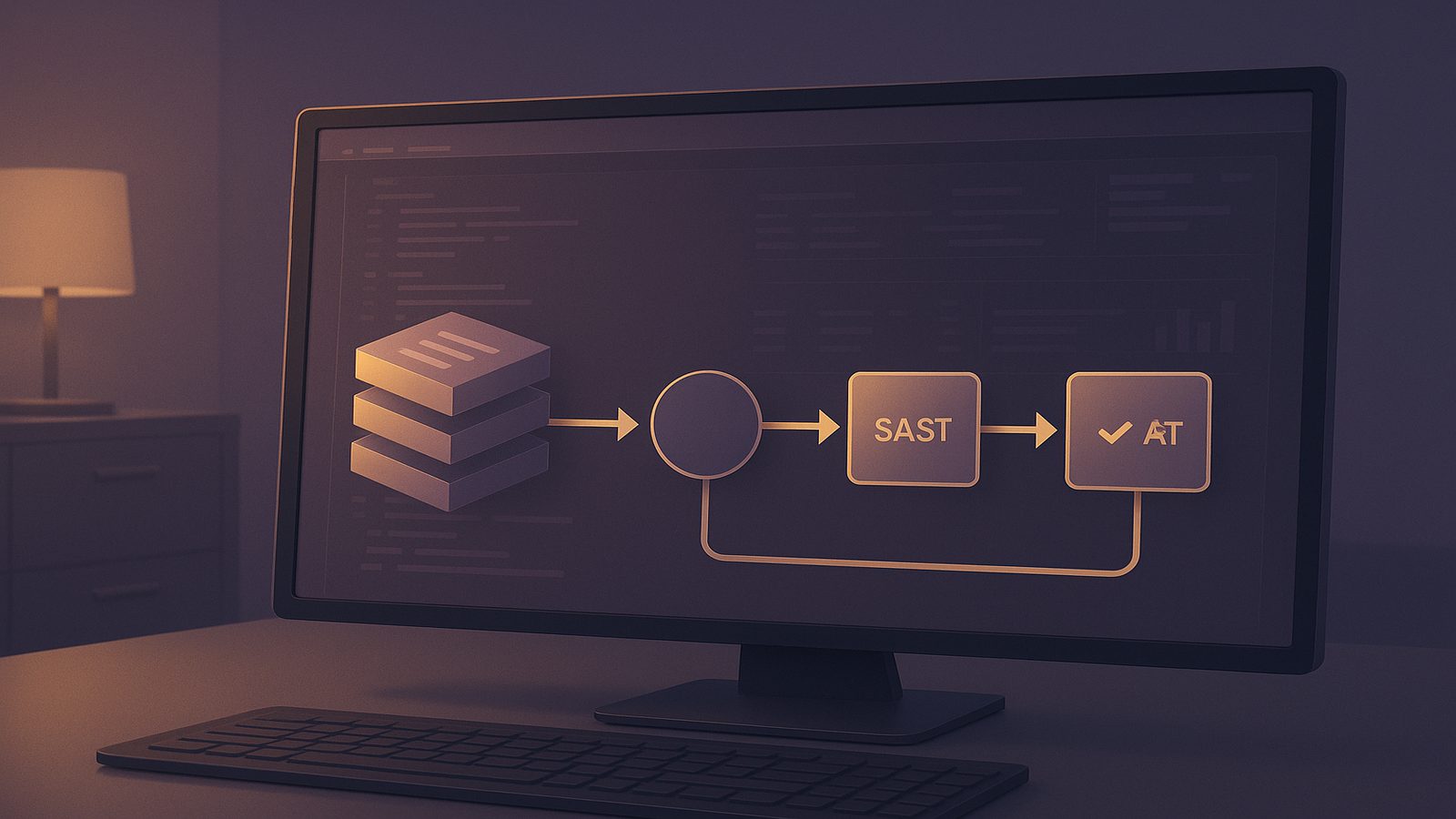
GitHub Actions is a convenient way to automate build, test and release work, but convenience can become risk if the workflow is treated as a trusted execution environment by default. For UK SMEs, the main challenge is not whether to use automation, but how to make sure the pipeline improves assurance without creating new exposure through over-privileged tokens, untrusted pull requests, or noisy security checks that nobody acts on.
Securing GitHub Actions pipelines with SAST and DAST is best approached as an engineering control, not a one-off tool installation. SAST, or static application security testing, inspects source code and configuration before the application runs. DAST, or dynamic application security testing, exercises a running application from the outside and looks for weaknesses in behaviour, responses and exposed attack surface. Used together, they give you both code-level and runtime coverage, which is especially useful when teams ship frequently and rely on pull requests to keep delivery moving.
Key takeaways
- Use SAST on pull requests and main branch merges to catch insecure code patterns before they reach production.
- Run DAST against a controlled live environment so you can validate runtime behaviour, authentication and exposed attack paths.
- Keep GitHub Actions permissions narrow, especially for forked pull requests and jobs that do not need write access.
- Treat scanner output as operational work, with clear ownership, severity thresholds and tracked remediation.
- Tune rules and environments carefully so the pipeline produces useful signal rather than developer fatigue.
Why GitHub Actions needs security controls in the delivery pipeline
GitHub Actions sits close to the code, the build system and often the deployment path. That makes it a high-value target for credential theft, malicious workflow changes and abuse of repository permissions. If a workflow can read secrets, write to packages, or deploy into production, then a compromised pull request or a poorly reviewed action dependency can become a route into your wider environment. This is why pipeline hardening and security testing should be designed together, not separately. Our article on hardening GitHub Actions against pwn requests and token theft covers the workflow security side in more depth.
Where pipeline risk usually appears in GitHub-based delivery is fairly consistent. The first issue is token scope. The default GITHUB_TOKEN can often do more than a job actually needs, especially if repository settings are left broad. The second issue is event handling. Pull requests from forks are useful for collaboration, but they are also untrusted input and should be treated carefully. The third issue is supply chain exposure through third-party actions, containers and packages used inside the workflow. The fourth issue is scan quality. If SAST or DAST produces too many false positives, engineers will start ignoring the output, which defeats the point of automation.
SAST and DAST complement each other because they answer different questions. SAST asks whether the codebase contains patterns that are likely to be insecure, such as injection risks, unsafe deserialisation, weak cryptography, or dangerous use of secrets. DAST asks whether the deployed application behaves securely when probed, for example whether it leaks information in error messages, exposes unauthenticated endpoints, or fails to enforce access controls under realistic conditions. A mature pipeline uses SAST early and often, then uses DAST against a deployed test target before release. That gives engineers earlier feedback on code defects and later feedback on runtime behaviour.
What SAST and DAST should cover in a GitHub Actions setup
In practice, SAST should be used to catch insecure code patterns before merge. That means scanning pull requests, not just main branch builds. For web applications, useful findings include injection sinks, unsafe file handling, insecure direct object references, weak session handling, hard-coded credentials, insecure use of crypto libraries, and unsafe framework configuration. If you already use code review checklists, SAST should reinforce those checks rather than replace them. It is also worth aligning rules to the language and framework in use, because generic rules alone rarely give enough signal for a real codebase.
For teams that want a structured way to think about control coverage, OWASP ASVS is a useful reference point for application security requirements, while OWASP SAMM can help you measure whether secure development practices are becoming repeatable. If you are building your own rules, our article on writing custom SAST rules with Semgrep may be useful alongside this one, because custom rules are often the difference between useful signal and generic noise.
DAST should validate the application as it is actually deployed. That means testing the running service, not just the code. A DAST job should cover authentication flows, session handling, common input points, headers, error handling, and any endpoints that are exposed in the test or review environment. If the application uses APIs, DAST should include API routes as well as browser-facing pages. For modern delivery teams, the most practical pattern is to run DAST against an ephemeral review app or a dedicated integration environment that mirrors production controls closely enough to be meaningful.
It is important to understand that DAST is not a substitute for secure coding. It is a control for observing behaviour, not a guarantee that the code is safe. Likewise, SAST is not enough on its own because it cannot prove that a vulnerability is exploitable in the deployed system. The strongest result comes from combining both, then feeding the findings back into code review, test design and architecture decisions.
Designing a secure GitHub Actions workflow
A secure workflow starts with least-privilege permissions for workflow tokens and jobs. In GitHub Actions, permissions should be set explicitly at the workflow or job level rather than inherited broadly. If a job only needs to read repository contents and upload scan results, it should not be able to write packages or create releases. A common pattern is to set the default permissions to read-only, then grant narrower write access only to the deployment job that genuinely needs it. This reduces the blast radius if a job is compromised.
Separating build, test, scan and deploy stages also helps. A single monolithic workflow is harder to reason about and easier to over-permission. A better pattern is to keep build and test jobs independent, run SAST after the code is checked out and dependencies are installed, and run DAST only after a deployable artifact has been published into a controlled environment. This makes the pipeline easier to debug and gives you clearer ownership of each control. It also makes it easier to stop the pipeline at the right point when a control fails.
Handling pull requests from forks safely deserves special attention. Forked contributions should not receive secrets by default, and they should not be able to trigger privileged deployment steps. If you need to run SAST on forked pull requests, that is usually safe because it operates on source code, but you should still avoid exposing sensitive credentials to the job. DAST is more complicated because it often needs a live environment and sometimes test credentials. In that case, use a dedicated non-production environment with synthetic data and tightly scoped credentials, or run the DAST job only after a maintainer-approved merge into a protected branch.
For GitHub-native hardening patterns, the article on integrating SAST, DAST, and SCA tools into CI pipelines is a useful companion, especially if you are deciding where to place security gates in the overall delivery flow.
Implementing SAST in GitHub Actions
When choosing between CodeQL, Semgrep and custom rules, the right answer depends on your stack and your tolerance for operational overhead. CodeQL is strong for deep code analysis and works well where GitHub Advanced Security is already part of the platform strategy. It is particularly useful for supported languages and for teams that want a managed query model. Semgrep is often faster to tune and easier to adapt to framework-specific patterns, which makes it attractive for SMEs with mixed stacks or a need for custom rules. In many cases, the best answer is not either-or, but a combination: use CodeQL for broad baseline coverage and Semgrep for targeted checks on the application patterns that matter most to your business.
A practical SAST workflow usually runs on pull requests and on merges to the main branch. On pull requests, the goal is fast feedback. On main branch merges, the goal is to confirm that the merged code still passes the same policy and to capture a clean baseline for reporting. If your team uses branch protection, you can require the SAST job to pass before merge, but you should be selective about which severities block the merge. Blocking on every low-confidence warning will create friction without improving security.
Tuning rules, suppressions and false positive handling is where most teams either succeed or lose trust. Start with a small set of high-confidence rules that match your technology stack and threat model. Then review the first few runs with the developers who own the code. Suppressions should be documented and reviewed, not hidden in workflow files with no context. If a finding is accepted because the code path is unreachable, or because a compensating control exists, record that decision in the repository or ticketing system so it can be revisited later. This is a good place to align with your secure code review process and your vulnerability management workflow.
For teams that want to go further, custom Semgrep rules can encode local patterns such as unsafe framework helpers, insecure deserialisation libraries, or project-specific anti-patterns. That is often more valuable than adding another generic scanner. The aim is to reduce the time engineers spend triaging irrelevant output and increase the proportion of findings that lead to actual fixes.
Implementing DAST in GitHub Actions
DAST works best when it runs against an environment that is stable enough to produce consistent results. Ephemeral review apps are ideal if your platform supports them, because they let you test the exact build that is about to be merged without polluting shared test environments. If ephemeral environments are not practical, a dedicated integration environment can still work, provided it is refreshed regularly and kept close to production in terms of configuration, authentication and routing.
OWASP ZAP is a common choice for DAST in GitHub Actions because it can be automated and integrated into CI workflows without much ceremony. A typical pattern is to start the application, wait for health checks to pass, run a baseline or active scan, and then publish the report as an artefact. The scan should be scoped carefully so that it does not crawl unrelated services or generate load on shared dependencies. For authenticated applications, you may need a scripted login sequence or a session token injected from a protected secret. That secret should be limited to the test environment and rotated if the environment is rebuilt.
Managing authentication, test data and environment stability is usually the hardest part. DAST is only useful if it can reach the parts of the application that matter. That means creating test accounts with predictable roles, seeding data that exercises important business logic, and ensuring the environment does not fail because of unrelated service dependencies. If the application relies on third-party APIs, consider stubbing those dependencies in the test environment so that the scan results are repeatable. Otherwise, you may end up chasing transient failures rather than security issues.
DAST should also be tuned to avoid destructive behaviour. Some scanners can submit forms, mutate records or trigger workflows. In a shared environment, that can create operational noise. Use safe scan profiles, rate limits and allowlists where appropriate. The goal is to observe security behaviour, not to simulate a full adversary campaign inside a fragile test system.
Making scan results actionable for engineers
The most useful security pipeline is one that routes findings into the same working systems engineers already use. That might mean annotating pull requests, creating GitHub issues, or sending findings into a ticketing platform with ownership metadata attached. The important point is that a finding should not disappear into a report that nobody opens. If the scanner can comment directly on the pull request with file and line references, that usually shortens the time to remediation. If the issue is broader, such as a runtime misconfiguration found by DAST, a ticket with a clear owner and due date is usually better.
Failing builds only on agreed severity thresholds is a sensible compromise for most SMEs. For example, you might block on critical and high-confidence findings in protected branches, while allowing lower-severity issues to proceed with a ticket created automatically. This avoids turning the pipeline into a hard stop for every minor issue. It also gives the team a way to improve security steadily without disrupting release cadence. The threshold should be reviewed periodically as the codebase matures and the team becomes more confident in the scanner output.
Tracking remediation trends over time is just as important as the scans themselves. If the same classes of issue keep appearing, that usually points to a design or training gap rather than an isolated coding mistake. Look for repeat findings by repository, team, framework or endpoint. Over time, the trend should be towards fewer repeat issues, faster closure, and fewer suppressions. If that is not happening, the workflow probably needs tuning.
Hardening the pipeline around the scanners themselves
Security tools in the pipeline also need protection. Secrets used by scanners and deployment jobs should be stored in GitHub Secrets or an external secret manager, not committed into workflow files or test fixtures. Prefer short-lived credentials where possible, and scope them to the specific environment and job. If a scanner only needs read access to a test API, do not give it access to production data or deployment credentials.
Reducing supply chain risk from third-party actions is another key control. Pin action versions to a commit SHA where practical, review the source of any action you import, and avoid unmaintained or overly broad marketplace actions. The same principle applies to container images used in the workflow. If you are already thinking about software supply chain assurance, our article on software supply chain assurance controls for technical teams is a useful companion piece.
Pinning action versions and reviewing dependencies is not about chasing perfection. It is about reducing the chance that a routine pipeline change introduces a hidden dependency risk. For higher assurance, some teams also verify build provenance and use signed artefacts for deployment, especially where release integrity matters. That is not mandatory for every SME, but it becomes increasingly relevant as the software estate grows and more teams depend on the same delivery platform.
Common implementation pitfalls and how to avoid them
One common pitfall is over-scanning without clear ownership. If every repository gets the same scanner configuration, regardless of language, framework or risk, the result is often a flood of low-value findings. Start with one high-value application, tune the rules, and define who owns triage and remediation. Another pitfall is treating DAST as a replacement for secure coding. DAST may confirm that a control is missing or that an endpoint behaves badly, but it will not tell you how to design the feature correctly in the first place.
A third pitfall is allowing noisy findings to erode developer trust. If the scanner reports the same false positives every run, people will stop reading the output. The answer is not to switch the scanner off, but to improve rule quality, scope the scan more carefully, and make sure suppressions are reviewed. A fourth issue is running DAST in an unstable environment and then assuming the failures are security findings. If the test environment is unreliable, fix the environment first. Otherwise, you will spend time chasing infrastructure problems that have nothing to do with application security.
A pragmatic rollout plan for UK SMEs
For most UK SMEs, the best rollout starts with one repository and one high-value application. Choose a service that changes regularly, has meaningful business impact, and is owned by a team willing to work with the findings. Add SAST first, because it is easier to automate and usually less disruptive. Then add DAST against a controlled test environment once the build and deployment path is stable. This staged approach lets you learn the workflow before scaling it across the estate.
From there, expand coverage by risk and release criticality. Customer-facing applications, payment flows, administrative portals and internet-exposed APIs should usually come before internal tools with limited exposure. If you have multiple teams, standardise the workflow template but allow each team to tune rules and thresholds to their stack. That balance between standardisation and local ownership is usually what makes the control sustainable.
Measure whether the controls are improving delivery quality, not just whether they are running. Useful metrics include the number of high-severity findings per release, mean time to remediate, the percentage of findings suppressed, and the number of repeat issues by category. If the numbers improve over time, the pipeline is doing useful work. If they do not, revisit the rules, the environment, or the ownership model.
For organisations that want a broader view of secure development maturity, our article on using OWASP SAMM to measure secure development maturity can help you place GitHub Actions controls into a wider improvement programme.
Securing GitHub Actions pipelines with SAST and DAST is ultimately about making security part of the delivery system rather than a separate checkpoint at the end. If you design the workflow with least privilege, safe fork handling, sensible scan placement and clear remediation ownership, you can improve assurance without slowing the team to a crawl. For UK SMEs, that is usually the right trade-off.
If you would like help designing a practical implementation plan for your repositories, workflows and release process, Speak to a consultant.
Frequently asked questions
Do GitHub Advanced Security features replace third-party SAST and DAST tools?
Not necessarily. GitHub Advanced Security can provide strong native capabilities for code scanning and secret detection, but many teams still use third-party tools for language coverage, custom rules, runtime testing or broader reporting. The best choice depends on your stack, your risk profile and how much tuning you need.
Should SAST and DAST block every release?
Usually not. A more practical approach is to block only on agreed high-severity or high-confidence findings, while routing lower-severity issues into tickets or pull request comments. That keeps the pipeline useful without turning every release into a hard stop.
Comments are closed