
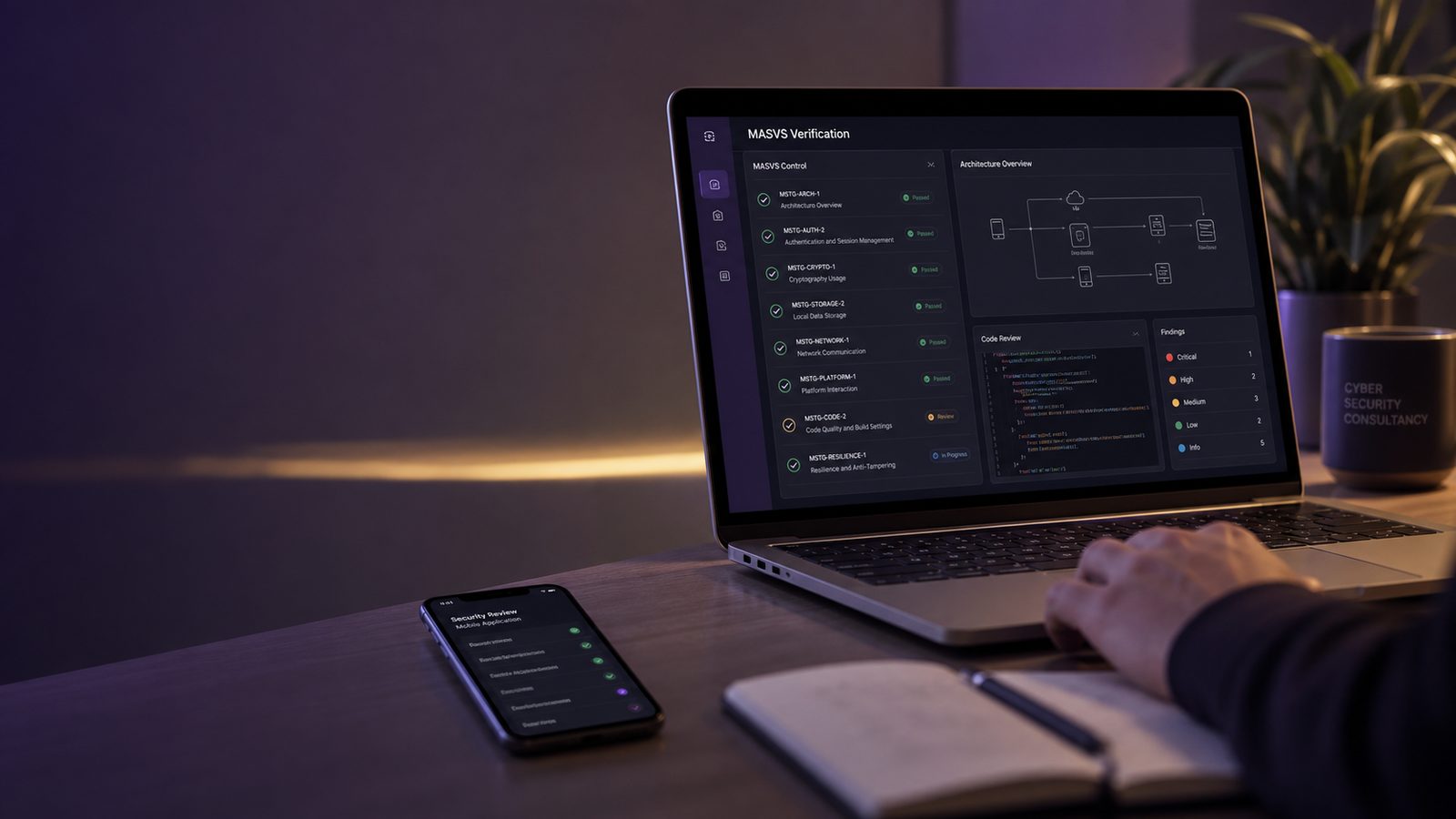
Applying OWASP MASVS for mobile application security
OWASP MASVS (Mobile Application Security Verification Standard) is the baseline that defines what a secure mobile app must do, organised into seven control groups and two verification levels plus resilience. This guide explains how to pick a level, which controls to test first, and how to run the tests using the MASTG.
Mobile applications are often the most visible part of a product, but they are also one of the easiest places for security assumptions to drift. Teams may secure the API, harden the backend, and still leave the mobile client with weak local storage, poor certificate handling, exposed secrets, or insufficient runtime protections. For UK SMEs, that can create avoidable risk across customer trust, support effort, and incident response cost.
OWASP MASVS, the Mobile Application Security Verification Standard, gives engineering teams a structured way to define what “secure enough” means for a mobile app. It is not a certification scheme and it does not guarantee security. Instead, it works as a control baseline that helps product teams, security teams, and suppliers agree on expectations. The companion web application testing with Burp Suite article is useful if you already test API behaviour and want to extend that discipline into mobile-specific verification.
In practice, MASVS is most valuable when it is used alongside OWASP MASTG, the Mobile Application Security Testing Guide. MASVS tells you what to aim for, while MASTG helps you verify whether those controls are actually present. That distinction matters because mobile security failures are often implementation issues rather than policy issues. A requirement to encrypt data at rest is only useful if the app does not cache sensitive data in plaintext, log it accidentally, or leave it recoverable through backups and device tooling.
Key takeaways
- Use MASVS as a control baseline and MASTG as the verification guide, not as a certification shortcut.
- Choose MASVS-L1, L2, or R based on data sensitivity, threat model, and platform risk rather than applying one level to every app.
- Build mobile security into the SDLC with design review, CI checks, and release gates so issues are found before deployment.
- Prioritise authentication, local storage, transport security, and dependency management first because these are common failure points.
- Use MASVS in supplier assurance by asking for control mappings, test summaries, and remediation evidence.
What OWASP MASVS is and where it fits in mobile security
MASVS is a verification standard for mobile apps on iOS and Android. It breaks mobile security into control areas such as architecture, authentication, cryptography, platform interaction, code quality, and resilience against reverse engineering. For technical practitioners, the value is that it gives you a common language for requirements, design review, testing, and supplier assurance.
MASVS sits between broad secure development guidance and detailed test execution. If you already use secure SDLC practices, MASVS gives you a mobile-specific control set to apply during design and release. If you are building a mobile app as part of a SaaS product, it helps you avoid the common mistake of treating the app as a thin presentation layer with no meaningful security requirements of its own.
MASVS versus MASTG and the OWASP Mobile Top 10
MASVS, MASTG, and the OWASP Mobile Top 10 are related but different. The Mobile Top 10 is a risk catalogue that highlights common classes of mobile weakness, such as insecure data storage and poor cryptography. MASVS is a control baseline that translates those risks into requirements. MASTG is the testing guide that explains how to verify them.
A useful way to think about it is this: the Mobile Top 10 helps you understand what can go wrong, MASVS tells you what good looks like, and MASTG tells you how to check. If you only use the Top 10, you may end up with awareness but no implementation standard. If you only use MASVS, you may have requirements but no repeatable verification. If you use all three together, you get a much more workable assurance model.
When MASVS is useful for product teams, security teams, and suppliers
MASVS is useful whenever a mobile app handles authentication, personal data, payment data, health data, internal business information, or privileged operational access. It is also useful where the app is distributed to customers, field engineers, partners, or staff devices, because the device environment is less controllable than a managed server.
For product teams, MASVS helps turn vague statements like “make the app secure” into testable requirements. For security teams, it provides a practical checklist for reviews and assessments. For suppliers, it creates a clearer expectation during procurement and due diligence, especially when the app is built by a third party but will still connect to your systems or data.
How to choose the right MASVS level for your app
MASVS is usually applied at different levels depending on the app’s exposure and risk. The point is not to make every app meet the most demanding profile. The point is to match the control set to the threat model, the data being handled, and the consequences of compromise.
Using MASVS-L1, L2, and R as a practical scoping model
MASVS-L1 is generally the baseline level for most apps. It is suitable where the app handles ordinary business data and where the main concern is avoiding common implementation flaws. MASVS-L2 is more demanding and is typically used where the app handles sensitive data, high-value transactions, privileged access, or stronger attacker interest. MASVS-R, the resilience-focused level, is relevant where you need additional protection against reverse engineering, tampering, or runtime manipulation.
For many UK SMEs, the right starting point is to define a baseline at L1, then identify specific flows or features that need L2 or R treatment. You do not need to force the entire app into the highest category if only one workflow carries elevated risk. For example, a customer self-service app may be mostly L1, but the administrative function used by support staff may justify stricter controls.
Matching the target level to data sensitivity, threat model, and platform risk
Choose the level by looking at three things together. First, the data sensitivity: does the app process personal data, credentials, tokens, or regulated information? Second, the threat model: is the app likely to be targeted by opportunistic abuse, fraud, or a motivated attacker? Third, the platform risk: does the app rely on local storage, offline access, device biometrics, or third-party SDKs that expand the attack surface?
If the app is used by staff on managed devices, you may be able to rely more heavily on device controls. If it is a consumer app on unmanaged devices, the mobile client must defend itself much more aggressively. This is where mobile security differs from server-side application security. The client is not trusted, the device may be compromised, and the network path may be hostile.
Building MASVS into the mobile SDLC
MASVS works best when it is not treated as a one-off assessment checklist. It should be embedded into the mobile SDLC so that security requirements are captured early, reviewed at design time, and verified before release. That approach is consistent with broader secure development practice and aligns well with the kind of controls discussed in secure software development guidance and the software supply chain assurance controls article, especially where mobile apps depend on SDKs, build pipelines, and third-party services.
Security requirements, design review, and release gates
Start by turning MASVS into security requirements that sit alongside functional requirements. For example, if the app stores tokens locally, define how they must be protected. If the app uses biometrics, define what happens when biometrics are unavailable or reset. If the app communicates with APIs, define the transport security and certificate validation expectations.
At design review, check the trust boundaries. Identify what is stored on the device, what is derived from the server, what is cached, and what can be replayed or tampered with. Review whether the app can function safely if rooted, jailbroken, or instrumented. Release gates should then require evidence that the agreed MASVS controls have been tested, not just implemented in code review notes.
How to align MASVS with agile delivery and DevSecOps workflows
MASVS does not need to slow agile delivery if it is translated into small, testable acceptance criteria. Put mobile security stories into the backlog, attach them to epics, and define “done” so that security checks are part of the normal release path. In a DevSecOps model, this means integrating static analysis, dependency scanning, secret scanning, and mobile-specific checks into CI pipelines.
For example, you can run SAST on the application code, SCA on dependencies, and a mobile security scan on each build artefact. You can also add policy checks for signing configuration, debug flags, and insecure entitlements. The aim is to catch regressions before they reach app store submission or internal distribution.
Key control areas to prioritise first
Most teams get the biggest benefit by focusing on a few high-impact areas first. These are the controls that tend to fail in real mobile assessments and that are most likely to create practical risk.
Authentication, session handling, and identity flows
Mobile apps often fail when they treat the client as a trusted environment. Authentication should be delegated to a robust identity provider where possible, with short-lived tokens, secure refresh handling, and clear session expiry behaviour. Avoid storing long-lived credentials on the device. If you use biometric unlock, treat it as a local convenience control, not as a replacement for server-side authentication.
Check that session tokens are bound appropriately to the app context and that logout really invalidates the session. Review how the app behaves after device restore, app reinstall, or account switch. If the app supports privileged roles, make sure role changes are enforced server-side and not just hidden in the user interface.
Data storage, transport security, and local device protections
Local storage is one of the most common weak points. Sensitive data should be minimised, encrypted where appropriate, and removed when no longer needed. Review caches, logs, screenshots, clipboard use, backups, and crash reports. Many mobile apps leak more through diagnostics than through the primary data store.
Transport security should use modern TLS configuration and strict certificate validation. Avoid custom trust logic unless there is a strong reason and a clear test plan. If certificate pinning is used, design for operational resilience so that certificate rotation does not break the app. Device protections such as secure enclave or keystore use, app sandboxing, and backup exclusion should be verified on both platforms, because implementation details differ between iOS and Android.
Code integrity, reverse engineering resistance, and runtime protections
For apps with higher risk profiles, consider controls that make tampering and analysis harder. That may include code obfuscation, jailbreak or root detection, runtime integrity checks, and anti-tamper controls. These measures do not make an app invulnerable, but they can raise the cost of abuse and reduce the ease of extracting secrets or modifying behaviour.
Use these controls carefully. They should not create brittle apps or false confidence. If the app depends on them, document the failure mode and ensure the server still enforces critical decisions. A mobile client should never be the only place where authorisation, transaction approval, or business rules are enforced.
Testing a mobile app against MASVS
Testing should combine static analysis, dynamic analysis, and manual review. MASVS is useful because it gives you a structured way to decide what to test and what evidence to collect. MASTG then helps you turn that into a repeatable test plan.
How MASTG supports verification and test planning
MASTG is especially helpful when you need to move from generic testing to evidence-based verification. It includes test cases for storage, authentication, cryptography, platform interaction, and resilience. For a small team, that means you can prioritise the most relevant tests instead of trying to run every possible check on every release.
Use MASTG as a reference when defining acceptance criteria for security testing. For example, if the app claims to protect local data, define how you will verify that data is not present in plaintext on disk, in logs, or in backups. If the app claims to resist tampering, define what instrumentation or modification checks you will perform.
Static analysis, dynamic analysis, and manual testing approaches
Static analysis should cover source code and compiled artefacts where possible. Look for insecure API usage, weak cryptography, hard-coded secrets, unsafe WebView handling, and insecure storage patterns. Dynamic analysis should validate runtime behaviour, including API calls, certificate handling, local storage, and error handling. Manual testing remains essential for checking business logic, authentication edge cases, and flows that automated tools often miss.
For Android, tools such as MobSF, jadx, adb, and Frida are often used in a defensive assessment workflow. For iOS, Xcode tooling, class-dump style inspection where appropriate, and runtime analysis tools can help verify behaviour. Burp Suite is useful for observing API traffic, testing token handling, and checking whether the app relies on client-side controls that can be bypassed. The key is to use tools to confirm hypotheses, not to rely on them as a substitute for understanding the app.
Using Burp Suite, MobSF, and platform-specific tooling
MobSF can provide a useful first pass by identifying insecure storage, exported components, weak cryptography, and risky permissions. Burp Suite helps with traffic inspection and request manipulation, which is important for confirming whether the server enforces the same rules as the client. Platform-specific tooling then fills in the gaps, especially around signing, entitlements, permissions, and runtime behaviour.
When you test, keep the focus on evidence. Capture screenshots, logs, request traces, and artefact hashes where needed. That makes it easier to track remediation and to show progress over time. If you already maintain a vulnerability backlog, map findings to severity, exploitability, and business impact rather than treating all mobile issues as equal.
Checklist for engineering teams
A practical MASVS checklist should be short enough to use and detailed enough to matter. The following areas are a good starting point for most teams.
Secure configuration should ensure debug builds are never shipped, verbose logging is disabled, and test endpoints are not reachable in production. Secrets handling should keep API keys, tokens, and signing material out of source control and out of the app binary where possible. Dependency management should include review of third-party SDKs, transitive dependencies, and update cadence, because mobile apps often inherit risk from analytics, messaging, and advertising libraries.
Logging and telemetry should be designed so that they support supportability without exposing sensitive data. Avoid logging tokens, personal data, or full request bodies unless there is a clear operational need and a retention control in place. Secure update mechanisms should ensure that app updates and remote configuration changes are authenticated and integrity protected. If the app supports feature flags or remote config, treat them as a security-relevant control plane, not just a product convenience.
For teams that need to formalise this work, it can help to align the mobile backlog with a broader secure development model such as the one described in Microsoft Secure Development Lifecycle explained for UK SMEs. That gives you a way to connect requirements, design review, testing, and release governance without inventing a separate process for mobile only.
Common gaps found in mobile assessments
In practice, the same weaknesses appear repeatedly. One common issue is weak local data protection, where sensitive data is cached in plaintext, left in logs, or recoverable from backups. Another is insecure API usage, where the app assumes the client can enforce access control or business logic. A third is over-reliance on obscurity, where teams assume that hiding endpoints, obfuscating code, or using a private app distribution channel is enough to stop abuse.
Another recurring problem is missing server-side enforcement. If the mobile app decides whether a user can access a feature, change a record, or approve a transaction, the control is fragile. The server must verify identity, authorisation, and state transitions independently. This is especially important where the app is used by staff, contractors, or partners with different privilege levels.
How to use MASVS in supplier assurance
For UK SMEs buying a mobile app from a supplier, MASVS can be a practical procurement control. It gives you a way to ask for evidence without turning the process into a paperwork exercise. Ask which MASVS level the supplier has targeted, which controls are in scope, and how they verify them. Ask for a summary of the test approach, the release gate criteria, and the handling of high-risk findings.
Useful evidence usually includes a control mapping, a recent test summary, a remediation plan for known issues, and a statement of what is excluded from scope. If the supplier uses third-party SDKs, ask how those are reviewed and updated. If the app is distributed through managed channels, ask how signing, update integrity, and configuration changes are controlled. The article on verifying supplier compliance with secure software requirements is a good companion if you need to turn these questions into a repeatable due diligence process.
Practical next steps for UK SMEs
If you are starting from scratch, do not try to implement every MASVS control at once. Begin with a simple inventory of mobile apps, their data flows, and the business impact of compromise. Then assign a target level, usually L1 with selected L2 or R controls where justified. After that, build a short control checklist for design review and release testing.
Next, identify the highest-risk gaps. For many teams, that will be local storage, transport security, authentication, and dependency management. Turn those into backlog items with owners and deadlines. If you have multiple apps, use the first one as a pilot and refine the checklist before rolling it out more widely. The goal is to create a repeatable pattern, not a one-off project.
Finally, make sure findings are tracked to closure. A MASVS assessment is only useful if it leads to remediation, retesting, and improved engineering habits. Treat the output as part of your normal vulnerability management process, not as a separate security document that sits on a shelf.
For organisations that want help turning this into a practical delivery plan, we can support mobile security scoping, control selection, and remediation prioritisation as part of broader secure development and ISO 27001-aligned advisory work. If that would be useful, Speak to a consultant.
FAQ
Is MASVS a standard or a framework?
MASVS is best understood as a verification standard and control baseline for mobile applications. It is not a certification scheme, and it does not by itself prove that an app is secure. Its value is in helping teams define expected controls and verify them consistently.
Do we need to test every mobile app to the same MASVS level?
No. The right level depends on the app’s data, users, threat model, and business impact. A low-risk internal utility app may only need a baseline profile, while a customer-facing app handling sensitive data or privileged actions may justify stronger controls. The important thing is to document the rationale and apply it consistently.
What is the difference between OWASP MASVS and OWASP MASTG?
MASVS defines what security controls a mobile app should meet, while MASTG explains how to test and verify those controls. In other words, MASVS is the target and MASTG is the test guide. Used together, they provide a practical way to move from policy to evidence.
Where should a small team start if resources are limited?
Start with authentication, local storage, transport security, and dependency review. Those areas usually give the best return on effort and are common sources of real-world weakness. Once those are under control, extend the checklist to runtime protections, logging, and update integrity.
Comments are closed