
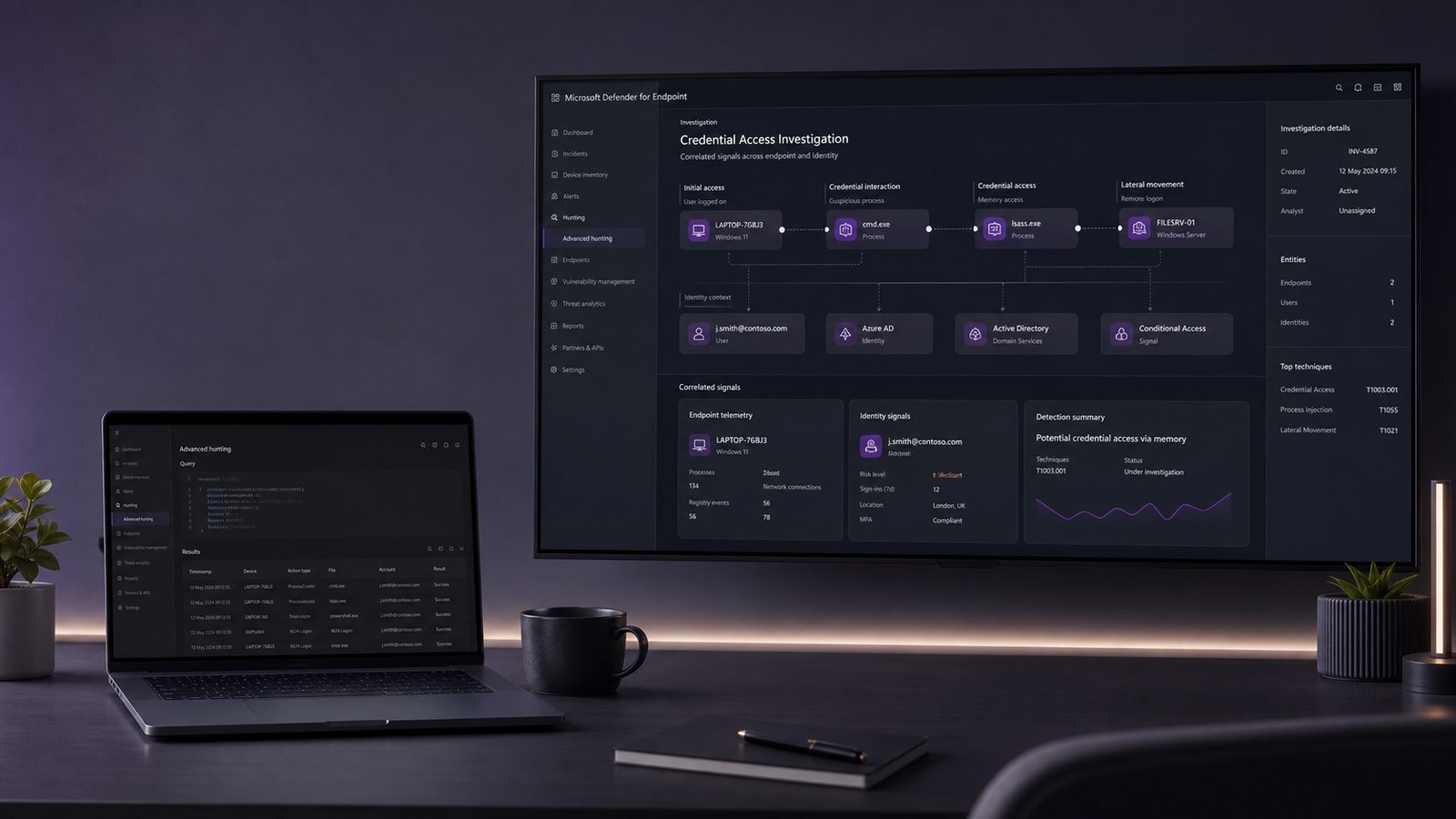
Memory-resident attacks and credential abuse are two of the more important detection areas for modern endpoint defence. They often sit behind the initial access stage and are used to turn a single compromised workstation into broader access across a network. For UK SMEs, the challenge is not only spotting these behaviours, but doing so with enough signal quality that a small team can act on the alerts without drowning in noise.
Microsoft Defender for Endpoint can help here because it collects endpoint telemetry that is useful for identifying suspicious process behaviour, memory access patterns, command-line abuse, and post-compromise activity. Used well, it gives security teams a way to move from reactive malware scanning to behaviour-based detection. Used poorly, it can generate a stream of low-value alerts that nobody trusts.
Why this detection area matters in modern endpoint defence
Where memory-resident activity differs from traditional malware
Traditional malware often leaves obvious artefacts on disk. Memory-resident activity is different. Attackers may use legitimate processes, script hosts, or injected code to avoid simple file-based detection. That means the compromise may not look like a classic malicious executable sitting in Downloads or Temp. Instead, the suspicious behaviour appears in process relationships, unusual memory access, command-line patterns, or abnormal use of trusted binaries.
This matters because many endpoint controls still focus heavily on files. Defender for Endpoint is more useful when you treat it as a behavioural sensor rather than just an antivirus console. It can surface process creation, parent-child relationships, script execution, suspicious handle access, and other signals that help you reason about what is happening in memory.
How credential theft techniques map to common attacker objectives
Credential theft is usually about persistence and lateral movement. If an attacker can obtain reusable credentials, tokens, or authentication material, they can often move beyond the original endpoint and access email, file shares, cloud services, or administrative tools. In practice, the goal is rarely the endpoint itself. The endpoint is a stepping stone.
That is why detections around credential access should be prioritised alongside identity monitoring. A suspicious process on a laptop may be the first sign of a wider identity compromise. If you want a broader view of how identity abuse fits into the attack chain, our article on credential attack simulation using BloodHound is a useful companion piece, because it shows how attackers think about privilege paths and account relationships.
What Microsoft Defender for Endpoint can observe
Telemetry sources that are useful for memory and credential abuse
Defender for Endpoint provides several telemetry types that are relevant here:
- Process creation and command-line data, which helps identify suspicious launch patterns.
- Device events, including file, registry, and some security-relevant behaviours.
- Alert metadata, which can be used to triage and enrich detections.
- Advanced Hunting tables, which allow you to query endpoint activity at scale.
- Indicators and custom detections, which can turn hunting logic into operational alerts.
For memory and credential abuse, the most useful signals are often indirect. You may not see the malicious payload itself, but you may see a process opening an unusual handle, a script host spawning a shell, or a signed binary behaving in a way that does not fit its normal role.
How Defender for Endpoint fits alongside Windows event data and identity logs
Defender for Endpoint should not be treated as a standalone source of truth. It works best when combined with Windows event data and identity logs from your directory platform or SIEM. Endpoint telemetry tells you what happened on the device. Identity logs tell you whether the same account is now authenticating from an unusual location, using an unusual client, or failing repeatedly before succeeding.
That correlation is important. A suspicious PowerShell session on its own may be benign. The same session followed by a sign-in from a new geography, a token refresh anomaly, or a burst of failed authentication attempts is much more interesting. For teams building out their telemetry strategy, our article on what security logs you actually need and why is helpful context for deciding which sources deserve priority.
Threat patterns worth prioritising
Process injection, suspicious handle access, and LSASS targeting
One of the highest-value areas to watch is access to sensitive processes such as LSASS, the Local Security Authority Subsystem Service. LSASS is a core Windows process involved in authentication. Unusual access to it can indicate an attempt to extract credentials or authentication material. You do not need to assume every LSASS access event is malicious, but you should treat unexpected access from non-standard tools, unusual parent processes, or unsigned binaries as high priority.
Other patterns worth tracking include process injection, remote thread creation, and suspicious handle access. These are often used to run code inside another process or to manipulate a trusted process for concealment. Defender for Endpoint can surface some of these behaviours directly, and others can be inferred through related process telemetry and alert context.
Credential dumping, token theft, and suspicious authentication behaviour
Credential dumping is the obvious category, but token theft and session abuse are increasingly important. Attackers may target browser sessions, refresh tokens, or cached credentials rather than trying to crack passwords directly. That means a detection strategy focused only on password theft is incomplete.
On the identity side, look for impossible travel, unusual device registration activity, atypical sign-in risk, and authentication from endpoints that have just triggered a suspicious process alert. The value comes from combining endpoint and identity evidence into a single incident view.
Building practical detections in Defender for Endpoint
Using Advanced Hunting to identify suspicious process and memory activity
Advanced Hunting is where Defender for Endpoint becomes genuinely useful for technical practitioners. It gives you a query layer over endpoint telemetry, which means you can express detection logic in a way that is testable, repeatable, and tunable.
A practical starting point is to look for process chains that are unusual in your environment. For example, Office applications spawning script hosts, script hosts spawning shells, or administrative tools launching from user-writable locations. You can also search for command-line indicators such as encoded commands, suspicious download stagers, or unusual use of PowerShell flags.
Example hunting ideas include:
- Processes accessing LSASS from non-standard parent processes.
- PowerShell launched with encoded or obfuscated command lines.
- Script hosts spawning command shells or network utilities.
- Unsigned binaries running from temporary or user profile locations.
- Rare process trees involving archive tools, scripting engines, and credential-related activity.
For teams already using Microsoft Sentinel, these hunts can be promoted into scheduled analytics rules. If you are building detections more broadly, our article on building SIEM detections using Sigma rules is a useful reference for turning behavioural ideas into portable detection logic.
Tuning alerts to reduce noise without losing high-signal coverage
Tuning is essential. A detection that fires constantly on legitimate admin tools will be ignored, no matter how technically elegant it is. Start by identifying the normal tools in your environment that can legitimately touch sensitive processes or use scripting heavily. Then build allow-lists carefully, ideally based on signed binaries, known management hosts, or controlled admin accounts rather than broad path exclusions.
Be cautious with exclusions. It is easy to suppress the very behaviour you want to see. A better pattern is to narrow by context. For example, allow a known endpoint management agent to access certain processes only when it runs from its expected path, under its expected service account, and on managed devices only.
Detection logic and hunting queries to start from
Example hunting approaches for LSASS access, suspicious PowerShell, and encoded commands
Defender for Endpoint query language is well suited to building layered hunts. A useful approach is to start with broad behavioural filters and then refine them with environment-specific context.
For LSASS-related hunting, look for process access events where the target process is LSASS and the source process is not one of your approved security or management tools. Add filters for unusual parent processes, unsigned binaries, or execution from user-writable paths. You are not trying to prove malicious intent from one field alone. You are trying to identify combinations that are uncommon in normal operations.
For PowerShell, focus on command-line characteristics rather than the presence of PowerShell itself. In many environments, PowerShell is normal. What is more interesting is encoded commands, hidden windows, download cradles, or script blocks that reference suspicious network activity. If you have PowerShell logging available elsewhere, correlate it with Defender for Endpoint process telemetry to improve confidence.
For encoded commands, treat them as a triage trigger rather than a verdict. Some legitimate tools use encoded or compressed command lines, but in SME environments that is usually rare enough to justify review. The key is to compare the command against the device role and the user’s normal behaviour.
Correlating endpoint telemetry with identity and sign-in anomalies
The strongest detections usually combine endpoint and identity signals. A practical correlation pattern is:
- Suspicious process or memory activity on a device.
- Followed by a sign-in from the same user account that is unusual for that user.
- Followed by mailbox access, file share access, or privilege escalation attempts.
That sequence is more actionable than any single alert in isolation. It also helps a small team prioritise incidents by likely business impact. If the account is a standard user on a low-value device, the response may be different from a finance user on a device that also handles privileged access.
Operationalising detections in a small security team
Alert triage, enrichment, and escalation criteria
Small teams need simple triage rules. For memory and credential detections, I would suggest classifying alerts using three questions:
- Is the process or account behaviour expected on this device?
- Is the activity associated with a sensitive account, such as an administrator or finance user?
- Is there corroborating evidence from identity, email, or network telemetry?
If the answer to the first question is no, and the second or third question is yes, the alert should move quickly to investigation. Enrichment should include device owner, recent sign-ins, process tree, hash reputation, and any related alerts in the preceding 24 hours.
For teams that want to improve their incident handling, our article on incident triage and escalation workflows in SOC operations provides a useful operational model for deciding what gets investigated, what gets contained, and what gets handed over.
Using MITRE ATT&CK to document coverage and gaps
MITRE ATT&CK is useful here because it gives you a common language for describing what your detections cover. Memory and credential abuse often maps to techniques such as process injection, OS credential dumping, and valid accounts. Mapping your Defender for Endpoint detections to ATT&CK helps you see where you have strong coverage and where you are relying on assumptions.
For example, if you have good coverage for LSASS access but weak coverage for token abuse or suspicious use of living-off-the-land binaries, that is a meaningful gap. Documenting this in a simple matrix can help you prioritise future tuning or additional telemetry.
Hardening and configuration choices that improve signal quality
Attack surface reduction rules, tamper protection, and credential protection features
Detection quality improves when the endpoint is hardened. Defender for Endpoint works better when paired with sensible prevention controls. Attack surface reduction rules can block or warn on common abuse paths such as script abuse, child process creation from Office, or executable content from email and web sources. Tamper protection helps prevent attackers from disabling security settings after compromise. Credential protection features reduce the amount of sensitive material exposed in memory.
These controls are not just about prevention. They also improve signal quality. If risky behaviours are blocked consistently, the remaining alerts are more meaningful. That said, prevention controls can create operational friction if they are rolled out too aggressively.
Trade-offs between prevention controls and detection fidelity
There is always a trade-off. A very strict policy may reduce attack surface, but it can also make it harder to observe attacker behaviour because the activity is blocked before it develops into a useful alert. A looser policy may generate more telemetry, but it can also increase risk.
The practical answer is to phase controls. Start with audit or warn modes where appropriate, review the impact on business processes, then move to block where the evidence supports it. This is especially important for SMEs with lean IT teams, because an over-blocking policy can create as much disruption as the threat you are trying to reduce.
If you are already working on endpoint baseline work, our article on endpoint hardening using CIS Benchmarks is a good companion, because a stronger baseline makes behavioural detection easier to interpret.
Validation, testing, and continuous improvement
Safe ways to test whether detections fire as expected
You do not need offensive techniques to validate detection coverage. Safe testing can include benign administrative tools, controlled lab devices, and known-good scripts that exercise the same telemetry paths as suspicious activity. The aim is to verify that your queries, alerts, and escalation paths work, not to reproduce an attack in full.
Test cases should cover:
- Expected alerts for suspicious process chains.
- Expected suppression for approved admin tools.
- Correlation between endpoint and identity events.
- Alert routing to the right team or queue.
Where possible, run these tests in a staging tenant or on a small pilot group before rolling changes into production.
Measuring false positives, missed detections, and response time
Detection engineering is iterative. Track false positive rate, mean time to triage, and the proportion of alerts that result in meaningful investigation. If a rule fires often but rarely leads to action, it probably needs refinement. If a rule never fires, it may be too narrow or based on assumptions that do not hold in your environment.
It is also worth reviewing missed detections after incidents or exercises. If an event was visible in the logs but did not trigger an alert, that is a tuning opportunity. If it was not visible at all, that is a telemetry gap.
For UK SMEs, the goal is not perfect coverage. It is enough coverage, with enough confidence, to support timely decisions. Defender for Endpoint can deliver that if you treat memory and credential detection as an operational discipline rather than a one-off configuration task.
If you would like help designing or tuning a practical detection approach that fits your environment, speak to a consultant. We can help you align endpoint telemetry, identity signals, and response workflows in a way that is realistic for a small team.
Frequently asked questions
What telemetry in Defender for Endpoint is most useful for spotting credential theft attempts?
The most useful telemetry is usually process creation, command-line data, suspicious handle access, and alert context from Advanced Hunting. On their own, these signals are not always conclusive, so they work best when correlated with identity logs such as unusual sign-ins, failed authentication bursts, or account activity from a new device.
How should a small team tune memory and credential detections to avoid excessive false positives?
Start with high-signal behaviours such as LSASS access, encoded PowerShell, and suspicious process chains, then tune by approved tools, device roles, and signed binaries. Avoid broad exclusions where possible. Instead, narrow detections using context so that legitimate admin activity is allowed without suppressing the behaviour you actually want to see.
Comments are closed