
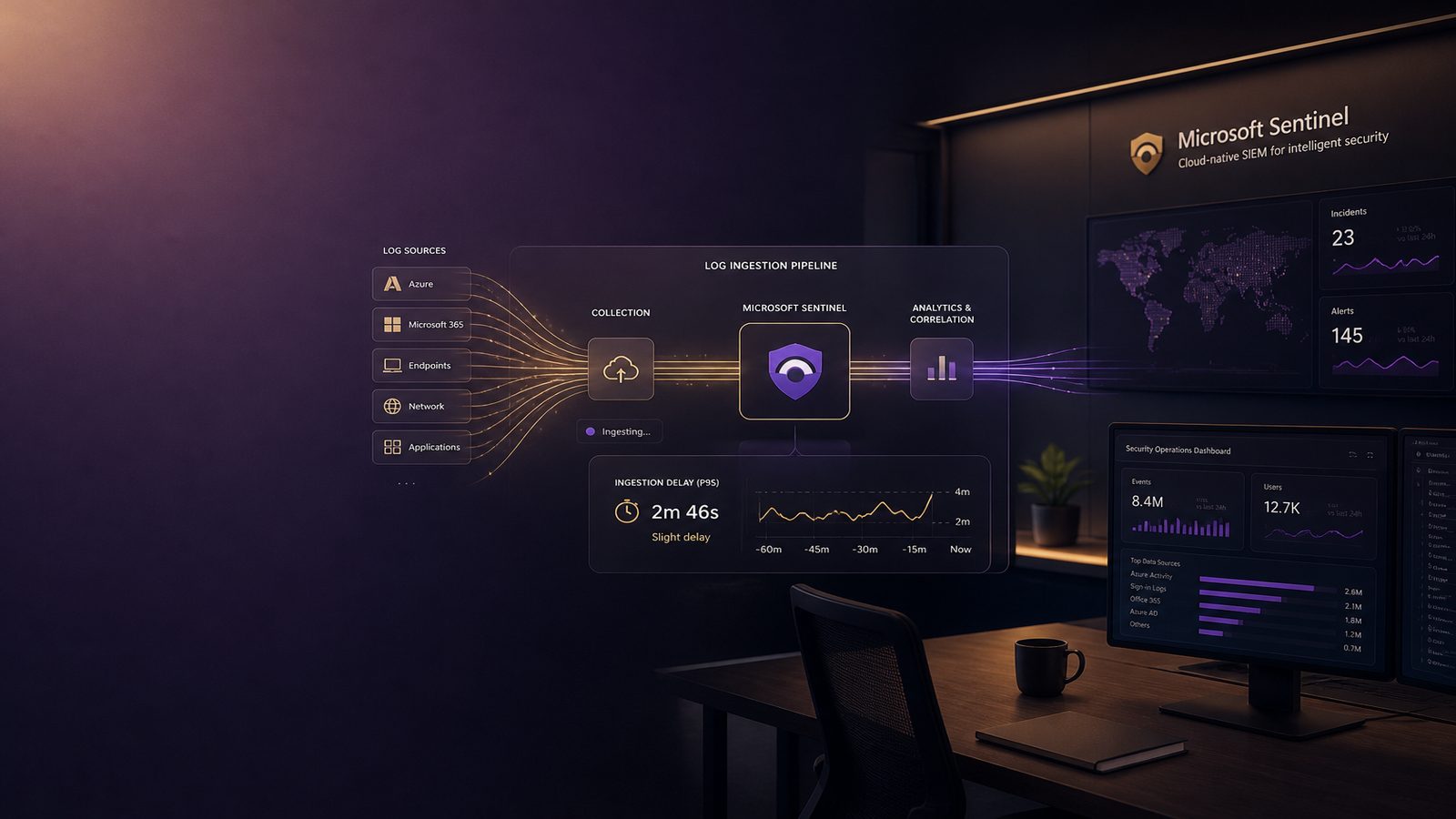
Microsoft Sentinel can only detect what it has received, parsed, and made available for analytics. That sounds obvious, but in practice many teams focus on rule logic and miss a more basic constraint: the delay between an event happening and that event becoming queryable in Sentinel. For a security engineer or SOC analyst, that delay is not just a platform metric. It affects triage speed, correlation quality, hunting confidence, and whether an alert lands while the activity is still in progress.
For UK SMEs, the issue is usually not one dramatic failure. It is a collection of small delays across agents, connectors, network paths, transformations, and rule schedules. A few minutes here and there can be acceptable for low-value telemetry, but the same delay on identity, endpoint, or privileged access logs can materially weaken detection. If you already think about pipeline design, it is worth reading this alongside our designing log pipelines for detection engineering guidance, because ingestion latency is one of the main reasons a well-written detection still underperforms.
Key takeaways
- Treat ingestion latency as a detection quality issue, not just a platform performance metric.
- Measure both event time and ingestion time so you can see where delay is introduced.
- Prioritise low-latency handling for identity, endpoint, and privileged access telemetry.
- Tune analytics rule lookback windows and schedules to account for late-arriving data.
What log ingestion delay means in Sentinel
Log ingestion delay is the time between when an event occurs on the source system and when that event is available in Sentinel for search, analytics, and hunting. In a healthy pipeline, that delay is usually short and predictable. In a less mature environment, it can vary by source, by time of day, or by the volume of data being processed.
The first distinction to make is between event time and ingestion time. Event time is when the source system says something happened. Ingestion time is when Sentinel receives the record. Those two timestamps are often close, but they are not the same. A detection that keys off event time may describe the real-world sequence accurately, while a detection that depends on ingestion time may reflect pipeline behaviour more than attacker behaviour.
Delay can appear at several points. An endpoint agent may buffer logs locally. A connector may batch records before forwarding them. A source system may only export data periodically. A transformation may take time to parse or normalise records. Network congestion, throttling, or workspace pressure can add more latency. By the time a record is queryable, the original activity may already be over.
Why detection latency matters for SOC operations
Detection latency is the operational effect of ingestion delay. If a brute-force attempt, suspicious sign-in, or privilege escalation event arrives late, the SOC may lose the chance to contain the activity while it is still active. Even when the alert is still useful for investigation, the response window is narrower and the evidence trail may be less complete.
Late logs also affect correlation. Many Sentinel analytics rules depend on multiple events occurring within a defined window. If one source arrives quickly and another arrives late, the rule may fail to match the sequence even though the activity really happened. That is especially relevant for multi-stage detections, such as identity plus endpoint combinations, or parent-child process chains. The detection logic may be sound, but the timing assumptions are wrong.
Hunting is affected in a similar way. Analysts often assume that a recent query window reflects recent activity. If one source is delayed by 10 minutes and another by 30, a hunt for “last 15 minutes” may miss the most relevant records. That is why latency should be treated as part of detection quality, not as a separate infrastructure concern. It sits alongside the same themes discussed in measuring detection quality and false positives, because a detection that is technically correct but consistently late is still operationally weak.
Common causes of delayed ingestion
One common cause is connector or agent-side buffering. Many collectors batch events to reduce overhead and network chatter. That is often sensible, but the batch interval becomes part of your latency budget. If the collector waits for a buffer to fill before sending, low-volume sources can sit idle for longer than expected.
Transformation and parsing overhead can also introduce delay. If you are normalising data heavily at ingestion time, or using complex parsing logic, the pipeline may spend measurable time reshaping each record. That is not inherently bad, but it should be intentional. Ingestion-time processing should improve detection value, not become an accidental bottleneck.
Workspace, network, and source-system constraints matter too. A source system under load may export logs slowly. A constrained VPN or proxy path may add jitter. A workspace receiving very high volumes may experience throttling or back-pressure. None of these issues are unique to Sentinel, but they become visible in Sentinel because they directly affect when analytics can run.
How DCRs and transformations influence latency
Data Collection Rules, or DCRs, are a useful control point because they define how data is collected and shaped before it lands. They can reduce noise, standardise fields, and improve downstream analytics. They can also add latency if the collection path is over-engineered or if too much work is pushed into ingestion-time processing.
In practice, the trade-off is between efficiency and immediacy. A well-designed DCR can reduce storage cost and improve signal quality. A poorly designed one can delay high-value telemetry enough to weaken detections. The right answer is usually not to avoid transformations altogether, but to reserve the most expensive processing for sources where the benefit is clear.
For example, if you are ingesting Windows event data, it may be better to keep the ingestion path lightweight and do only essential normalisation, then use KQL for enrichment where possible. If you are handling a source with known schema inconsistency, some ingestion-time parsing may be justified. The key is to measure the impact rather than assume the transformation is free.
For teams building detections from multiple sources, this is also where architecture discipline matters. Our building Microsoft Sentinel analytics rules from MITRE ATT&CK techniques article explains how to align rules to attacker behaviour. Latency is the missing operational variable in that model. A good ATT&CK mapping still needs realistic timing assumptions.
How to measure ingestion delay in practice
The simplest way to measure delay is to compare the source event timestamp with the ingestion timestamp. In Sentinel, the exact field names vary by table and connector, but the principle is the same. You want to understand the difference between when the event happened and when it became available for query.
A basic KQL pattern is to calculate the age of each record at ingestion or at query time. For example:
SecurityEvent
| extend DelayMinutes = datetime_diff("minute", TimeGenerated, ingestion_time())
| summarize AvgDelay = avg(DelayMinutes), P95Delay = percentile(DelayMinutes, 95), MaxDelay = max(DelayMinutes) by bin(TimeGenerated, 1h)
That query is not a universal answer, because not every table exposes the same semantics and not every source uses the same timestamp quality. But it is a useful starting point. You can adapt it to specific tables such as sign-in logs, device events, or firewall data, then compare the results over time.
Another useful pattern is to build freshness checks. For example, if a source should emit records continuously, you can alert when the most recent record is older than an expected threshold. That is less about exact delay and more about source health. It helps distinguish “slow but alive” from “silent and broken”.
When you test latency, do not look only at averages. Median and 95th percentile values are usually more informative. A source with a 2 minute average delay but a 20 minute 95th percentile delay will create inconsistent detection behaviour. That inconsistency is often what frustrates analysts most.
What good latency looks like for different log sources
There is no single acceptable delay target for every source. High-value identity and endpoint telemetry usually deserves the tightest latency budget because those logs support rapid containment and account protection. If sign-in anomalies, device alerts, or privilege-related events arrive late, the organisation may miss the best window to respond.
Lower-priority or batch-oriented sources can tolerate more delay. Historical exports, compliance feeds, and some third-party logs are often more useful for trend analysis than immediate response. In those cases, a longer delay may be acceptable if the data is complete and reliable.
A practical approach is to classify sources into tiers. Tier 1 might include identity, endpoint, and domain controller telemetry. Tier 2 might include network security devices and cloud audit logs. Tier 3 might include batch feeds, reference data, or low-value operational logs. Each tier can have a different latency expectation, which makes it easier to decide where to invest effort.
This is closely related to the broader question of visibility and blind spots. If you want a wider view of how missing or delayed data affects coverage, our understanding detection coverage and blind spots for UK SMEs article provides useful context.
How to reduce delay without losing visibility
The first step is to prioritise critical sources. If you cannot improve everything at once, focus on the logs that support the fastest and most important decisions. That usually means identity, endpoint, and privileged access telemetry before low-value operational noise.
Next, reduce unnecessary volume. Excessive logging can create self-inflicted delay, especially if collectors, parsers, or workspaces are under pressure. Filtering out low-value events at source is often better than ingesting everything and trying to sort it out later. That said, be careful not to remove data that supports investigations or correlation. The goal is not minimal logging. The goal is useful logging with predictable latency.
Transformation logic should be kept as simple as possible for high-priority streams. If a field can be normalised at source, do that. If enrichment can happen later in KQL or in a downstream process, consider moving it out of the ingestion path. This is particularly important where the transformation is expensive but only marginally improves detection fidelity.
Retention and cost settings also matter. Teams sometimes over-optimise for storage cost and accidentally create a pipeline that is too aggressive in filtering or batching. Cost control is sensible, but it should not undermine the timeliness of the data that drives response. A small increase in ingestion cost can be justified if it materially improves detection latency for critical sources.
Detection engineering considerations when logs arrive late
Late-arriving data changes how you schedule and scope analytics rules. If a rule runs every five minutes but the source can arrive 10 minutes late, the rule may need a longer lookback window or a different execution cadence. Otherwise, the detection may repeatedly miss the relevant event set.
For scheduled analytics, the main design question is whether the rule should optimise for speed or completeness. A short lookback window gives faster alerts but increases the chance of missing late data. A longer lookback window improves coverage but may create duplicate alerts or more noise. In many environments, the right answer is to use a slightly longer window and then deduplicate intelligently.
You should also think about event ordering. Some detections assume that the source event time reflects the true sequence. If ingestion delay is inconsistent, the order in which records appear in Sentinel may not match the order in which the activity happened. That matters for correlation rules, especially those that chain multiple steps together.
For hunting, the safest approach is to build a small delay buffer into your queries when working with sources known to be late. That means not always querying right up to the current minute. It is a pragmatic compromise that reduces false confidence. If you are using KQL heavily, our KQL threat hunting with Microsoft Sentinel guide is a useful companion for building those queries in a disciplined way.
Operational checks for small security teams
Small teams do not need a large observability platform to manage ingestion delay well. They do need a few routine checks. Start by monitoring source freshness for the logs that matter most. If a critical source has not produced data within its expected interval, that should be visible quickly.
It is also worth tracking latency trends over time. A source that is stable today but slowly degrading over several weeks can be harder to spot than a sudden outage. Simple dashboards showing median delay, 95th percentile delay, and last-seen time are often enough to reveal problems early.
Set thresholds that trigger investigation rather than immediate panic. For example, a 5 minute delay on a source that normally arrives in under a minute may justify a check, but it does not always require escalation. The threshold should reflect the business value of the source and the operational impact of missing it.
Finally, make sure the team knows which delays are acceptable and which are not. If everyone assumes Sentinel is “real time”, they may over-trust the platform and under-estimate the risk of delayed telemetry. Clear expectations are part of good operational security, not just good engineering.
For organisations that want a broader detection architecture review, this is often a good place to discuss pipeline design, source prioritisation, and rule timing together. If that would be useful, you can Speak to a consultant about practical support.
Frequently asked questions
Can delayed ingestion cause missed alerts?
Yes. If a rule depends on a narrow time window, late-arriving data can fall outside the query window or arrive after the rule has already run. That can lead to missed matches, delayed alerts, or weaker correlation across sources.
Should every log source be treated with the same latency target?
No. Identity, endpoint, and privileged access logs usually deserve tighter latency targets than batch feeds or low-value operational logs. A tiered approach is more realistic and helps you spend effort where it improves detection most.
How do I check whether Microsoft Sentinel is ingesting logs late?
Compare the source event timestamp with the ingestion timestamp for the relevant table, then review median, 95th percentile, and maximum delay over time. Also check last-seen time for critical sources so you can spot stalled pipelines as well as slow ones.
Can ingestion delay affect scheduled analytics rules and hunting queries?
Yes. Scheduled rules may miss late data if the lookback window is too short, and hunting queries can give a false sense of completeness if they assume the newest records are already present. Build in a delay buffer for sources that are not consistently fast.
Comments are closed