
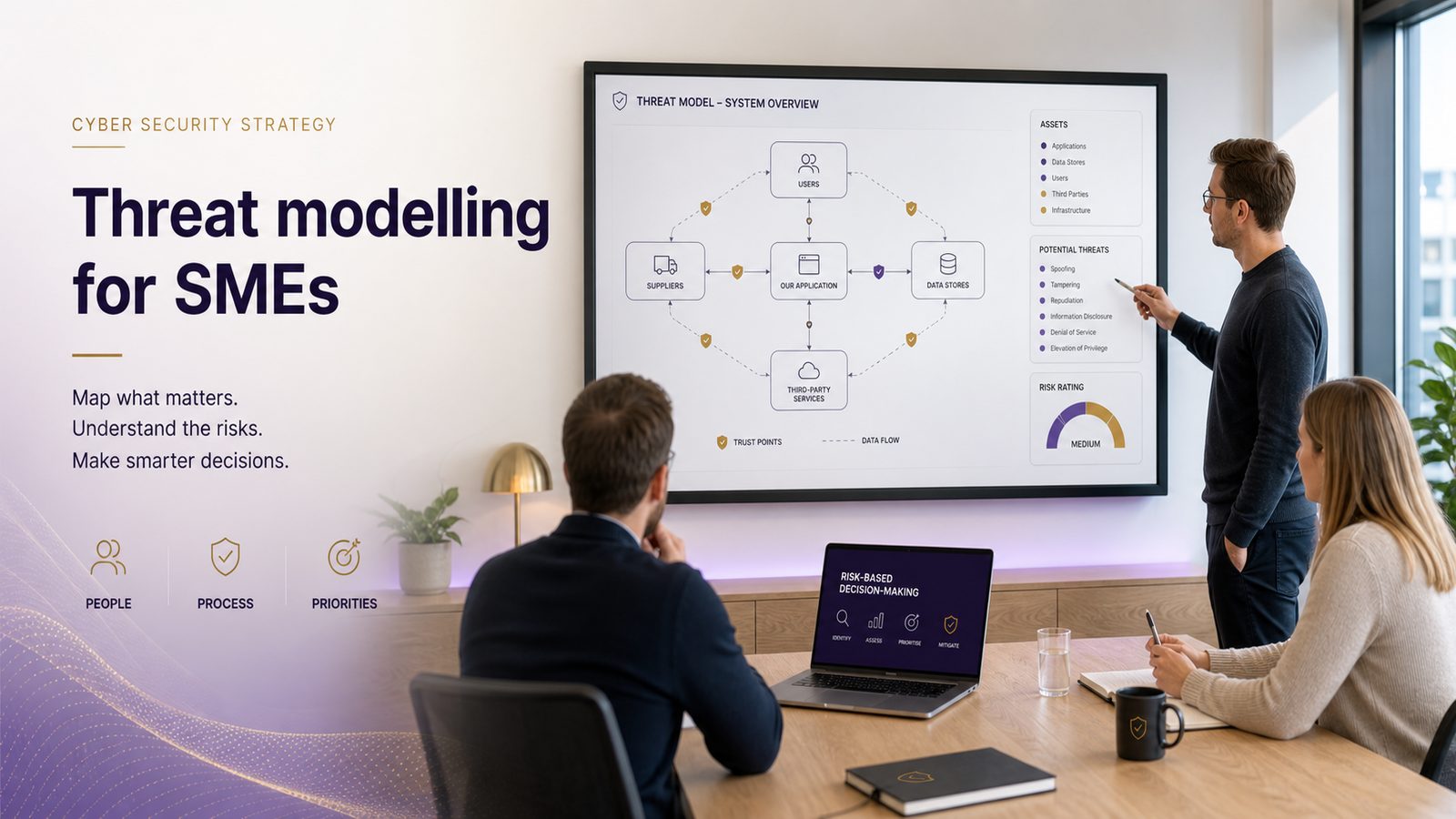
Threat modelling concepts explained for SMEs
For many small and medium-sized businesses, cyber security can feel like a long list of things to buy, configure, and worry about. Threat modelling helps cut through that noise. It is a structured way to think about what could go wrong, how likely that is, and what the business would lose if it did.
That matters because most SMEs do not have unlimited time or budget. You need to know where to focus first. A good threat model helps you spend money on the risks that could stop sales, disrupt operations, damage trust, or create avoidable recovery costs.
What threat modelling means in plain English
Threat modelling is simply the habit of asking: what are we protecting, who might cause harm, and how could that harm happen?
It is not about predicting every possible cyber attack. It is about making sensible decisions based on the systems, people, suppliers, and information that matter most to your business.
A simple way to think about likely risks to your systems
Imagine your business as a building with several doors, rooms, and people who need access. Some doors are used by staff, some by customers, and some by suppliers. Threat modelling looks at which doors matter most, which ones are easiest to misuse, and what would happen if the wrong person got in.
That same idea applies to your systems, websites, cloud services, email, finance tools, and shared files. The goal is to understand the weak points before an incident forces you to find them the hard way.
Why it helps SMEs make better security decisions
Without this kind of thinking, businesses often buy controls in response to fear, not risk. That can lead to spending on tools that look impressive but do little to reduce the most likely problems.
A practical threat model helps you decide whether you need stronger access controls, better backups, tighter supplier checks, improved monitoring, or simply clearer processes. It also supports wider secure design work, which is why it often sits alongside secure-by-design principles.
Why threat modelling matters for UK SMEs
SMEs are often more exposed than they realise because they rely on a small number of people, a handful of core systems, and external suppliers. If one key account is misused or one service fails, the impact can be immediate.
Threat modelling gives you a way to look at those dependencies before they become a problem. It is especially useful when you are changing systems, moving to cloud services, onboarding a new supplier, or launching a new customer process.
Reducing avoidable costs, disruption, and reputational damage
The most obvious benefit is cost control. A short planning exercise can help you avoid expensive mistakes later, such as buying the wrong security product, underestimating recovery needs, or leaving a critical process exposed.
It also helps protect reputation. Customers, partners, and suppliers are more likely to trust a business that can show it has thought carefully about security rather than one that reacts only after something goes wrong.
Helping teams focus on the risks that matter most
Most SMEs do not have a dedicated security team. That means security work has to be practical and focused. A threat model helps management, operations, and technical staff agree on what matters most.
If you already have a broader risk process, threat modelling can make it more useful by turning abstract concerns into specific scenarios. For a more general view of how this fits into risk management, see Threat Modelling for Risk Management in Small to Medium-Sized Businesses.
The basic building blocks of a threat model
You do not need specialist software to get started. You only need a clear view of the system or process, the people involved, and the possible ways things could go wrong.
What you are protecting
Start with the thing that matters. That might be customer data, payment information, staff records, a booking system, a production process, or access to your email and finance tools.
Be specific. “The business” is too broad. “Our online order system and the customer details it stores” is much more useful.
Who or what could cause harm
Threats are not only criminals. They can also include careless staff, disgruntled ex-employees, suppliers with weak controls, lost devices, software failures, or simple mistakes.
For SMEs, the most useful question is not “who is the most advanced attacker?” It is “what is the most realistic way this could be misused or disrupted?”
How harm could happen
This is where you think through the route to damage. For example, someone might guess a weak password, approve a fraudulent payment, send data to the wrong recipient, or exploit a process that has too much access.
At this stage, you are not trying to solve the problem. You are building a clear picture of the risk so you can choose the right response.
A practical way to run a lightweight threat modelling exercise
Keep it small at first. A one-hour session is often enough to produce useful results for a single system or process.
Choose one system or process to start with
Pick something important but manageable. Good starting points include your customer portal, finance approval process, remote access setup, or shared file storage.
Avoid trying to model the whole business in one go. That usually creates confusion and makes the exercise harder to finish.
Map the main data, users, and trust points
Write down the main information that moves through the process, who uses it, and where trust changes. A trust point is any place where you rely on another person, system, or supplier to behave as expected.
For example, a customer may enter details on your website, staff may review them in an internal system, and a third party may process payment or send notifications. Each step creates a different kind of risk.
If you want a more visual way to do this, applying data-flow diagrams to security threat modelling can help you see the flow more clearly.
List realistic threats and current controls
For each step, ask what could go wrong and what already protects you. Keep the language plain. For example:
- Someone uses a stolen password to access customer records.
- A staff member sends an invoice to the wrong person.
- A supplier outage stops a key service.
- Backups exist, but no one has tested whether they can be restored quickly.
Then note the controls already in place, such as multi-step login, approval checks, training, logging, or backup recovery. This gives you a balanced view of both risk and protection.
Common threats SMEs should consider
Most SMEs do not need an endless list of threat categories. A few common ones cover a large share of practical risk.
Account takeover and misuse of access
If someone gains access to an email account, finance system, or administrator account, the impact can be serious. They may send fraudulent requests, change payment details, or access sensitive information.
This is why access control matters so much. The fewer people who can do high-risk actions, the easier it is to spot misuse and limit damage.
Data loss, fraud, and service disruption
Data loss can happen through deletion, corruption, theft, or accidental sharing. Fraud can happen when a process allows payments or changes to be approved too easily. Service disruption can come from technical failure, ransomware, or a supplier outage.
These risks are different, but they often affect the same business outcomes: lost time, lost revenue, and extra recovery cost. That is why backup and recovery planning should sit close to your threat model, not as an afterthought. A useful companion topic is backup and recovery architecture best practices.
Supplier and third-party weaknesses
Many SMEs depend on external providers for payroll, hosting, payments, communications, or support. If a supplier has weak controls, your business can still feel the impact.
Threat modelling should therefore include the services you rely on, not just the systems you own. That does not mean distrusting every supplier. It means understanding where their failure would affect your operations and what you would do next.
Turning threats into sensible actions
A threat model is only useful if it leads to action. The aim is not to create a long report. The aim is to make better decisions.
Prioritising fixes by business impact
Start with the threats that could cause the most damage and are easiest to exploit. A weak admin password on a critical system is usually more urgent than a low-value issue with little practical impact.
Ask three simple questions:
- How likely is this?
- What would it cost us if it happened?
- How quickly would we notice and recover?
That gives you a practical way to rank the work.
Deciding what to improve, monitor, or accept
Not every risk needs a new control. Some risks should be reduced, some should be watched, and some may be acceptable if the business impact is low.
For example, you might improve access controls for finance systems, monitor supplier performance more closely, and accept a minor inconvenience in a low-risk internal process. The key is to make the decision deliberately, not by default.
How often to revisit your threat model
Threat modelling is not a one-off exercise. It becomes more valuable when it is revisited as the business changes.
When systems, suppliers, or business processes change
Review the model when you introduce a new system, change a supplier, open a new office, move to remote working, or alter a key process such as payments or customer onboarding.
Even small changes can create new risks. A process that was safe last year may no longer be fit for purpose after a system upgrade or a staffing change.
Using it as a living input to design and review
Threat modelling works best when it is part of normal planning, not a special project. Use it during design, change approval, and periodic review. That keeps security tied to business reality rather than treated as a separate exercise.
It also helps with wider architecture decisions, especially when you are trying to align security work to business goals. If that is a priority, aligning security architecture to business objectives is a useful next step.
A simple checklist for getting started
If you want to begin this week, keep it straightforward.
Questions to ask before you begin
- Which system or process would hurt most if it failed?
- What information or access does it depend on?
- Who uses it, approves it, or supports it?
- Where could mistakes, misuse, or supplier failure cause harm?
- What controls already exist?
- Which risks would be most expensive or disruptive?
What a useful first output should look like
Your first output should be a short list, not a polished document. A useful result might include:
- The system or process you reviewed
- The main risks you identified
- The controls already in place
- The actions you want to take next
- The risks you are choosing to accept for now
If you can explain the result to a manager in a few minutes, it is probably the right level of detail for an SME.
Threat modelling is one of the most practical ways to make security decisions less reactive. It helps you focus on what matters, reduce avoidable cost, and improve resilience without overcomplicating the process.
If you would like help applying this to a real system, process, or supplier relationship, you can speak to a consultant.
Frequently asked questions
Do we need specialist tools to do threat modelling?
No. Many SMEs can start with a whiteboard, a spreadsheet, or a simple workshop. The value comes from structured thinking, not from expensive software.
Is threat modelling only useful for software teams?
No. It is useful for any important business process, including finance approvals, supplier access, customer data handling, and remote working arrangements.
Comments are closed