
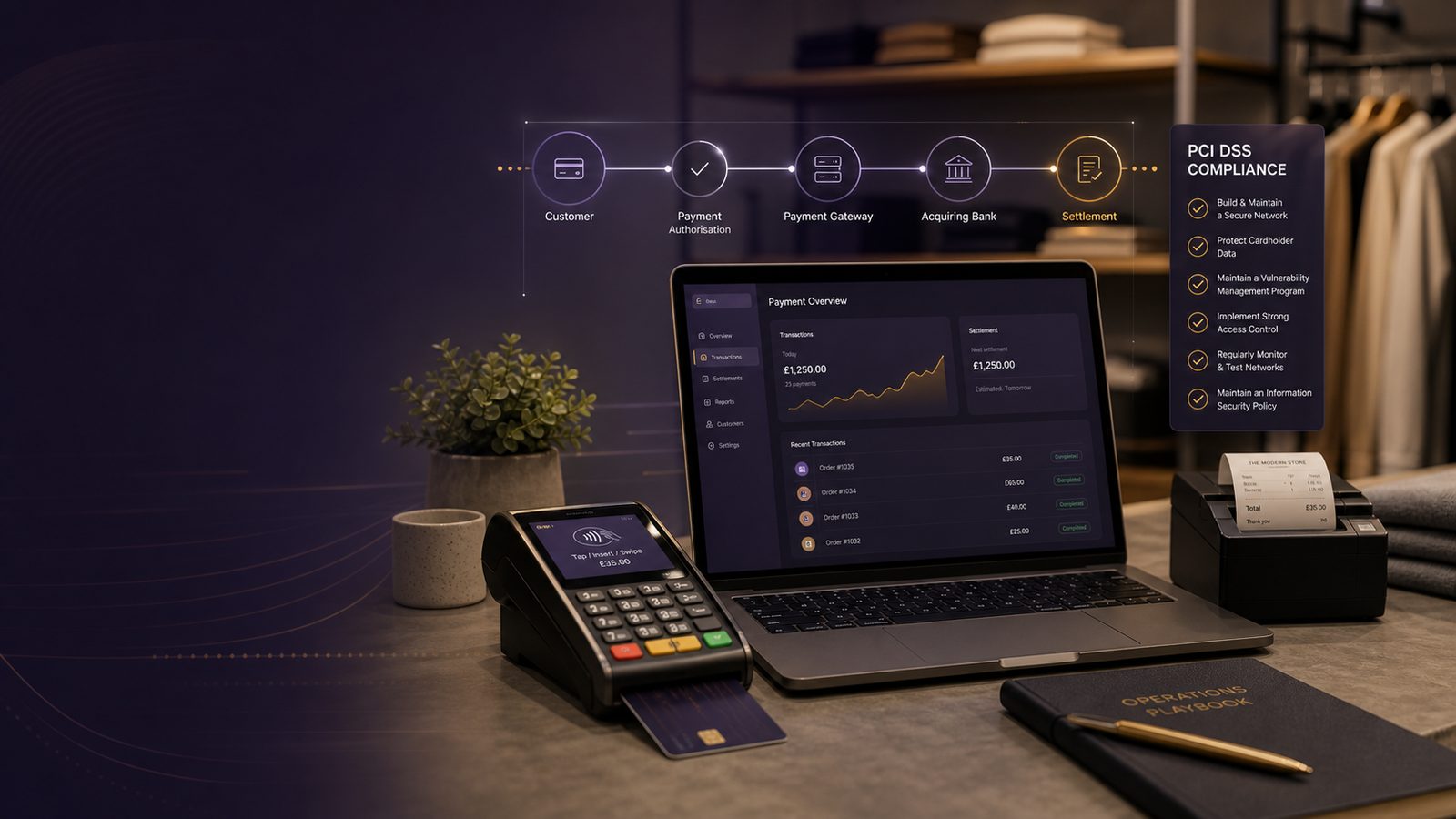
PCI DSS explained for small merchants: a practical guide for UK SMEs
If your business takes card payments, PCI DSS is worth understanding. It can feel like another layer of compliance work, but for most small merchants the real issue is simpler: how to protect customer card data, reduce the chance of a payment-related incident, and avoid unnecessary cost and disruption.
PCI DSS stands for Payment Card Industry Data Security Standard. In plain English, it is a set of security requirements for organisations that store, process, or transmit card data. If you run a shop, café, salon, clinic, trades business, or online store, it may apply to you depending on how you take payments.
The good news is that many small merchants can keep the effort manageable. The key is not to try to do everything at once. Start by understanding where card data goes, then reduce the amount of your own systems that touch it.
What PCI DSS means in plain English
Who needs to pay attention and why it matters
Any business that accepts payment cards should pay attention to PCI DSS. That does not mean every business has the same workload. A small merchant using a hosted payment page from a provider will usually have a much simpler position than a business that stores card details in its own systems.
Why does it matter? Because card data is valuable to criminals, and payment-related incidents can be expensive. The impact is not just technical. It can mean lost sales, extra investigation work, customer concern, and time spent answering questions from banks or payment providers.
For a small business, the biggest cost is often not the security control itself. It is the time taken away from running the business when payment processes are unclear or poorly documented.
What cardholder data is and when it becomes your responsibility
Cardholder data is the information printed or stored on a payment card, such as the card number, expiry date, and cardholder name. In some cases, businesses also handle sensitive security details used to authorise a payment. Those details should never be stored after authorisation.
Your responsibility begins the moment your business touches that data. If a customer types card details into your website, if staff write them down, or if a payment terminal sends them through your network, you need to know exactly what happens next.
The safest approach is to avoid handling card data wherever possible. The less card data moves through your own systems, the less there is to protect.
How PCI DSS affects a small merchant in practice
Typical payment setups and where risk usually sits
Most small merchants use one of a few common payment setups:
- In-person card terminal supplied by a payment provider
- Online checkout hosted by the payment provider
- Payment taken over the phone and entered into a provider portal
- A website that sends card details through its own systems before passing them on
The first two options are usually easier to manage because the provider handles more of the payment process. The last option is often where risk and effort increase, because your own systems may come into contact with card data.
That matters because if card data passes through your website, email, call recording system, or internal network, the number of systems in scope grows quickly. More scope usually means more controls, more evidence, and more work.
Common misunderstandings that create avoidable work
Small merchants often run into the same misunderstandings:
- “We are too small to matter.” In practice, small businesses are still expected to protect card data.
- “Our payment provider handles everything.” Sometimes they do, but your own systems may still be in scope.
- “If we never store card numbers, PCI DSS does not apply.” Even if you do not store card data, you may still process or transmit it.
- “Compliance is a one-off project.” In reality, payment security needs regular attention.
These misunderstandings create unnecessary work because businesses often discover late that a simple payment setup is not as simple as it first appeared.
Start by reducing scope, not by trying to do everything at once
What scope means and why it drives cost and effort
Scope means the systems, people, and processes that are involved in handling card data. The larger the scope, the more you need to secure and the more evidence you may need to keep.
For a small merchant, scope is the main cost driver. If card data touches your website, office network, staff laptops, and shared file storage, you have a bigger problem than if customers pay through a provider’s hosted page and your business never sees the card details.
That is why the first question should be: how can we keep card data out of our own systems?
Simple ways to keep card data out of your own systems
Practical ways to reduce scope include:
- Use a hosted payment page rather than collecting card details on your own website
- Use payment terminals that send data directly to the provider, not through your internal network where possible
- Avoid taking card details by email, text message, or paper forms
- Do not store card numbers in spreadsheets, customer notes, or accounting files
- Check whether call recordings capture card details and stop that if they do
These are not advanced measures. They are sensible business choices that reduce the amount of sensitive data you need to manage.
The controls small merchants should focus on first
Access control, passwords, and staff permissions
Start with people and access. Many payment-related problems begin with too much access in the wrong hands.
Make sure only the staff who genuinely need access to payment systems have it. Remove access when people leave or change role. Use strong passwords and, where available, an extra sign-in step such as a code sent to a trusted device.
For a small business, this can be as simple as:
- One named person responsible for payment system access
- A monthly check of who can log in
- Immediate removal of access when staff leave
- No shared accounts unless there is a very good reason
Keeping systems updated, logging activity, and protecting payment pages
Out-of-date systems are a common weak point. Keep payment terminals, website platforms, plugins, and office devices updated. If you use a web store, make sure the platform and any add-ons are maintained by someone who understands the security impact of delays.
Logging is also important. Logs are records of what happened on a system. You do not need a large monitoring programme to start with, but you should be able to answer basic questions such as who changed a payment setting, when a new user was added, or whether a payment page was altered.
If you take payments online, protect the payment page carefully. Check that the page is genuine, that changes are controlled, and that no one can quietly add extra code to capture card details.
How to handle third parties and payment providers
What to check in contracts and service arrangements
Many small merchants rely on third parties for payment processing, website hosting, or point-of-sale systems. That can be helpful, but it does not remove your responsibility to understand the arrangement.
Check:
- What the provider actually handles
- What data they receive and store
- Who is responsible for updates and security fixes
- How you get support if something goes wrong
- What happens if the service is interrupted
You do not need to become a contract specialist. You do need enough clarity to know where your own responsibilities begin and end.
Questions to ask when a provider says they handle the payment side
Ask simple questions such as:
- Does our website ever see card details?
- Do you store any card data on our behalf?
- Are we expected to complete any PCI DSS self-checks?
- What evidence can you provide about your own security arrangements?
- What should we do if we suspect a payment issue?
These questions help you avoid assumptions. They also make it easier to explain your setup to your bank, insurer, or internal stakeholders if needed.
Evidence and day-to-day habits that make compliance easier
What records to keep so you can show what you do
Small merchants do not need a mountain of paperwork. They do need enough evidence to show that payment security is being managed consistently.
Useful records include:
- A simple diagram of how payments flow through the business
- A list of systems and providers involved in payments
- Proof that access is reviewed regularly
- Records of updates or maintenance for payment-related systems
- Notes of any issues and how they were resolved
Keep these records in a place that is easy to find. If the information is scattered across emails and personal folders, it becomes much harder to use when you need it.
A simple monthly checklist for owners and managers
A short monthly routine can make a big difference:
- Check who has access to payment systems
- Confirm payment terminals and website systems are up to date
- Review any unusual payment activity or failed transactions
- Confirm staff are not storing card details informally
- Check whether any provider changes affect your setup
This is not about creating bureaucracy. It is about catching simple problems before they become expensive ones.
When to get help
Signs your payment setup is more complex than it first looks
It may be time for outside help if:
- Your website takes card details directly
- You use multiple payment providers
- Staff take payments in more than one way
- You are unsure where card data is stored
- Different teams manage the website, finance, and customer service separately
Complexity often grows quietly. A setup that started as straightforward can become harder to manage after a website change, a new booking system, or a move to remote working.
When a short review can save time, cost, and disruption
A short review can be useful if you want to understand your current position, reduce scope, or check whether your payment process matches what you think it does. For many small merchants, a focused review is more useful than trying to build a large compliance project from scratch.
The aim is not perfection. The aim is a payment setup that is clear, proportionate, and easier to defend if something goes wrong.
If you want practical support with payment security, scope reduction, or aligning your controls to business risk, speak to a consultant.
Frequently asked questions
Do all small businesses need to comply with PCI DSS?
If your business accepts card payments, PCI DSS is likely relevant. The exact effort depends on how you take payments and whether your systems store, process, or transmit card data.
Can using a payment provider reduce how much of PCI DSS applies to my business?
Yes, often it can. A provider that handles the payment process for you may reduce the number of systems in scope. You still need to understand what data flows through your business and what your own responsibilities are.
Is PCI DSS only about online payments?
No. It applies to card payments in shops, over the phone, and online. The practical controls differ, but the basic aim is the same: protect card data and reduce payment risk.
Do I need to store card details to be affected by PCI DSS?
No. Even if you do not store card details, you may still process or transmit them. That is enough for PCI DSS to matter.
What is the best first step for a small merchant?
Map how payments work in your business, identify where card data goes, and look for ways to keep it out of your own systems. That usually gives the biggest reduction in effort and risk.
Comments are closed