
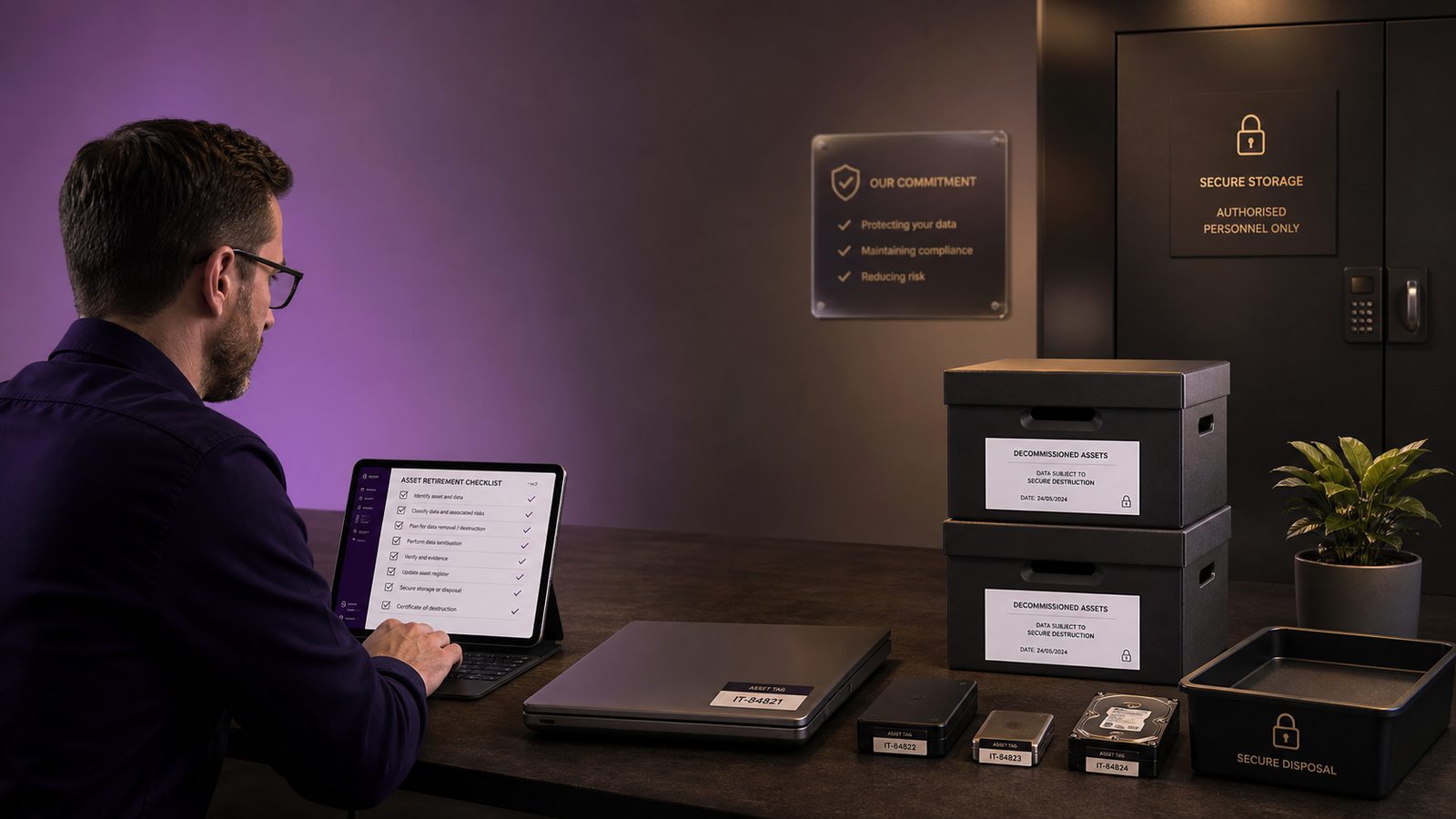
Secure decommissioning and data destruction practices for UK SMEs
Decommissioning is often treated as an IT tidy-up task. In practice, it is a security control. When a system, service, device, or storage medium reaches end of life, the organisation still owns the data risk until that data is removed, sanitised, or destroyed in a way that is appropriate to the medium and the business context.
For UK SMEs, the challenge is usually not a lack of intent. It is the number of places where data can linger: backups, snapshots, exports, logs, caches, test environments, cloud object storage, archived laptops, USB media, and old SaaS tenants. If those artefacts are not handled deliberately, deletion can create a false sense of closure while sensitive data remains recoverable.
A good decommissioning process reduces operational clutter, but it also supports confidentiality, integrity, and evidence. It helps you show what was retired, what data was removed, how it was verified, and who approved the process. That matters whether you are closing a small application, replacing a server, offboarding a cloud service, or disposing of a batch of endpoints.
Why decommissioning needs security controls, not just IT housekeeping
Retiring technology without a defined security workflow creates avoidable gaps. A system may be switched off, but the data may still exist in backups, replicas, or cloud storage. A laptop may be reissued, but local browser caches, synced files, and tokens may still be present. A SaaS subscription may be cancelled, but exported files, API keys, and linked identities may remain active elsewhere.
Typical failure modes when systems are retired
- Deletion is mistaken for destruction, even though the underlying storage remains recoverable.
- Backups are overlooked because they are managed separately from the live system.
- Test, staging, and analytics environments are left running after production retirement.
- Cloud resources are deleted in the console, but object storage, snapshots, and retained logs are not checked.
- Identity and access management objects, such as service principals, API keys, and OAuth tokens, are not revoked.
- Disposal is handed to a third party without clear evidence requirements or chain of custody.
How residual data creates operational, legal, and reputational risk
Residual data can expose customer records, employee information, financial data, source code, credentials, or commercially sensitive material. It can also create operational risk if old systems are accidentally reconnected, reused, or queried during an incident. From a governance perspective, it weakens confidence in asset management, retention, and disposal controls. For SMEs that handle personal data, it can also complicate data minimisation and retention decisions, although specific legal obligations should be assessed separately.
Define the scope of decommissioning early
The first control is scope. If you do not define what is being retired, you will miss something. A decommissioning plan should identify the asset, the owner, the data it holds, the dependencies it supports, and the point at which it can safely be removed.
Applications, virtual machines, cloud services, endpoints, and removable media
Scope should include more than the obvious production server. In a typical SME environment, decommissioning may involve:
- Applications and their databases
- Virtual machines and container hosts
- Cloud services and SaaS tenants
- Endpoints, laptops, tablets, and phones
- Removable media, backup drives, and archived storage
- Development, test, and staging environments
Each category has different sanitisation options. A cloud tenant may require identity revocation and export handling. A laptop may need a managed wipe. A hard drive may need secure erase or physical destruction. A backup tape may need controlled destruction or vendor-certified disposal.
Data types, retention requirements, and ownership boundaries
Before anything is destroyed, identify what data exists and who owns it. That includes business records, customer data, employee data, intellectual property, logs, and system artefacts. It also includes retention requirements, because not every dataset should be destroyed immediately. Some records may need to be retained for operational, contractual, or regulatory reasons. The practical step is to separate data that must be preserved from data that can be sanitised.
Ownership boundaries matter as well. In many SMEs, the IT team controls the platform, but the business owner controls the information. A decommissioning decision should therefore involve the service owner, information owner, and, where relevant, security or compliance staff.
Build a decommissioning workflow into change and asset management
Decommissioning should sit inside your normal change and asset management process rather than happening as an ad hoc task. That gives you approvals, traceability, and a consistent evidence trail.
Approval gates, evidence capture, and rollback considerations
A simple workflow usually works well:
- Confirm the retirement decision and business owner approval.
- Identify dependencies, integrations, and downstream consumers.
- Confirm retention and export requirements.
- Schedule the retirement window and communicate it to stakeholders.
- Capture evidence before sanitisation, including asset identifiers and relevant screenshots or logs.
- Perform sanitisation or destruction.
- Verify the outcome and close the change record.
Rollback should be considered before destruction begins. If a service is still needed, you may need a short retention period or a staged retirement. Once data has been cryptographically erased or physically destroyed, recovery is not the goal. The goal is to avoid premature destruction by confirming dependencies first.
Linking CMDB, inventory, and ticketing records
Where possible, link the configuration management database, asset inventory, and ticketing system. That makes it easier to reconcile what was retired against what was actually present. For SMEs without a formal CMDB, a well-maintained spreadsheet or asset register can still work if it records the asset owner, location, serial number, service name, data classification, and disposal outcome.
Classify data before destruction or sanitisation
Not all data should be handled the same way. A risk-based approach starts with classification. The more sensitive the data, the more assurance you need that it cannot be recovered.
Mapping data classification to disposal method
As a practical rule, lower-sensitivity data on reusable media may be suitable for secure overwrite or cryptographic erasure, while higher-sensitivity data may justify physical destruction. The decision should reflect the storage medium, the encryption state, the likelihood of recovery, and the business impact if the data were exposed.
For example, if a drive is fully encrypted and the encryption keys are securely destroyed, cryptographic erasure may be appropriate. If a device is unencrypted or the organisation cannot prove encryption coverage, a stronger method may be needed. The key point is to match the method to the risk, not to default to the cheapest option.
Handling backups, replicas, caches, logs, and exports
Residual data often survives outside the primary system. Before retirement, identify:
- Backups and restore points
- Database replicas and read-only copies
- Application caches and temporary files
- Log aggregation platforms and archived logs
- Exports, reports, and data extracts held by users
- Search indexes and analytics stores
These copies are frequently missed because they are managed by different teams or tools. A decommissioning checklist should explicitly ask where else the data exists and how each copy will be handled.
Choose the right sanitisation method for the medium
Sanitisation is the process of making data unrecoverable. The right method depends on the storage type and the assurance you need.
Cryptographic erasure, secure wipe, overwrite, and physical destruction
Cryptographic erasure removes the encryption keys rather than wiping every sector. It is effective when the data was encrypted properly and key management is trustworthy.
Secure wipe or overwrite writes new data to storage to reduce the chance of recovery. This is more relevant to some traditional magnetic media, but it is less reliable on modern solid-state storage because of wear levelling and controller behaviour.
Physical destruction includes shredding, crushing, or otherwise rendering the medium unusable. It is often the simplest way to achieve high assurance for drives, tapes, and other removable media when reuse is not required.
For SSDs, flash media, and devices with embedded storage, follow the manufacturer’s sanitisation guidance where available. In many cases, built-in secure erase functions or cryptographic erase are more appropriate than repeated overwriting.
When degaussing, shredding, or vendor destruction is appropriate
Degaussing uses a strong magnetic field to disrupt magnetic storage. It is relevant to certain legacy magnetic media, but it is not suitable for all device types and may not be effective on modern flash-based storage.
Shredding or vendor destruction is appropriate when the organisation wants a straightforward end state and does not need to reuse the medium. If you use a disposal provider, make sure the service description states the sanitisation method, the handling controls, and the evidence you will receive.
Securely retire cloud and SaaS services
Cloud and SaaS offboarding deserves the same discipline as physical asset disposal. The data may be less visible, but the residual risk is often higher because access is distributed across identities, APIs, and shared services.
Tenant offboarding, export handling, and identity revocation
Before closing a tenant or subscription, export the data you are required to keep, confirm the retention period, and document where the export is stored. Then revoke access in a controlled order. That usually means disabling users, removing privileged roles, revoking tokens, and closing integrations only after exports and verification are complete.
Do not rely on account deletion alone. Check whether the provider retains backups or delayed deletion windows, and confirm what happens to deleted content, audit logs, and support tickets. If the service is being replaced, ensure the successor platform has received only the data it needs.
API keys, service principals, and residual object storage
Cloud environments often leave behind access paths that are easy to miss. Review API keys, service principals, managed identities, webhook secrets, and application registrations. Also check for residual object storage, snapshots, shared folders, and archived buckets. These are common places for forgotten data to persist after a service is retired.
Handle endpoints, mobile devices, and removable media correctly
Endpoints and portable media are high-risk because they are easy to move, repurpose, or lose. They also often contain local copies of business data that are not visible to central IT.
MDM-based wipe and asset return processes
For managed laptops and mobile devices, use mobile device management or endpoint management tooling to perform a remote wipe where appropriate. Confirm that the device is online, that the wipe command has been received, and that the asset is marked as retired in inventory. If the device is being returned, inspect it before reissue or disposal.
Where a device cannot be wiped remotely, use a controlled local wipe process or physical destruction depending on the data sensitivity and the condition of the device. Keep the process consistent so that staff know what to do when a device is lost, damaged, or no longer needed.
USB media, backup drives, and archived laptops
Removable media should not be treated as low priority. USB drives, external disks, and archived laptops are common sources of residual data because they are often stored outside normal asset management. Maintain a register of portable media, record who holds it, and define how it is returned, wiped, or destroyed. If media is used for backups, make sure the backup lifecycle is included in the destruction plan.
Verify destruction and preserve evidence
Verification is what turns a disposal activity into a defensible control. Without evidence, you may know that a device was handed over or a service was closed, but you cannot easily prove what happened to the data.
Certificates of destruction, chain of custody, and audit trails
For physical destruction, ask for a certificate of destruction that identifies the asset or batch, the date, the method used, and the provider. For internal destruction, record the operator, the method, and the approval reference. Keep a chain of custody where media moves between locations or handlers.
For cloud and SaaS services, preserve export logs, deletion confirmations, admin activity logs, and screenshots where useful. The aim is not to create paperwork for its own sake. It is to retain enough evidence to show that the process was controlled and completed.
Sampling, spot checks, and reconciliation against asset registers
For larger batches, sample a subset of devices or records and verify that the expected outcome occurred. Reconcile the disposal record against the asset register to confirm that nothing was missed. If there is a mismatch, investigate before closing the ticket. A small amount of checking is usually enough to catch process drift early.
Manage third-party disposal providers safely
Many SMEs use external providers for collection, transport, wiping, or destruction. That is sensible, but it should be managed as a supplier risk rather than a handover and hope exercise.
Due diligence, contractual controls, and secure transport
Check that the provider can describe its sanitisation methods, staff vetting, transport controls, and evidence outputs. Make sure the contract or service description covers confidentiality, handling of sub-processors, incident notification, and the form of destruction evidence you will receive. Secure transport matters too. Devices and media should be tracked from collection to final disposal.
What to ask for in service descriptions and evidence packs
Ask for the following as a minimum:
- The sanitisation or destruction method used
- The asset identifiers covered
- The date and location of processing
- The name of the provider or facility
- The evidence pack or certificate issued
- The process for exceptions or damaged media
Embed decommissioning into secure software and infrastructure lifecycles
Secure decommissioning is not just for hardware. It should be part of the software and infrastructure lifecycle from the start. That means planning for retirement when you design the service, not when the contract ends.
Retiring old environments, secrets, certificates, and integrations
When an application is retired, remove its secrets from vaults, rotate shared credentials, revoke certificates, and disable integrations. Old environments should be deleted or isolated so they cannot be reused accidentally. If a service has outbound webhooks, scheduled jobs, or message queue consumers, make sure those are stopped too.
Preventing orphaned data stores and forgotten test systems
Orphaned databases and forgotten test systems are common because they are created quickly and forgotten slowly. Build expiry dates into non-production environments, and require an owner for every data store. If a system is temporary, make the retirement date part of the original change record. That simple discipline reduces the chance of long-lived shadow systems holding live data.
A practical checklist for SMEs
Before retirement:
- Confirm the business owner has approved decommissioning.
- Identify all data types, dependencies, and retention requirements.
- Export anything that must be kept.
- Check backups, replicas, logs, caches, and test copies.
- Choose the sanitisation method based on the medium and sensitivity.
During retirement:
- Record asset identifiers and change references.
- Revoke access, keys, and integrations in the right order.
- Perform wipe, cryptographic erasure, or physical destruction.
- Use a third party only if the evidence and handling controls are clear.
After destruction:
- Verify the outcome and reconcile against the asset register.
- Store certificates, logs, and approvals in a central location.
- Close the ticket only when the evidence is complete.
- Review lessons learned for the next retirement cycle.
Common mistakes and how to avoid them
The most common mistake is assuming deletion equals destruction. It does not. Another is forgetting secondary copies such as backups, logs, and snapshots. A third is failing to revoke access after the data has been exported, which leaves credentials and integrations active longer than necessary.
SMEs also sometimes overcomplicate the process. You do not need a huge programme to improve this area. You need a repeatable workflow, a clear owner, a sensible sanitisation method, and evidence that the work was done. That is usually enough to make decommissioning predictable and defensible.
If you want help turning this into a practical asset retirement process, or you need support aligning disposal controls with a wider ISO 27001-aligned information security management approach, speak to a consultant.
Speak to a consultant
Comments are closed