
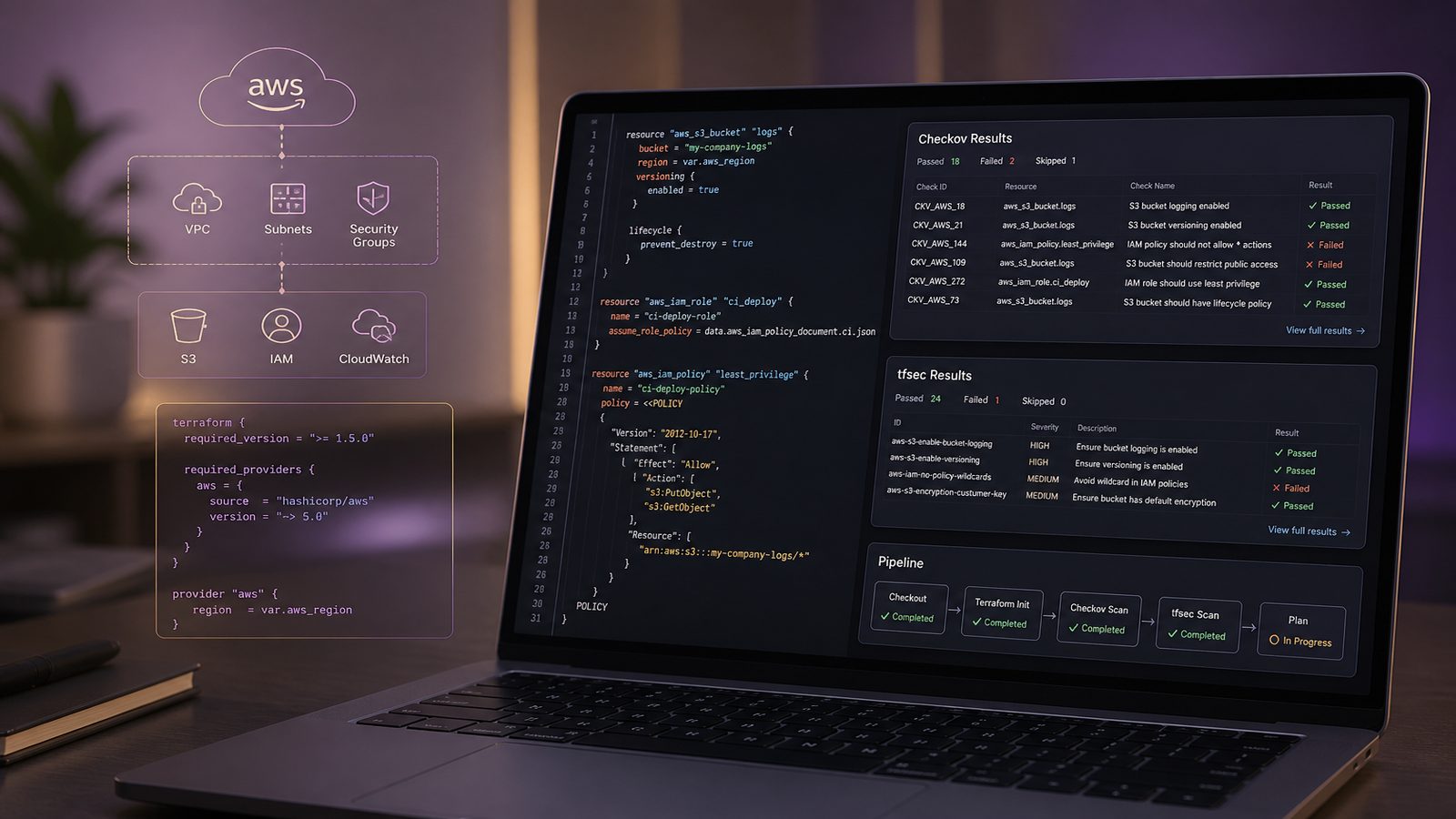
Infrastructure as code has become the default way many engineering teams build cloud environments, and that changes the security problem. Instead of reviewing a console change after the fact, you are now reviewing code that can create networks, identities, storage, encryption settings, and access policies at speed. For UK SMEs, that speed is useful, but it also means a misconfiguration can be repeated across environments before anyone notices.
Scanning infrastructure as code in the pipeline is a practical way to catch common issues early. Tools such as Checkov and tfsec analyse Terraform and related templates for insecure patterns, missing controls, and policy drift. Used well, they do not replace engineering judgement or design review. They give you a repeatable control that shifts obvious mistakes left, where they are cheaper to fix and easier to explain.
Key takeaways
- Scan Terraform changes in CI so insecure infrastructure patterns are caught before merge and deployment.
- Use Checkov and tfsec for complementary coverage, but define one policy model to avoid duplicate noise.
- Start with high-risk gates, then tune severity thresholds, baselines, and suppressions to fit your delivery process.
- Treat exceptions as documented risk decisions with an owner and review date, not as hidden pipeline tweaks.
- Link IaC scanning to secure configuration management, least privilege, and threat modelling for better context.
Why scan infrastructure as code in the pipeline
Infrastructure as code scanning is most valuable when it is part of normal delivery, not a separate security exercise. A pull request that adds a public storage bucket, disables encryption, opens a security group too widely, or grants a role more privilege than it needs should be challenged before merge. That is especially important in cloud-first SMEs where one repository may define most of the production estate.
What these tools catch depends on the ruleset, but the common themes are familiar: public exposure, weak encryption, permissive IAM, insecure defaults, missing logging, and unsafe network boundaries. In Terraform, they can also spot patterns that are technically valid but operationally risky, such as broad CIDR ranges, wildcard actions, or resources that are not tagged for ownership. This is the same secure-by-design thinking discussed in Secure Software Development – Why It Matters, but applied to the infrastructure layer rather than application code.
IaC scanning fits alongside code review and release gates. Reviewers are still needed to understand intent, architecture, and business context. The scanner adds consistency. It can check every change, every time, without fatigue or memory gaps. That matters because infrastructure mistakes often look small in a diff but have large blast radius once deployed.
Checkov and tfsec at a glance
Checkov and tfsec both focus on misconfiguration detection in Terraform, but they are not identical. Checkov is broader in scope and supports multiple frameworks and policy styles. tfsec is often appreciated for its speed and straightforward Terraform focus. In practice, teams choose based on workflow fit, rule coverage, and how much policy customisation they want to maintain.
Checkov works well when you want a single scanner across Terraform, Kubernetes manifests, CloudFormation, and other infrastructure formats. It has a large library of built-in checks and supports custom policies. That makes it useful for teams that want to standardise on one policy engine across several delivery streams. tfsec is narrower, but that can be an advantage if your immediate need is fast, readable Terraform scanning with minimal setup.
Running both together is common when teams want better coverage and a second opinion on high-risk changes. The overlap is useful, but it also means you need a plan for duplicated findings. If you do use both, decide which tool is authoritative for which rule families, or at least how you will deduplicate results in the pull request experience. Otherwise developers quickly learn to ignore repeated warnings.
A sensible starting point is to use tfsec for quick Terraform feedback and Checkov for broader policy coverage or more structured governance. If your platform team already manages policy as code, Checkov may fit more naturally. If your developers want a lightweight scanner that is easy to run locally and in CI, tfsec can be the simpler first step. The right answer is usually the one your team will keep using.
What to scan and what to ignore
Not every file in a repository should be scanned in the same way. Start with the Terraform source files that define actual infrastructure intent, then decide how you will treat modules, generated files, and environment overlays. If you use reusable modules, scan both the module source and the consuming configuration. A module can be secure in isolation but still be used in a risky way, and the reverse is also true.
Plan files deserve careful handling. A Terraform plan can be useful for contextual review because it shows the effective change after interpolation and variable resolution. However, plan scanning is not a substitute for source scanning, and it can create noise if your pipeline generates many ephemeral artefacts. Most teams get better results by scanning source on every pull request and, where useful, scanning the plan as an additional check before deployment.
Repository structure matters. Keep environment-specific values separate from shared modules, and avoid mixing application code, deployment scripts, and infrastructure definitions in a way that makes ownership unclear. If a repository contains vendor code, generated templates, or copied examples, exclude them deliberately. Scanners are only useful when they are focused on code that your team actually controls.
Ignore rules should be narrow and documented. A blanket exclusion for an entire directory is often a sign that the pipeline is compensating for poor repository hygiene. If you need to suppress a known exception, do it at the smallest practical scope, and record why it is acceptable. That keeps the exception visible and reviewable.
Designing a practical CI workflow
The most effective workflow usually has three layers. First, run a local check before commit or before pushing a branch. Second, run a pull request check that comments on findings and blocks only the most serious issues. Third, enforce a stricter gate on the main branch or release branch so that unresolved high-risk findings cannot slip through.
For local checks, pre-commit hooks work well. They give developers fast feedback without waiting for the pipeline. A simple pattern is to run tfsec or Checkov against changed Terraform paths only, then run the full repository scan in CI. That keeps the developer experience manageable while still preserving full coverage in the central pipeline.
For pull requests, focus on signal rather than volume. Failing every medium severity issue is rarely sustainable. A better approach is to fail on high severity or on a small set of policy categories that your organisation considers non-negotiable, such as public exposure, unencrypted sensitive data, or overly broad IAM permissions. Everything else can be reported, triaged, and scheduled.
On the main branch, you can tighten the threshold slightly, but avoid turning the pipeline into a compliance theatre exercise. The purpose is to stop risky changes from being deployed, not to create a perfect scorecard. If the team cannot keep the gate green, they will work around it. That is a process failure, not a tooling one.
It is also worth linking IaC scanning to broader secure development work. If you already use threat modelling, the scanner findings can map neatly to design assumptions. If a threat model says a service should be private by default, then a scanner finding that opens it to the internet is a direct control failure. That makes the output easier to explain to engineers and product owners alike. It also aligns well with the control thinking in Implementing software supply chain assurance controls for technical teams.
Example pipeline patterns for common platforms
In GitHub Actions, a typical pattern is to run formatting and validation first, then the IaC scanner, then upload the results as an artefact or annotate the pull request. A minimal job might use a matrix for different Terraform directories, cache the scanner binary, and fail only on selected severities. If you already use branch protection, require the scan job to pass before merge.
A practical GitHub Actions structure looks like this in principle: checkout, install Terraform, run terraform fmt -check, run terraform validate after initialisation, then run tfsec and Checkov. If you want to keep the output readable, have one tool produce SARIF or JSON for code scanning and the other produce console output for developers. That gives you both machine-readable and human-readable results without overwhelming the pull request.
In GitLab CI, the same logic applies, but the implementation usually sits in separate stages. A validate stage can run formatting and syntax checks, a scan stage can run tfsec and Checkov, and a report stage can publish artefacts or merge request annotations. Use rules or path filters so that the job only runs when Terraform files change. That reduces unnecessary pipeline time and keeps developer trust high.
In Azure DevOps, use a dedicated stage for infrastructure scanning and make it dependent on validation. If you have multiple repositories or monorepo paths, template the job so the same logic is reused consistently. Consistency matters more than platform choice. The important part is that the scan runs automatically, the results are visible, and the gate is enforced in the same place every time.
Whatever platform you use, keep the scanner version pinned. Unpinned tools can change rule behaviour unexpectedly, which makes baselines unstable and creates avoidable noise. Treat scanner updates like any other dependency update: test them in a non-production branch, review the delta in findings, and then promote them deliberately.
Tuning rules and managing exceptions
Out of the box, both tools will usually produce more findings than you want to block on day one. That is normal. The goal is not to suppress everything, but to tune the policy to your risk appetite and delivery maturity. Start with a small set of high-value rules, then expand once the team has adjusted.
Severity thresholds are the simplest control. For example, fail the pipeline on critical and high findings, warn on medium, and log low severity issues for trend analysis. If you use both tools, make sure the severity model is mapped consistently. A rule called high in one tool may not mean the same thing as high in the other, so your gate should be based on a documented policy rather than the raw scanner label alone.
Baselines can help with legacy repositories. If you already have a large body of Terraform, a clean-slate gate may be unrealistic. In that case, capture the current accepted findings as a baseline and fail only on new or changed issues. That lets you improve the estate without forcing a big-bang remediation programme. The key is to revisit the baseline regularly so old problems do not become permanent.
Suppressions should be treated as risk decisions, not convenience settings. If a finding is suppressed because the control is implemented elsewhere, say so. If it is suppressed because the resource is temporary, set an expiry date and review it. If it is suppressed because the scanner cannot understand the pattern, consider whether a custom rule or a repository refactor would be a better long-term answer.
Documenting risk acceptance is important even in small teams. A short ticket or pull request comment that records the reason, owner, and review date is usually enough. That way the exception does not disappear into the pipeline configuration where nobody remembers why it exists.
Reducing false positives and improving signal quality
False positives are one of the main reasons IaC scanning becomes background noise. They often come from reusable modules, dynamic values, or environment-specific settings that the scanner cannot fully resolve. For example, a security group rule may look overly broad in source but be constrained by a variable that is set safely in deployment. The scanner does not always have that context.
There are a few ways to improve signal. First, scan the right level of abstraction. If a module is intended to be reused, make sure it has sensible defaults and clear variable constraints. Second, use path filters so that generated or third-party content is excluded. Third, add custom policies for patterns that matter in your environment but are not covered well by the default rules.
Custom policies are especially useful when you have organisation-specific requirements, such as mandatory tags, approved regions, or naming conventions that support asset ownership. Checkov is often used for this kind of policy extension because it supports custom checks and policy-as-code workflows. tfsec can also be tuned with ignore comments and configuration, but it is usually best for simpler rule management.
Another useful technique is to separate static checks from contextual checks. Static checks should be deterministic and fast. Contextual checks, such as whether a resource is allowed in a given environment, may be better handled by a policy engine or deployment guardrail. That keeps the scanner focused on what it does best and avoids overloading it with business logic.
How IaC scanning supports secure software delivery
IaC scanning is not just about cloud hygiene. It is part of secure software delivery because infrastructure is now part of the product. If your application code is tested but your deployment templates can create insecure defaults, the release is still weak. This is why secure development and secure configuration management need to be treated as one system rather than separate disciplines.
The most useful findings are the ones that map directly to architectural intent. Least privilege should be visible in IAM policies and role assumptions. Segmentation should be visible in network boundaries and security group design. Encryption should be visible in storage, transport, and key management settings. When those controls are expressed as code, they can be reviewed, tested, and versioned like any other software asset.
This also supports supply chain assurance. If you can show that infrastructure definitions are scanned in CI, exceptions are tracked, and changes are reviewed before deployment, you have a stronger story for customers and partners who ask how you control your delivery chain. That is particularly relevant where suppliers are asked to demonstrate secure development practices or align to formal expectations. A related discussion is in UK Secure Software Code of Connection explained for suppliers.
Threat modelling remains important here. A scanner can tell you that a resource is public, but it cannot tell you whether that exposure is acceptable for the business purpose. A threat model can. Together they give you both the technical and contextual view needed to make a sensible decision.
Operationalising the findings
Once the pipeline is running, the work shifts to ownership and triage. Someone needs to decide which team owns each class of finding, how quickly it should be reviewed, and what counts as a genuine exception. Without that operating model, the scanner becomes a reporting tool rather than a control.
A simple workflow is usually enough for smaller organisations. The platform or DevOps team owns the scanner configuration. Product engineering owns the Terraform changes. Security owns the policy thresholds and reviews the exceptions. Findings are triaged in the same issue tracker used for engineering work, with severity, owner, and target date recorded explicitly.
Track trends over time. If the same misconfiguration keeps reappearing, that is a design or training issue, not just a one-off defect. Use the data to improve modules, templates, and developer guidance. If a particular rule produces repeated false positives, tune it or replace it. The point is to reduce friction while improving control quality.
It is also worth measuring lead indicators, not just blocked builds. For example, track the number of findings per repository, the percentage of findings fixed before merge, the average age of exceptions, and the number of repeated issues by category. Those metrics tell you whether the process is getting better or merely busier.
Common mistakes to avoid
The first mistake is treating scanner output as a compliance verdict. A clean scan does not mean the design is secure, and a noisy scan does not mean the design is unsafe. The tool is one input into engineering judgement, not a substitute for it.
The second mistake is enabling every rule on day one and failing the pipeline on everything. That usually creates frustration, workarounds, and ignored alerts. Start with a small policy set, prove value, then expand.
The third mistake is running the tools without ownership. If nobody is responsible for triage, exceptions, and rule maintenance, the pipeline will drift. The scanner will still run, but the control will not be managed.
The fourth mistake is ignoring repository hygiene. If modules are duplicated, generated files are committed, and environment boundaries are unclear, the scanner will struggle to produce useful results. Good structure makes good scanning easier.
The fifth mistake is forgetting that infrastructure changes are still design changes. A Terraform diff can alter trust boundaries, data exposure, and privilege in ways that are not obvious from the code alone. That is why scanner output should always be read in context.
For teams that want to strengthen the wider delivery chain as well, it can help to combine IaC scanning with dependency controls, secret scanning, and build provenance checks. That broader view is covered in Implementing software supply chain assurance controls for technical teams.
Used properly, Checkov and tfsec give UK SMEs a practical way to make infrastructure changes safer without slowing delivery to a crawl. The value comes from clear policy, sensible thresholds, and a workflow that engineers can live with. If you want help shaping that into a control set that fits your environment, Speak to a consultant.
Frequently asked questions
Should we run Checkov and tfsec together or choose one?
If you want broad policy coverage and are willing to manage overlap, running both can be useful. If your team wants a simpler operating model, choose the tool that best fits your repository structure, policy needs, and developer workflow, then standardise on it.
Can IaC scanning replace manual review of Terraform changes?
No. Scanners are good at finding known misconfiguration patterns, but they cannot judge business context, architecture intent, or whether a risk is acceptable. Manual review is still needed for design decisions and exception handling.
Comments are closed