
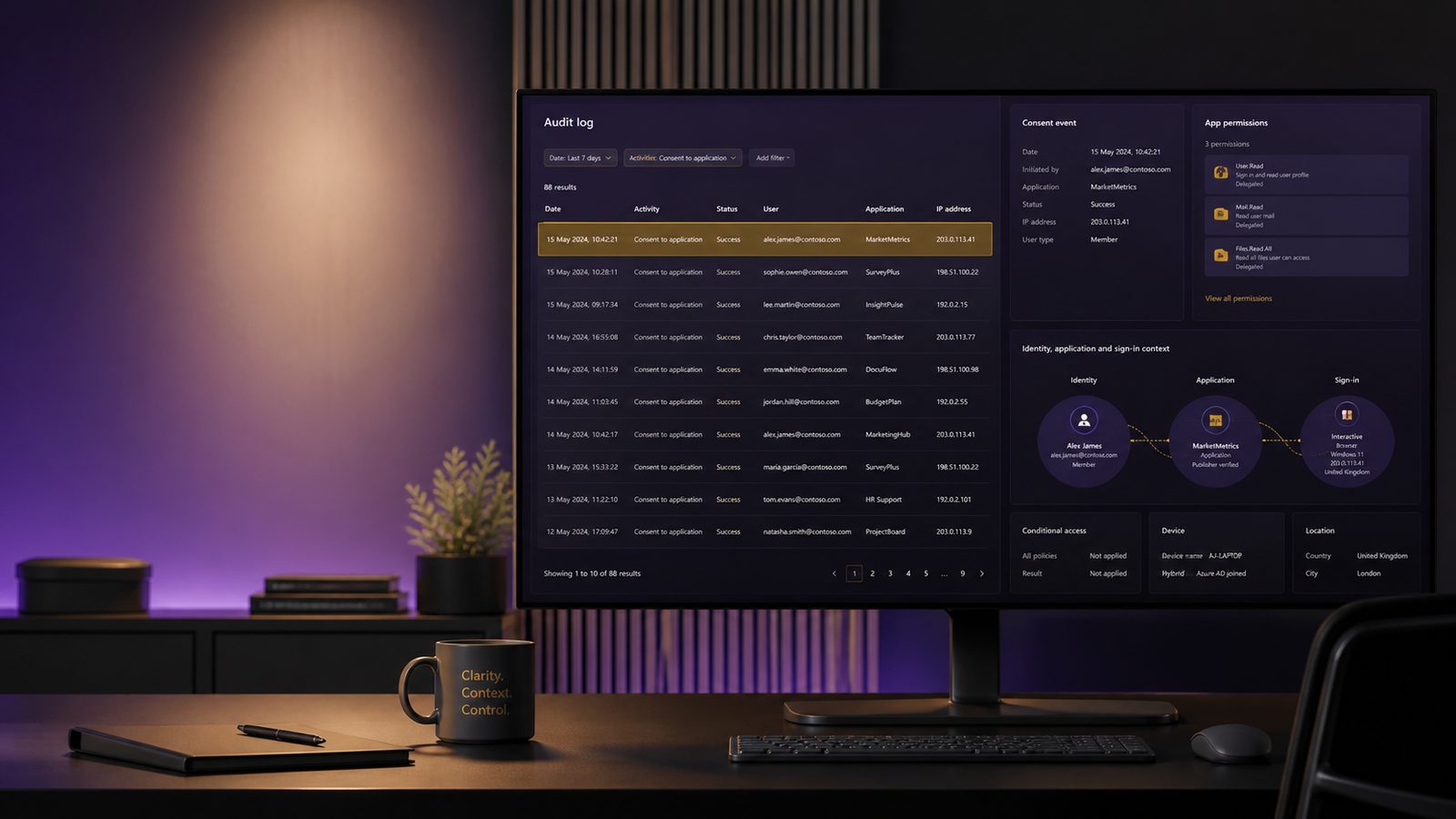
OAuth consent phishing is a practical identity attack that abuses the trust users place in application consent prompts. Instead of stealing a password directly, the attacker persuades a user to grant a malicious app access to mailbox data, profile information, files, or other Microsoft 365 resources. Once consent is granted, the app can keep operating until the grant is removed, which makes this a persistence mechanism as well as an initial access technique.
For UK SMEs, the risk is less about a headline-grabbing breach and more about quiet abuse of normal business workflows. A compromised mailbox can be used for invoice fraud, internal phishing, data theft, or follow-on access to other cloud services. The good news is that Microsoft 365 and Entra ID provide enough telemetry to detect many of these cases if you know which events and fields matter, and if you treat consent activity as a first-class detection problem rather than a one-off admin task.
Key takeaways
- Detect OAuth consent phishing by correlating consent grants, service principal changes, and sign-in activity, not by relying on one log source.
- Treat first-seen applications, unusual permission scopes, and consent from unexpected users or locations as high-value hunting signals.
- Revoke malicious grants quickly, disable the application or service principal, and review mailbox access and token use for follow-on abuse.
- Reduce future risk by restricting user consent, using admin consent workflows, and alerting on new or high-risk grants.
What OAuth consent phishing is and why it matters
In a typical consent phishing scenario, the attacker registers or uses an application that requests permissions such as Mail.Read, offline_access, Files.Read.All, or User.Read. The victim is then directed to a legitimate Microsoft consent screen, often via a convincing email, Teams message, or external website. If the user approves the request, the app receives an access token and, in some cases, a refresh token that can be used repeatedly without re-prompting the user.
This differs from password theft in two important ways. First, the attacker may not need the user’s credentials at all, which means password resets alone may not remove the access path. Second, the activity can look like normal application usage unless you inspect consent events, service principal creation, and subsequent token use together. That is why detection needs to span identity logs, audit logs, and sign-in telemetry rather than relying on a single signal.
Microsoft’s audit trail is especially useful because it can show when an application was created, when permissions were granted, and which actor approved the request. If you already have a central logging approach in place, as discussed in our guide to what security logs you actually need and why, consent events are one of the identity sources worth prioritising.
Which Microsoft 365 and Entra ID logs to review
The main sources are Microsoft 365 audit logs, Entra ID sign-in logs, and service principal activity. In practice, you want all three because each answers a different question. Audit logs tell you what changed, sign-in logs tell you who authenticated and from where, and service principal records tell you what the application can now do.
Start with the Unified Audit Log in Microsoft Purview if it is available in your tenant. This is where you are most likely to see consent-related operations, application registrations, and permission changes. In Entra ID, sign-in logs help you validate whether the consented app was followed by unusual authentication patterns, such as token use from a new country, a new device, or a non-interactive sign-in that does not match the user’s normal behaviour.
Service principal and enterprise application data are equally important. A malicious app may be created in the tenant, or a third-party app may be granted permissions that are broader than the business intended. If you are already hunting for identity abuse patterns, the techniques in KQL queries for detecting risky Entra ID sign-ins in Sentinel can be adapted to correlate consent events with suspicious sign-in behaviour.
Retention and licensing matter. If your audit retention window is short, you may miss the original consent event and only see downstream activity. That creates a blind spot, especially where the attacker waits before using the grant. Make sure your detection design accounts for the fact that some tenants will have richer audit history than others, and that older events may need to be exported into a SIEM for longer retention.
High-signal audit events and fields to look for
The most useful events are those that show consent being granted, applications being registered, or permissions being assigned. Depending on your tenant configuration and log source, the exact operation names vary, but the pattern is consistent: look for app creation, service principal creation, consent grant, permission assignment, and admin consent approval.
Useful fields include the actor, target application name, application or client ID, service principal ID, granted scopes, IP address, user agent, and timestamp. If the event includes the resource being requested, that is particularly valuable because it lets you distinguish a low-risk app from one asking for broad mailbox or directory access. Also capture whether the action was performed by a standard user or an administrator, because that changes both the likely abuse path and the response.
For example, a newly created application with a generic name, a recently seen publisher, and high-privilege scopes such as Mail.ReadWrite, offline_access, or Directory.Read.All deserves more attention than a known line-of-business app with a stable client ID and a long history of use. The same applies if the consent comes from an account that normally never approves applications. That is where baselining becomes useful, not as a perfect detector, but as a way to separate expected business behaviour from unusual events.
Detection logic for suspicious consent activity
A strong detection strategy starts with rarity. If an application has never been seen in your tenant before, or if it is first seen by a user who does not usually approve apps, that is worth investigating. You can also flag unusual permission scopes, especially when the requested access is broader than the app’s stated purpose. A calendar add-in asking for mail access, for example, is a classic mismatch.
Location and device context also help. Consent granted from an unmanaged device, a new country, or an IP address that does not match the user’s usual working pattern increases suspicion. This is particularly relevant for UK SMEs with hybrid workforces, where a user may normally sign in from the office or home network and suddenly approve an app from a different region.
Separate user-consent abuse from admin-consent abuse. User-consent abuse often relies on convincing an ordinary user to approve delegated permissions. Admin-consent abuse is more serious because it can grant tenant-wide access or permissions that bypass normal user boundaries. If your tenant allows user consent at all, you should treat consent to high-risk scopes as a detection event, not just a configuration issue. If only admins can approve apps, then any admin consent event should be monitored closely and correlated with change records or ticket references.
One practical rule is to alert when a new or rarely seen application receives permissions that include mail, files, directory, or offline access, especially if the consent is followed by immediate token use. Another is to alert when the consenting user is outside a known approver group or when the app name resembles a common productivity tool but the publisher is unverified. These are not proof of compromise, but they are good triage candidates.
Example hunting approach in Microsoft Sentinel or KQL
In Microsoft Sentinel, a sensible starting point is to build a baseline of consent activity over 30 to 90 days. You want to know which applications are normally approved, by whom, from where, and at what frequency. That baseline can then be used to identify outliers such as first-seen app IDs, unusual scopes, or consent events outside business hours.
A simple hunting pattern is to query audit logs for app consent or application registration events, then summarise by app ID, actor, and scope. From there, join to sign-in logs to see whether the same user or service principal generated unusual authentication events shortly afterwards. If you are using Sentinel, a KQL pattern might look like this in concept: filter the audit table for consent-related operations, extract the app identifier and scopes, then join on sign-in records for the same identity within a short time window. The exact table names and operation strings depend on your connector and tenant, so validate them in your environment before turning the logic into an analytic rule.
For teams already using detection engineering practices, this is a good candidate for a Sigma-style rule translated into your SIEM, with a correlation layer that ties consent, sign-in, and mailbox access together. If you need a broader refresher on query structure and hunting workflow, our article on KQL threat hunting with Microsoft Sentinel covers the mechanics of building and tuning hunts.
Correlating consent with mailbox access is especially useful. A malicious app may not trigger obvious interactive sign-ins, but it may still access mail via Graph API shortly after consent. If you see a new app consent followed by a burst of mailbox reads, attachment downloads, or directory enumeration, that is a stronger signal than consent alone.
How to triage a suspected illicit consent grant
When a suspicious grant appears, start by confirming the application identity. Check the display name, app ID, publisher, redirect URI, and the permissions granted. A legitimate business app should usually have a recognisable owner, a documented purpose, and a stable history. A suspicious app often has a generic name, a recently created service principal, or a publisher that does not match the business context.
Next, determine the blast radius. Did the app receive delegated permissions for one user only, or application permissions that apply tenant-wide? Was the consent granted by a standard user, an admin, or a privileged role holder? Did the app request offline access, which can allow long-lived access without repeated user interaction? These questions help you decide whether the issue is limited to one mailbox or whether it may affect multiple accounts and data sets.
Then look for persistence and downstream abuse. Review sign-in logs for the consenting account and the service principal. Check for mailbox access, file downloads, directory reads, or unusual API activity after the grant. If the app is part of a broader campaign, you may also see follow-on phishing from the compromised mailbox, changes to inbox rules, or attempts to add additional OAuth grants. This is where it helps to think in terms of attack chains rather than isolated alerts.
Containment and remediation actions
If you confirm the grant is malicious or likely malicious, revoke the consent promptly and disable the application or service principal. In many tenants, that means removing the enterprise application, deleting the app registration if it was created in your tenant, and revoking active sessions for the affected account. If the app was granted admin consent, review whether any other users or groups were exposed through the same app.
Reset credentials for affected accounts where appropriate, but do not assume a password reset alone is enough. Review refresh tokens, active sessions, and mailbox rules. If the account had access to sensitive data or privileged roles, consider a broader review of recent activity and any other consented applications. You may also need to check whether the app has been used to access SharePoint, OneDrive, or other Microsoft 365 services.
Conditional Access should be reviewed as part of containment, but it is not a complete answer on its own. It can reduce the chance of risky sign-ins, yet it does not automatically stop a user from approving a malicious app if your consent settings are permissive. That is why consent governance and identity controls need to work together.
Hardening to reduce future consent phishing risk
The most effective hardening step is to reduce who can grant what. If your business can operate with user consent restricted, do that. Where user consent is allowed, limit it to low-risk permissions and consider requiring verified publishers. For higher-risk permissions, use an admin consent workflow so that requests are reviewed rather than approved ad hoc.
Review your app governance settings regularly. Remove stale enterprise applications, disable unused app registrations, and keep an inventory of approved business apps with owners and purposes. This makes it much easier to spot a new or unexpected consent event. Least privilege still applies here: if an app only needs read-only access to a single mailbox or site, do not approve tenant-wide permissions.
Alerting on new grants is also worthwhile. A lightweight rule that flags first-seen app IDs, high-risk scopes, or consent by non-approvers can give a small team enough time to investigate before the app is used at scale. If you already have a broader identity hardening programme, our guide to secure baseline configurations for Microsoft 365 is a useful companion piece for tightening the surrounding controls.
Operationalising the detection in a small security team
For a small team, the main challenge is not writing a single query. It is keeping the detection useful over time. Start by documenting the business-approved applications, the people allowed to approve them, and the normal permission patterns. Then tune your analytic rule so that it suppresses known-good apps but still alerts on new client IDs, unusual scopes, and suspicious consent locations.
Map the detection to MITRE ATT&CK so that it is easier to explain in incident reviews and control mapping exercises. OAuth consent phishing aligns well with adversary-in-the-middle style initial access and persistence through valid accounts and tokens, although the exact technique mapping depends on the behaviour you observe. The value of the mapping is not the label itself, but the consistency it brings to detection coverage and reporting.
Finally, tie the alert into your incident response playbook. The playbook should say who checks the app, who revokes access, who resets accounts, and who decides whether wider notification or recovery steps are needed. If you already maintain evidence and logs for investigations, keep the relevant audit records and sign-in data long enough to support that process. Our article on retaining evidence and logs for investigations is a useful reference point for that operational discipline.
Handled well, OAuth consent detection becomes a manageable part of identity monitoring rather than a specialist project. The key is to combine audit log visibility, sensible baselines, and a clear response path so that a suspicious grant is investigated quickly and consistently.
If you want help reviewing your Microsoft 365 detection coverage, consent settings, or incident response workflow, speak to a consultant.
Frequently asked questions
How do I detect OAuth consent phishing in Microsoft 365 audit logs?
Look for consent grant events, application registrations, and permission assignments in the audit logs, then correlate them with Entra ID sign-in activity and service principal use. The strongest signals are first-seen apps, unusual scopes such as mail or directory access, and consent from unexpected users, locations, or devices.
What Microsoft 365 log sources are most useful for finding illicit consent grants?
The most useful sources are Microsoft 365 audit logs, Entra ID sign-in logs, and service principal or enterprise application records. Audit logs show the change, sign-in logs show the authentication context, and service principal data shows what the app can access after consent.
Comments are closed