
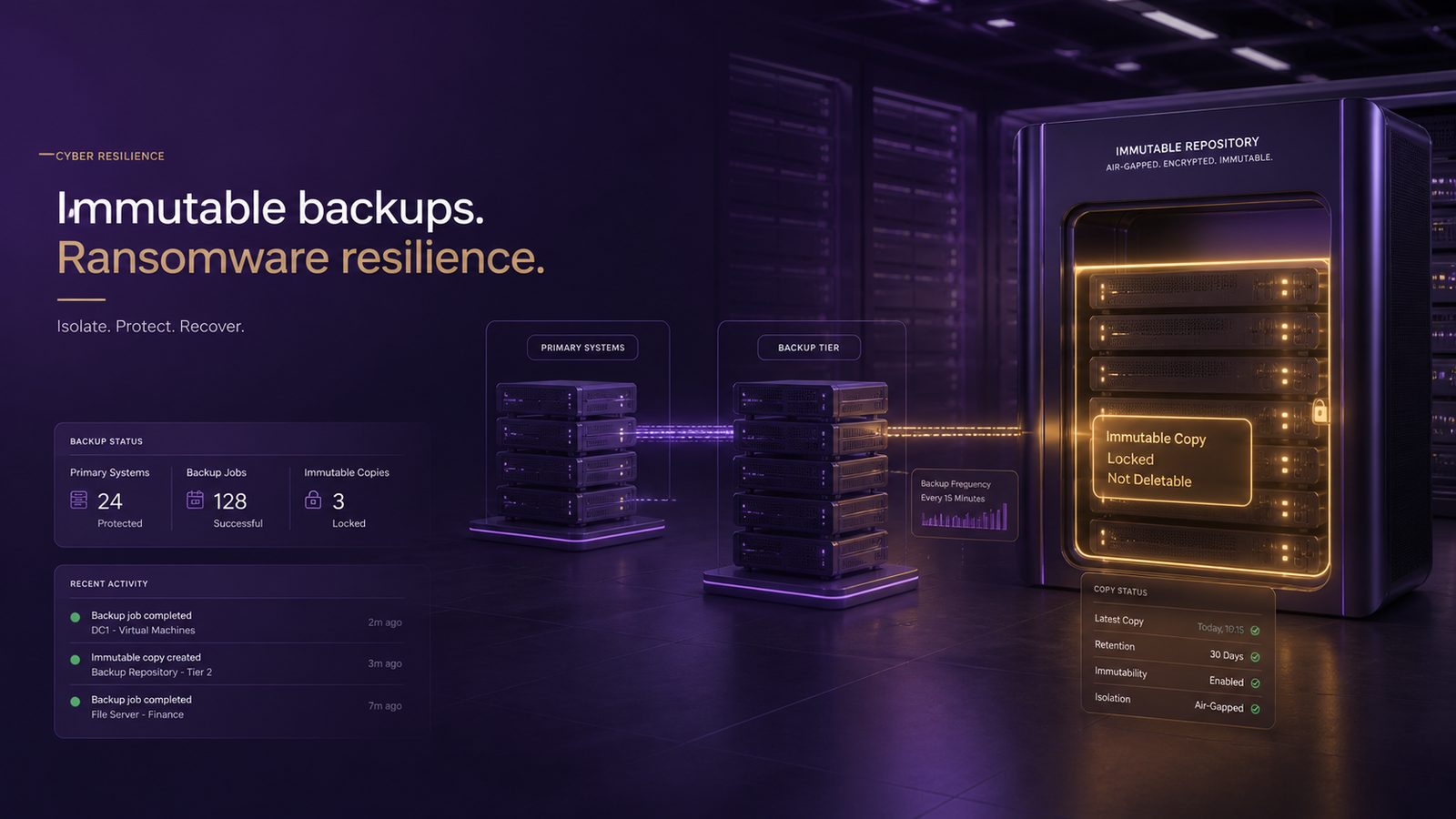
For most UK SMEs, the real cost of ransomware is not just the ransom demand. It is the interruption to trading, the pressure on staff, the loss of customer confidence, and the time spent trying to recover systems and data. If your backups can be changed or deleted by the same attacker who reaches your live systems, recovery becomes slower, more expensive, and far less certain.
That is where immutable backups matter. In simple terms, an immutable backup is a copy of data that cannot be altered or deleted for a set period, even by someone with administrative access to the main environment. It gives you a better chance of restoring clean data after an attack, rather than discovering that your recovery option has also been damaged.
This is not about assuming every business will be targeted. It is about reducing the impact if something goes wrong. For SMEs, that usually means protecting revenue, keeping customer commitments, and avoiding a long and disruptive recovery. If you are also thinking about the wider picture, our article on ensuring systems are resilient to both attack and failure explains why resilience is broader than any single control.
Key takeaways
- Immutable backups help preserve a clean recovery copy even if ransomware reaches your live systems.
- Backups are more resilient when immutability is combined with separate access, restricted permissions, and realistic restore testing.
- SMEs should check who can change or delete backups, how long copies are kept, and whether recovery has been tested under pressure.
- A backup strategy should be reviewed after major system changes, incidents, or near misses, not just once a year.
What immutable backups are and why they matter
Immutability means a backup copy is locked for a defined retention period. During that time, it cannot be edited, encrypted, or removed in the normal way. That matters because ransomware operators often try to weaken recovery before they trigger the main disruption. If they can tamper with your backups first, they can make the incident much harder to recover from.
Think of it as a protected safety copy. Your live systems may still be affected, but the backup remains available as a trusted source to rebuild from. That does not remove the need for good security elsewhere, but it does improve your recovery position when prevention has not been enough.
For UK SMEs, this is especially important because many businesses do not have large internal IT teams or spare infrastructure. A recovery that depends on a single backup set, one administrator account, or one cloud console is fragile. Immutable backups reduce that fragility by making at least one recovery path harder for an attacker to disrupt.
How ransomware affects backups
Attackers usually do not stop at encrypting files on laptops or servers. They often look for backup systems, backup software, and the credentials used to manage them. If they can reach those systems, they may try to delete backup jobs, shorten retention, disable protection, or remove the backup copies altogether.
Ordinary backups can still be at risk if they are connected too closely to the rest of the environment. For example, if the same administrator account can manage both live systems and backups, a stolen password may give an attacker access to everything. If backup storage is always online and reachable from the main network, it may be easier to tamper with than many business owners expect.
The business impact of limited recovery options is often underestimated. A company may have a backup policy on paper, but if the last usable copy is too old, incomplete, or compromised, the result can be prolonged downtime, manual workarounds, missed orders, and reputational damage. Our article on the business impact of ransomware and destructive attacks for UK SMEs explores those consequences in more detail.
What makes a backup more resilient
Immutable storage is one important layer, but it is not the whole answer. A resilient backup design usually combines several ideas:
- Backups that cannot be changed during the retention period.
- Separate access for backup administration, rather than using everyday user accounts.
- Restricted permissions so only a small number of trusted people can manage backup settings.
- Copies that are kept offline or isolated where appropriate.
- Regular testing to confirm that recovery works in practice, not just in theory.
Separation of duties is particularly useful. That means the person who manages user accounts, the person who manages servers, and the person who manages backups should not all have the same level of access. In smaller businesses, that may not always be possible in full, but the principle still applies. The fewer people who can alter or delete backups, the lower the risk of accidental or malicious changes.
Some organisations also keep a copy that is offline or otherwise isolated. This is helpful because it reduces the chance that a compromise in the main environment spreads to the backup copy. The right balance depends on how quickly you need to restore data, how much you can afford to store, and how your systems are set up.
How to protect backup data from ransomware
The first step is to limit who can change or delete backup sets. Review who has access today and ask whether each person genuinely needs that level of control. If the answer is no, reduce it. Backup systems should not be managed with shared passwords or broad administrator rights unless there is a clear reason.
Next, use separate credentials for backup administration. If the same account is used for email, file access, and backup management, a single stolen password can create a much bigger problem. Separate accounts make it harder for an attacker to move from one part of the environment to another.
It is also worth checking whether your backup platform supports time-based protection. Some systems allow you to lock backups for a set period so they cannot be deleted early. That can be a practical way to protect against both malicious action and simple mistakes.
Recovery testing is just as important as backup creation. A backup is only valuable if you can restore from it when systems are under pressure. Test a realistic restore, not just a file download. Make sure the test includes the people, permissions, and time needed to complete the process. If your team would struggle to restore during a busy week, that is useful information, not a failure.
If you want a broader view of how backup planning fits into business continuity, our article on backup and recovery architecture best practices for UK SMEs is a useful companion piece.
Common mistakes SMEs make
One common mistake is treating backups as a box-ticking exercise. A business may assume that because backups exist, recovery is solved. In practice, the details matter: how long the backups are kept, who can access them, whether they are isolated, and whether they have ever been restored successfully.
Another mistake is keeping backup access too close to everyday user accounts. If staff use the same credentials for normal work and for backup administration, the backup system becomes easier to reach if one account is compromised. This is a simple design issue, but it has a large effect on resilience.
Retention is another area that is often overlooked. If backups are kept for too short a time, you may not have a clean copy from before the attack. If they are kept for too long without a clear purpose, you may increase cost and complexity without improving recovery. The right retention period depends on your business needs, how often data changes, and how long it would take to notice a problem.
Finally, some SMEs do not check whether their backup provider or internal team can actually restore data under pressure. A restore that works in a calm test environment may behave differently when systems are down, staff are unavailable, or the network is unstable. That is why realistic testing matters.
A practical checklist for business owners
If you are not technical, you can still ask the right questions. Start with these:
- Can our backup copies be changed or deleted by someone who compromises the live environment?
- Who can administer the backup system, and do they use separate accounts?
- Are any backup copies locked so they cannot be altered during the retention period?
- Do we keep any backup copy isolated from the main network?
- When did we last restore a full system or a meaningful sample of data?
- How long do we keep backups, and is that long enough to support recovery after a delayed discovery?
Then confirm the practical details. Ask where the backups are stored, how access is protected, and what happens if the main systems are unavailable. Ask whether the backup process is monitored for failures. Ask whether restore tests are documented and whether the results are reviewed.
It is also sensible to review backup resilience after major changes, such as moving systems to the cloud, changing providers, adding new business applications, or merging with another company. A backup design that worked last year may no longer be suitable after a significant change.
How immutable backups fit into wider cyber resilience
Immutable backups are not a replacement for prevention. They work best alongside good access control, patching, email protection, and staff awareness. They are also not a substitute for detection and response. If you spot suspicious activity early, you may be able to contain the problem before it reaches your backup systems.
That is why resilience should be designed as a set of connected controls. Detection helps you notice the problem. Response helps you contain it. Backups help you recover. If one layer fails, the others should still give you options. Our article on why detection and response matter more than prevention alone for UK SMEs explains this balance in plain English.
Immutable backups also support better decision-making during an incident. If you know you have a protected recovery point, you are less likely to make rushed choices under pressure. That can reduce the temptation to pay a ransom simply because the recovery path looks uncertain.
When to review your backup approach
Review your backup approach regularly, not only after a problem. A good time to review is after any major system change, after a near miss, or during your normal risk review cycle. If your business has grown, added remote working, or changed the way it stores data, your backup design may need to change too.
A review should ask three simple questions. First, can we still recover the data we need? Second, can we recover it quickly enough to limit business damage? Third, would the recovery copy still be trustworthy if the live environment were compromised?
If the answer to any of those is unclear, it is worth revisiting the design. For many SMEs, the most useful improvements are not complex. They are often about tightening access, improving retention, and making sure at least one backup copy is protected from change.
Immutable backups are not a silver bullet, but they are one of the most practical ways to improve ransomware resilience. They help preserve a clean recovery option when the rest of the environment is under stress, and that can make the difference between a short disruption and a prolonged recovery.
If you would like help reviewing whether your backup approach is proportionate to your business risk, our Speak to a consultant service can help you assess the options in a practical, risk-based way.
Frequently asked questions
Why are immutable backups important?
They reduce the chance that an attacker can change or delete your recovery copies, which makes it more likely you can restore data after a ransomware incident.
Can ransomware encrypt immutable backups?
If the backup copy is truly immutable and properly isolated, it should not be altered during the protection period. However, the overall design still needs strong access control and regular testing.
How do I protect backup data from ransomware?
Limit who can manage backups, use separate administration accounts, keep at least one copy isolated or offline where appropriate, and test restores regularly.
Comments are closed