
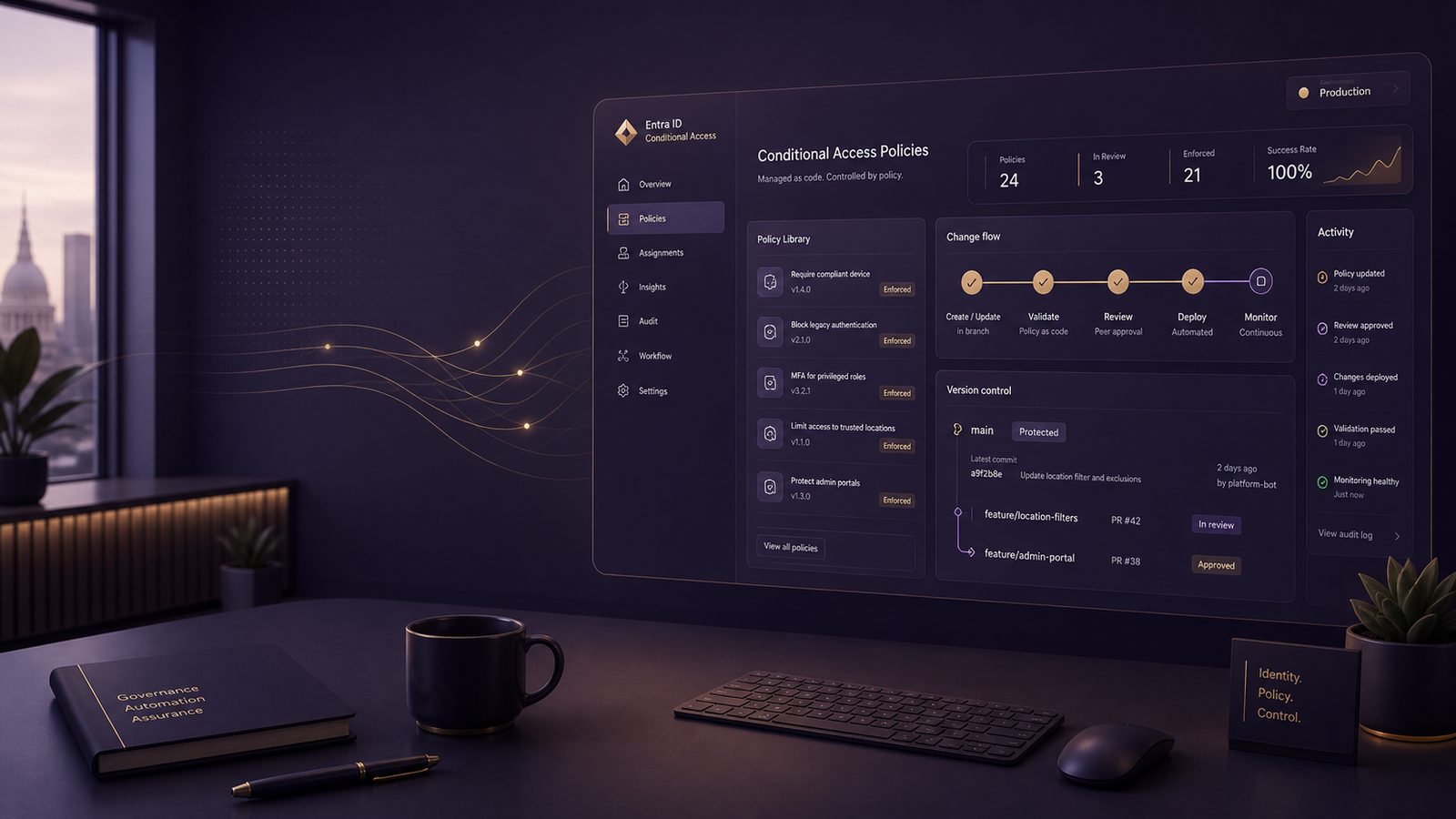
Conditional Access is one of the most effective control points in Microsoft Entra ID, but it becomes much more reliable when you treat it as managed configuration rather than a collection of portal changes. For UK SMEs, that shift matters because identity policy tends to grow quickly: a few baseline rules become a mix of exceptions, emergency access accounts, device requirements, and special cases for contractors or executives. If those changes are made only in the portal, drift is almost inevitable.
Implementing Entra ID Conditional Access policies as code means defining policies in a version-controlled format, reviewing them like any other change, and deploying them through an automated workflow. That gives you repeatability, traceability, and a cleaner path to rollback. It also makes it easier to align identity controls with broader architecture work, such as Designing Zero Trust architectures with Entra ID for UK SMEs and the wider principle of secure-by-design.
Key takeaways
- Treat Conditional Access as version-controlled configuration so you can review, test, and roll back changes safely.
- Separate baseline, privileged, and high-risk policies to keep the design understandable and easier to operate.
- Keep exclusions narrow, documented, and time-bound, especially for emergency access and service accounts.
- Use staged rollout, sign-in log validation, and monitoring to confirm that policy changes behave as intended.
Why Conditional Access belongs in code, not only in the portal
The portal is useful for exploration and troubleshooting, but it is a weak place to manage policy state over time. The main issue is not capability, it is control. When several administrators can edit policies directly, you lose a clean audit trail of why a rule changed, who approved it, and whether the same change was applied consistently across environments.
Operational consistency across tenants and environments
Many SMEs now have more than one Entra tenant in play, even if they do not think of themselves as multi-tenant. There may be a production tenant, a test tenant, a tenant for a subsidiary, or a separate environment used by a managed service provider. Policy as code lets you keep the same policy intent across those environments while varying only the values that must differ, such as tenant IDs, group object IDs, or named locations.
This is especially useful when you are building a standard identity baseline. For example, you might want the same policy logic for MFA, compliant device access, and privileged role protection, but you will still need environment-specific identifiers. A code-based approach makes that separation explicit.
Reducing drift, manual error, and undocumented exceptions
Portal-managed policies tend to accumulate exceptions over time. Someone excludes a service account to fix a broken integration, another administrator adds a temporary bypass for a user group, and six months later nobody remembers why the exception exists. In practice, that creates hidden risk and makes incident response harder because the control set is no longer what the team thinks it is.
Policy as code reduces that drift because the desired state is stored in source control. If a policy changes, the change should be visible in a pull request, linked to a ticket or change record, and reviewed before deployment. That is a much stronger operational pattern than relying on memory or ad hoc portal edits.
What Conditional Access as code means in practice
At a practical level, Conditional Access as code is about expressing policy objects in a machine-readable form and deploying them through an automated pipeline. The policy itself still has the same components: assignments, conditions, controls, exclusions, and session settings. The difference is that the policy lifecycle is managed like software.
Policy objects, assignments, conditions, and controls
A Conditional Access policy usually includes:
- Assignments, such as users, groups, directory roles, or workload identities.
- Conditions, such as device platform, client app, location, sign-in risk, or user risk.
- Controls, such as requiring MFA, requiring a compliant device, blocking access, or enforcing authentication strength.
- Session settings, such as sign-in frequency or persistent browser session behaviour.
When you model these in code, the important thing is to keep the policy intent readable. A reviewer should be able to tell whether a policy is a baseline rule, a privileged access rule, or a temporary exception without having to decode a long JSON blob.
Common delivery models using Microsoft Graph, templates, and infrastructure as code
There are three common ways to deliver Conditional Access as code. The first is direct automation through Microsoft Graph API, usually wrapped in PowerShell or another scripting language. The second is template-based deployment, where policy definitions are stored as JSON and applied through a deployment script or pipeline. The third is infrastructure as code tooling, such as Terraform, where identity controls are managed alongside other platform configuration.
Each model can work. The right choice depends on your existing operating model, team skills, and how much of your cloud estate you already manage through code. If your organisation already uses Git-based change control and pipeline automation, the policy-as-code approach will feel natural. If not, start with a small set of policies and a simple deployment script rather than trying to build a full platform on day one.
Designing a policy model before you automate anything
The biggest mistake teams make is automating a poor policy design. If the underlying rules are unclear, automation will simply make the confusion faster and more repeatable. Before you write code, define the policy model and the ownership model.
Separating baseline, privileged access, and high-risk access policies
A useful pattern is to separate policies into three layers.
Baseline policies apply to most users and cover the minimum standard, such as MFA for interactive access, blocking legacy authentication, and requiring a managed device for sensitive applications. Privileged access policies apply to administrators and other high-value roles, with tighter controls such as phishing-resistant MFA, compliant device requirements, and shorter session lifetimes. High-risk access policies apply when identity risk or sign-in risk is elevated, or when access comes from an untrusted location or device state.
This separation helps with both governance and troubleshooting. If a user cannot access a system, you can usually identify which layer is responsible rather than hunting through a single oversized policy set.
It also aligns well with broader control design. If you are already thinking in terms of defence in depth, as in Zero Trust network access and microsegmentation design for UK SMEs, Conditional Access should be treated as the identity layer of that architecture, not as a standalone feature.
Defining naming, ownership, and exception handling standards
Policy names should be predictable and descriptive. A good naming convention usually includes the scope, the control intent, and whether the policy is baseline, privileged, or exception-related. Avoid names that only make sense to the person who created them.
Ownership matters just as much. Every policy should have a named technical owner and a business owner where appropriate. The technical owner is responsible for implementation and monitoring. The business owner is responsible for accepting the operational trade-off when an exception is needed.
Exception handling should be formalised. If a policy needs an exclusion, document why it exists, when it will be reviewed, and what compensating control is in place. This is particularly important for service accounts, legacy applications, and third-party integrations.
How policy precedence and exclusions affect outcomes
Conditional Access evaluation can be unintuitive when several policies overlap. In practice, the result is determined by the combined effect of all applicable policies, not by a simple top-to-bottom reading. That means you need to design with overlap in mind.
Understanding evaluation order and overlapping policies
When multiple policies apply to the same sign-in, the user must satisfy all relevant grant controls. If one policy requires MFA and another requires a compliant device, both conditions must be met unless one policy blocks access outright. This is why policy design should be tested as a set, not as isolated objects.
For technical teams, it helps to map policies to common access paths. For example, you may have one path for browser access to Microsoft 365, another for admin portal access, and another for remote access to line-of-business applications. Each path should be tested against the full policy stack.
Avoiding break-glass lockouts and unintended user impact
Emergency access accounts, often called break-glass accounts, need special handling. They should be excluded from the policies that would prevent recovery, but that exclusion must be tightly controlled and monitored. The goal is resilience, not convenience.
A common pattern is to keep at least two emergency accounts, protect them with strong credentials, store them securely, and monitor their use closely. They should not be used for daily administration. If you are documenting operational resilience more broadly, the same mindset applies to other critical controls, such as the backup and recovery patterns discussed in backup and recovery architecture best practices for UK SMEs.
Overly broad exclusions are another common problem. Excluding entire user groups, all guest users, or broad network ranges can quietly undo the value of the policy. Exclusions should be as narrow as possible and reviewed regularly.
Building a safe deployment workflow
Policy as code only works well if the deployment process is controlled. The workflow should be simple enough to maintain, but strict enough to prevent accidental changes reaching production.
Source control, peer review, and change approval
Store policy definitions in a Git repository. Use pull requests for every change, even if the change is small. The review should check policy intent, scope, exclusions, and whether the change could affect privileged access or business-critical applications.
For SMEs, the approval process does not need to be bureaucratic. A sensible model is one technical reviewer and one operational approver for higher-risk changes. The key is that no one should be able to alter production policy without leaving a clear record.
Test tenants, staged rollout, and rollback planning
Before production deployment, validate policies in a test tenant or with a pilot group. Start with report-only mode where possible, then move to a limited set of users, then expand. This staged rollout is especially important for policies that affect all users or all interactive sign-ins.
Rollback planning should be part of the change, not an afterthought. If a policy blocks access unexpectedly, you need a known-good version ready to redeploy. In practice, that means keeping previous policy definitions tagged in source control and having a documented recovery path for administrators.
Where policy changes are part of a wider engineering practice, it is worth aligning them with the same change control discipline used for application and platform changes. That is consistent with the approach described in secure system design for maintainability and observability.
Implementation approaches for technical teams
There is no single correct implementation stack. The important thing is to choose a method that your team can support over time and that fits your existing operational model.
Microsoft Graph API and PowerShell automation
Microsoft Graph is the most direct route for automating Conditional Access. In PowerShell, teams often use the Microsoft Graph SDK to authenticate with an application registration and then create or update policy objects programmatically. A simple workflow is:
- Authenticate with a dedicated automation identity.
- Read policy definitions from JSON files in source control.
- Validate the JSON structure before deployment.
- Compare the desired state with the current state.
- Apply only the approved changes.
For example, you might store a policy definition as JSON and use a deployment script to call Graph endpoints for policy creation or update. The script should be idempotent, so repeated runs do not create duplicate policies. It should also fail safely if required fields are missing or if the target tenant does not match the expected environment.
One practical control is to separate read and write permissions. The automation identity should have only the permissions needed to manage Conditional Access, and those permissions should be reviewed periodically.
Terraform or other infrastructure-as-code patterns for identity controls
Terraform can work well if your organisation already uses it for Azure or Microsoft 365-adjacent configuration. The advantage is consistency: identity policy can be managed alongside networking, storage, and other platform resources. The drawback is that identity controls sometimes evolve faster than provider support, so you need to check whether the resource coverage is mature enough for your use case.
Whichever tool you choose, keep the policy source readable. Use variables for tenant-specific values, but avoid over-abstracting the policy logic. If the code becomes harder to understand than the portal, the team will stop trusting it.
Versioning, secrets, and environment separation
Policy automation introduces the same operational concerns as any other infrastructure workflow: credential management, environment separation, and promotion discipline.
Managing credentials and service principals securely
Do not hard-code secrets in scripts or repositories. Use a secure secret store and a dedicated application identity for deployment. If your pipeline supports workload identity federation, that is usually preferable to long-lived client secrets because it reduces secret handling overhead.
Access to the repository should also be controlled. Not every administrator needs write access to production policy definitions. Separate the ability to propose changes from the ability to deploy them.
Promoting changes between dev, test, and production
Use the same policy structure across environments, but parameterise the values that must differ. That makes it easier to compare behaviour between test and production. A promotion flow might look like this: develop in a feature branch, validate in a test tenant, approve in pull request, deploy to production during a change window, then verify the result in sign-in logs.
This is the same general discipline used in other secure engineering work, including the control patterns in implementing software supply chain assurance controls for technical teams. The common thread is that trust should come from process and evidence, not from manual reassurance.
Validation and monitoring after deployment
Deployment is not the end of the job. Conditional Access changes should be monitored to confirm that they are working as intended and not creating hidden operational issues.
Checking sign-in logs and policy impact
After rollout, review Entra sign-in logs to see which policies were applied, which controls were satisfied, and where failures occurred. Look for patterns such as repeated failures from a specific application, a user group, or a device platform. That information tells you whether the policy is functioning correctly or whether the design needs refinement.
If you use Microsoft Sentinel or another SIEM, build queries that surface policy failures, unexpected exclusions, and repeated bypass attempts. The aim is not just to detect attacks, but to spot control degradation early.
Detecting misconfiguration, unexpected exclusions, and policy failures
Monitor for changes to Conditional Access policy objects themselves. A policy that was changed outside the pipeline is a governance issue even if the change was well intentioned. You should also alert on the use of emergency access accounts, because those accounts are a sign that normal access paths are not functioning as expected.
For technical teams, it is useful to treat policy health as an operational metric. If helpdesk tickets rise after a change, or if users start bypassing controls through unsupported methods, the policy may be too strict, too broad, or too poorly communicated.
Common implementation pitfalls
Most failures in Conditional Access automation are not caused by the tooling itself. They come from weak assumptions and incomplete operational design.
Hard-coded identifiers and tenant-specific assumptions
Hard-coding object IDs, group IDs, or tenant-specific values makes policy code fragile. It also makes reuse difficult. Instead, parameterise environment-specific values and keep them in a clearly managed configuration layer. That way, the same policy logic can be deployed safely across tenants.
Overly broad exclusions and uncontrolled emergency access
Exclusions are sometimes treated as a quick fix, but they can become permanent bypasses. A broad exclusion for a group or network location can undermine the whole policy set. Emergency access accounts should be tightly controlled, monitored, and tested, but never used as a routine workaround.
Another common issue is failing to document why a policy exists. If the original business reason is missing, the policy becomes hard to justify, hard to maintain, and easy to remove incorrectly.
Practical starting point for UK SMEs
If you are starting from scratch, do not try to automate every possible policy on day one. Begin with a small, high-value set that reduces risk without creating unnecessary complexity.
A minimal policy set to automate first
A sensible first wave usually includes:
- Require MFA for all users, with carefully controlled exclusions.
- Block legacy authentication.
- Require compliant or hybrid-joined devices for access to sensitive applications.
- Protect privileged roles with stronger authentication and tighter session controls.
- Keep emergency access accounts excluded but heavily monitored.
These controls give you a strong baseline and a practical foundation for later expansion.
When to expand into more advanced risk-based controls
Once the baseline is stable, you can add risk-based policies, named location logic, authentication strength requirements, and more granular application-specific controls. At that stage, the main question is not whether the technology can support it, but whether your team can operate it safely.
If you already have a mature identity and monitoring stack, you can also tie policy changes into broader governance and assurance work, including the kind of structured approach discussed in policies and procedures required by ISO 27001. The value is in making identity control part of a repeatable management system, not a one-off technical exercise.
For many UK SMEs, the right next step is a short design review that maps current Conditional Access policies, identifies drift and exceptions, and defines a manageable automation model. If you want help shaping that approach, Speak to a consultant.
Frequently asked questions
Can Conditional Access policies be managed entirely as code?
In practice, yes for most day-to-day administration. Many teams keep the policy definitions, approvals, and deployment workflow in code, while still using the portal for troubleshooting, reporting, and occasional manual inspection. The key is that production changes should flow through the controlled process, not direct portal edits.
What should be tested before promoting a policy change into production?
Test the full sign-in path, not just the policy object in isolation. Check the affected user groups, device states, client apps, exclusions, and any emergency access accounts. It is also worth validating the change in report-only mode or a pilot group first, then confirming the outcome in sign-in logs before wider rollout.
Comments are closed