
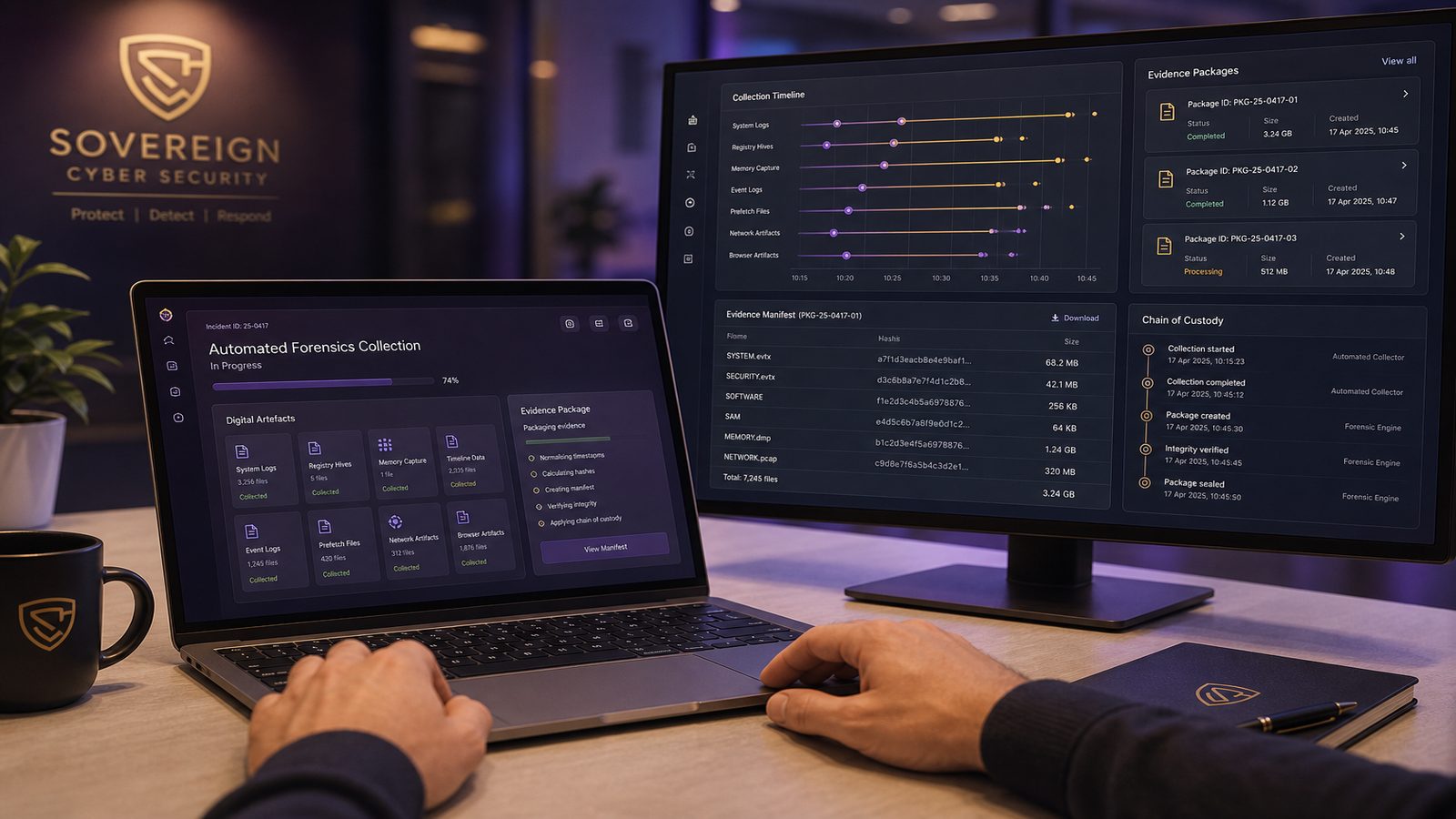
When an incident is unfolding, the first challenge is often not analysis. It is getting reliable evidence before it disappears, changes, or becomes too expensive to collect. That is where automated forensics and rapid evidence collection techniques can make a real difference. For technical teams, the aim is not to replace forensic judgement. It is to standardise the first response, reduce manual error, and capture the most useful artefacts while the system state is still fresh.
In practice, this sits inside digital forensics and incident response, often shortened to DFIR. The collection phase is about acquiring artefacts from endpoints, memory, identity platforms, cloud services, and network telemetry. Preservation is about maintaining integrity and chain of custody. Analysis comes later, once the evidence is safely stored and the scope is clearer. If you want the broader context for why this matters operationally, our article on why digital forensics matters after an incident is a useful companion piece.
Key takeaways
- Automated forensics should speed up triage and evidence capture, not replace analyst judgement.
- Prioritise volatile and high-value artefacts first, then expand collection only when the case needs it.
- Hashing, timestamps, and custody records are essential if evidence is going to be trusted later.
- Pre-approved scripts and scenario-based collection profiles reduce error and make response more consistent.
What automated forensics is, and where it fits in DFIR
Automated forensics is the use of scripts, endpoint tooling, orchestration, and pre-defined collection profiles to gather evidence quickly and consistently. It usually starts with a trigger, such as a high-confidence alert in a SIEM or EDR platform, and then runs a controlled set of collection actions. Those actions might include grabbing volatile memory, exporting process lists, collecting event logs, copying browser artefacts, or preserving cloud audit records.
The value is speed and repeatability. A human analyst can absolutely perform these tasks manually, but manual collection is slower and more variable. In a small team, the difference between a 20-minute scripted triage package and a 90-minute manual process can be significant, especially if the host is being rebooted, isolated, or actively tampered with. Automation also helps reduce the risk of missing a key artefact because someone was working from memory under pressure.
The important distinction is that collection is not analysis. A good automation workflow should capture enough to support later investigation, but it should not try to make final conclusions on its own. The analyst still decides whether the evidence is sufficient, whether more targeted acquisition is needed, and whether the collection itself could affect business operations.
When rapid evidence collection is worth using
Rapid collection is most valuable when the evidence is volatile or the business impact of delay is high. That includes suspected ransomware activity, credential theft, suspicious remote access, destructive malware, and cases where an attacker may be actively moving laterally. It is also useful when you need to preserve a live system before containment actions change the state of the host.
For SMEs, the most common trigger is not a full-blown breach investigation. It is a high-priority alert that needs quick scoping. For example, if an endpoint detection platform flags suspicious PowerShell, an unusual LSASS access attempt, or a new service created by a privileged account, you may want to collect memory, running processes, scheduled tasks, and recent logons before the machine is isolated. In identity-led incidents, you may need to preserve Entra ID sign-in logs, audit logs, conditional access events, and mailbox activity before retention windows or administrative changes complicate the picture.
There are trade-offs. Faster collection can increase system load, consume storage, and in some cases alter the very artefacts you are trying to preserve. A full disk image is more complete than a targeted triage package, but it is slower and often unnecessary in the first hour. The right approach is usually a tiered one: collect the minimum viable evidence first, then expand if the case warrants it.
Core evidence sources to prioritise first
For endpoint-led investigations, the highest-value sources are usually volatile memory, running processes, network connections, logged-on users, persistence locations, and recent event logs. Memory can contain injected code, decrypted strings, command history, and evidence of fileless activity that never touches disk. Process lists and handle tables help you understand what is running right now, while event logs provide a timeline of authentication, service creation, scheduled task activity, and script execution.
On Windows systems, a targeted triage package often includes Security, System, PowerShell, and Sysmon logs, plus artefacts such as Prefetch, Amcache, Shimcache, recent files, and autoruns data where available. If you are already using Sysmon, the article on endpoint and memory forensics fundamentals for UK SMEs is a good reference point for the kinds of artefacts that matter most.
Identity and cloud telemetry are just as important. In many incidents, the first sign of compromise appears in sign-in logs, mailbox rules, OAuth consent events, privileged role changes, or unusual token use rather than on the endpoint itself. Network telemetry can add context by showing command-and-control patterns, unusual DNS lookups, or data exfiltration indicators. The key is to treat these sources as complementary. Endpoint evidence tells you what happened on the host. Identity and network evidence help you understand how the activity spread and whether the attacker used valid credentials.
Techniques used in forensic evidence collection
There are two broad collection modes: live response and offline acquisition. Live response means collecting artefacts from a running system. It is the default choice when memory, active sessions, or transient processes matter. Offline acquisition means taking the system out of service and imaging the disk or storage volume from a trusted environment. That is often better for deep analysis, but it is slower and may not preserve volatile evidence.
In a live response workflow, the collection tool should be pre-approved, signed where possible, and tested in advance. Typical actions include exporting event logs, capturing memory, listing processes, collecting autoruns, and pulling selected directories such as user profile artefacts or application logs. On Windows, common approaches include PowerShell-based collection scripts, Velociraptor hunts, KAPE triage targets, or EDR live response sessions. On Linux, you might use shell scripts to gather process, network, journal, and authentication artefacts, then package them with hashes and timestamps.
Targeted artefact grabs are usually more efficient than broad collection. For example, if the alert suggests credential theft, you may prioritise memory, LSASS-related telemetry, security logs, and recent admin activity rather than collecting every user document. If the concern is web shell activity on a server, you may focus on web logs, process ancestry, recent file modifications, and service accounts. This targeted approach is one reason automated forensics is so useful: the collection profile can be matched to the scenario.
For teams building detection and response workflows, our article on automating incident response to reduce impact for UK SMEs complements this topic well, because the same orchestration principles often apply to containment and evidence capture.
How to preserve integrity and chain of custody
Evidence is only useful if you can trust it. Integrity starts with hashing. As soon as a file, image, or package is collected, calculate a cryptographic hash such as SHA-256 and record it alongside the acquisition details. If the tool can hash at source and again at rest, even better. For larger acquisitions, store both the manifest and the hash values so you can verify the package later.
Timestamps matter too. Record the acquisition time in UTC, the source system time if available, and any known clock drift. In investigations, a few minutes of skew can change the interpretation of a sequence of events. Time synchronisation across endpoints, identity platforms, and logging infrastructure is therefore a prerequisite, not a nice-to-have.
Chain of custody does not need to be complicated, but it does need discipline. Every collection should record who performed it, what was collected, from which host or tenant, using which tool version, under what authorisation, and where the evidence was stored. If evidence is moved between systems or exported to a case management platform, that transfer should also be logged. Immutable storage, write-once object storage, or tightly controlled evidence repositories can help reduce the risk of accidental modification.
Building safe automation into the collection workflow
Automation works best when it is constrained. Pre-approved scripts and playbooks should define exactly what is collected, from which systems, and under what conditions. That usually means scenario-based profiles. A credential theft profile might collect memory, logon sessions, authentication logs, and EDR telemetry. A ransomware profile might add persistence artefacts, recent file changes, scheduled tasks, and backup-related logs. A cloud account compromise profile might focus on audit logs, sign-in logs, mailbox rules, application consent, and privileged role changes.
Guardrails are essential. A collection script should avoid actions that overwrite evidence, such as clearing logs, restarting services unnecessarily, or running tools that generate excessive new artefacts. It should also be able to fail safely. If a host is already unstable, the script should stop rather than continue collecting low-value data and increasing the chance of a crash.
For small teams, the best pattern is often a runbook with a small number of well-tested collection profiles rather than a large library of ad hoc scripts. Keep the scripts in source control, review changes, and test them in a lab that resembles production. If you already use detection-as-code or infrastructure-as-code practices, apply the same discipline here. The collection workflow is part of your operational control set, not a one-off technical trick.
Tooling patterns for technical teams
There is no single best toolset. The right choice depends on your endpoint estate, cloud footprint, and existing security stack. In Windows-heavy environments, EDR live response, Velociraptor, KAPE, Sysinternals tools, and PowerShell-based acquisition scripts are common building blocks. For memory capture, teams often use trusted acquisition utilities that are compatible with their operating system and incident handling process. For Linux and macOS, the equivalent is usually a mix of native commands, scripted collection, and endpoint management tooling.
Orchestration matters more than the individual tool. A SOAR platform can trigger a collection job when a detection meets a threshold, attach the resulting package to the case, and notify the analyst. A SIEM can enrich the alert with host, identity, and network context before the collection starts. A case management platform can track evidence status, ownership, and handover. The aim is to reduce swivel-chair work and keep the evidence lifecycle visible.
If you are designing the broader telemetry pipeline that feeds these workflows, our article on designing log pipelines for detection engineering for UK SMEs is relevant because collection quality depends on the logs and artefacts you can reliably reach.
A practical DFIR methodology for small teams
A workable small-team methodology is triage, scope, collect, preserve, and hand over. Triage answers whether the alert is credible and time-sensitive. Scope identifies the likely affected users, hosts, tenants, and time window. Collect gathers the minimum viable evidence set. Preserve stores it with hashes, timestamps, and custody records. Handover passes the package to the analyst or external responder with enough context to continue the investigation.
Under time pressure, decide what to collect by asking three questions. First, what evidence is most likely to disappear? Second, what evidence will help you confirm or rule out the current hypothesis? Third, what can you collect without materially disrupting the business? This is where automation helps most, because it lets you answer those questions with pre-defined profiles instead of improvising on the spot.
For example, if the case involves a suspected compromised administrator account, you may collect identity logs, recent privileged actions, endpoint memory from the admin workstation, and any relevant cloud audit records. If the case involves a server with possible web shell activity, you may prioritise process ancestry, web logs, file integrity data, and recent authentication events. The point is not to collect everything. It is to collect enough, quickly, and with confidence.
What the 7 S’s and the 4 pillars mean in practice
Many forensic teams use principles such as the 7 S’s or the four pillars of digital forensics as a quality check. Different organisations phrase them differently, but the practical message is consistent: collect systematically, preserve integrity, maintain documentation, and keep the process repeatable. In day-to-day work, that means your scripts, runbooks, and storage controls should all support the same outcome.
In operational terms, those principles map to a simple checklist. Identify the source. Secure the system state as far as possible. Snapshot or export the relevant artefacts. Hash the output. Store it in controlled evidence storage. Record the chain of custody. Review the package for completeness before analysis begins. If your process cannot pass that test, it is too loose for reliable incident handling.
Common mistakes that reduce evidential value
The most common mistake is over-collecting. Teams sometimes gather full disk images, huge log exports, and multiple redundant artefacts because they are worried about missing something. That can delay analysis and create storage and handling overhead without improving the outcome. A better approach is to collect targeted evidence first, then expand only if the case demands it.
Another mistake is under-logging the collection itself. If you cannot show what was collected, when, by whom, and with which tool version, the evidence becomes harder to trust. Poor time synchronisation is equally damaging, because it can make a valid sequence of events look inconsistent. Automation failures are also common. A script that silently skips a directory, fails to capture memory, or times out halfway through a package can create blind spots that are not obvious until much later.
Finally, teams sometimes forget that collection can change the environment. Running tools on a live host may create new process events, temporary files, or network connections. That does not make live response invalid, but it does mean you need to understand the side effects and document them. Forensic work is always a balance between preserving evidence and preserving the business system.
How to prepare before an incident happens
Preparation is what makes rapid collection possible. Start with evidence retention and logging. Decide which logs and artefacts you need, how long they should be retained, and where they will be stored. Make sure your endpoint, identity, cloud, and network sources are accessible to the people who will need them during an incident. If access is too restricted, the collection workflow will fail at the exact moment you need it most.
Access control matters here. The people who can trigger collection should not necessarily be the same people who can alter evidence storage. Use role-based access control, separate operational and administrative duties where possible, and keep an audit trail of every evidence action. That is especially important if you are handling regulated or sensitive data.
Tabletop exercises are a good way to test the workflow. Run a scenario where an alert triggers a collection profile, then check whether the right artefacts were gathered, whether the package was hashed correctly, and whether the evidence was handed over cleanly. If you already have a retention and logging strategy, our article on retaining evidence and logs for investigations is a practical companion to this one.
It is also worth testing the scripts themselves after patching, platform changes, or EDR policy updates. A collection profile that worked six months ago may fail silently after an endpoint agent upgrade or a permissions change. Treat evidence collection as a maintained control, not a one-time setup.
For UK SMEs, the goal is a repeatable, proportionate process that gives you reliable evidence without overwhelming a small team. If you want help shaping a collection workflow that fits your environment, a consultant can help you design the runbooks, tooling patterns, and evidence handling controls around your existing stack. Speak to a consultant.
Frequently asked questions
What is the DFIR methodology?
DFIR stands for digital forensics and incident response. In practice, it is the process of triaging an incident, scoping the affected systems, collecting evidence, preserving integrity, analysing the artefacts, and handing the findings into response or recovery work.
How is digital evidence collected without losing integrity?
Use trusted tools, record the acquisition details, calculate hashes, store the output in controlled evidence storage, and keep a clear chain of custody. Where possible, capture the evidence in a way that minimises unnecessary changes to the source system and document any side effects of live collection.
What are the techniques used in forensic evidence collection?
The main techniques are live response collection, offline acquisition, targeted artefact grabs, and automated triage packages. The right choice depends on whether you need volatile data, how much system impact you can tolerate, and how quickly the evidence may change.
Comments are closed