
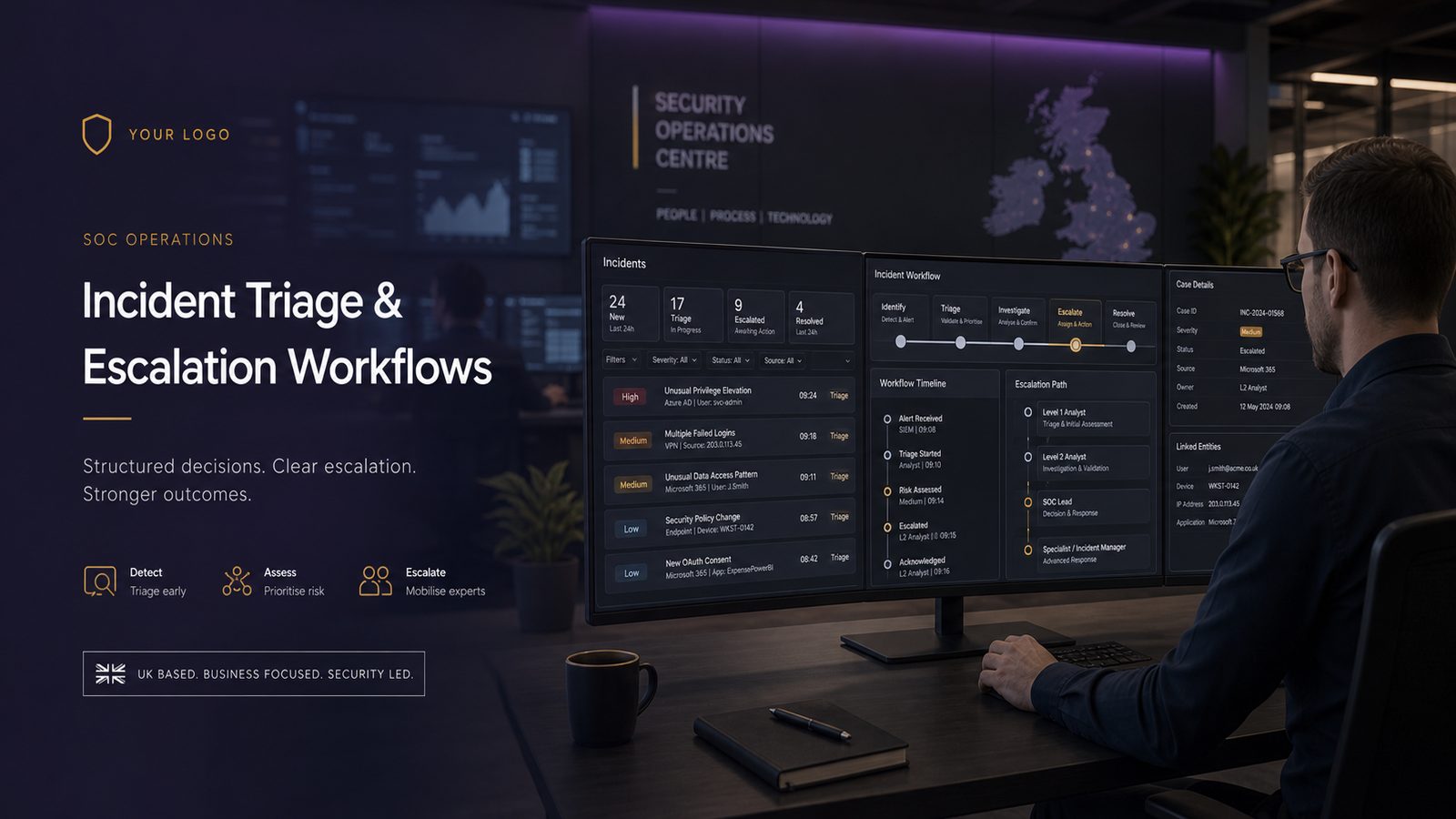
What SOC triage is trying to achieve
For many UK SMEs, the challenge is not collecting alerts. It is deciding what those alerts mean, what to do next, and when to involve other teams. That is the purpose of triage in a Security Operations Centre, or SOC: to turn raw alerts into a clear operational decision.
A good triage process should consistently answer four questions:
- Is this a real issue, or just noise?
- What additional context do we need to make the decision?
- Can we contain or reduce the risk now?
- Does this need escalation to incident management, IT operations, or business leadership?
In practice, triage sits between detection and incident response. It is not the same as a full investigation. It is the decision point that determines whether an alert is closed, monitored, enriched, or escalated into a case.
Define triage outcomes: validate, enrich, contain, escalate
It helps to standardise the possible outcomes of triage. If analysts can only choose between “close” and “escalate”, they will either over-escalate or suppress useful signals. A more useful model is:
- Validate: confirm whether the alert is credible.
- Enrich: add context from identity, endpoint, email, network, and asset data.
- Contain: apply a low-risk action such as disabling a session or isolating a device, where approved.
- Escalate: hand over to incident management, IT operations, or a specialist responder.
This approach aligns well with the NIST Cybersecurity Framework functions of Detect and Respond, and with MITRE ATT&CK for understanding what behaviour the alert may represent. It also keeps the workflow focused on decision quality rather than just speed.
Separate alert handling from full incident management
One common mistake in smaller teams is treating every alert as if it were already a major incident. That creates fatigue and slows response. Alert handling should be lightweight and repeatable. Incident management should begin only when the evidence suggests a meaningful security event, a policy breach, or a business impact that needs coordinated action.
That separation matters because the people, records, and approvals needed for a full incident are different. Triage is about filtering and prioritising. Incident management is about coordination, containment, recovery, communications, and evidence preservation.
Designing a practical triage model
A workable triage model for UK SMEs should be simple enough to use under pressure, but structured enough to produce consistent outcomes. The best models usually combine three inputs: severity, confidence, and business impact.
Severity, confidence, and business impact as decision inputs
Severity describes the technical seriousness of the alert. For example, a failed login is not the same as a confirmed malicious PowerShell process on a privileged workstation.
Confidence describes how likely it is that the alert reflects real malicious activity. A single weak indicator may have low confidence. Multiple correlated indicators across identity, endpoint, and network telemetry usually increase confidence.
Business impact describes the likely effect on the organisation if the activity is real. A suspicious login to a low-risk test account is not the same as a compromise of a finance administrator or a mailbox used for supplier payments.
These three inputs should drive the triage decision. A low-severity alert with high confidence and high business impact may deserve faster escalation than a technically severe alert that is poorly evidenced and low impact.
How to set escalation thresholds without overloading analysts
Escalation thresholds should be documented, not improvised. A simple approach is to define three bands:
- Informational: log and trend, but do not open a case unless repeated or correlated.
- Investigate: create a case, enrich, and review within the agreed SLA.
- Escalate immediately: notify the incident manager or on-call responder at once.
To avoid overload, tie immediate escalation to a small number of high-value conditions. Examples include confirmed use of a privileged account from an unusual location, malware on a device with access to sensitive data, or evidence of data exfiltration. Everything else should follow a normal investigation path unless the context changes.
Building the workflow from alert to case closure
A repeatable workflow reduces ambiguity and makes handovers easier. For a small SOC or outsourced monitoring function, the workflow should be explicit from alert intake to closure.
Alert intake, enrichment, correlation, and deduplication
The first step is intake. Alerts should arrive with enough metadata to support triage, including timestamp, source, rule name, host or user identity, severity, and any raw event details that matter.
Next comes enrichment. Analysts should pull in context such as:
- Asset criticality from the CMDB or inventory
- User role and privilege level from identity systems
- Recent authentication history
- Endpoint posture and EDR status
- Email provenance or message trace data
- Network indicators such as destination reputation or unusual geolocation
Correlation is the step that turns isolated alerts into a story. For example, a suspicious login, followed by mailbox rule creation, followed by a large outbound transfer is more meaningful than any one event alone.
Deduplication is equally important. If the same detection fires repeatedly for the same host or user, the SOC should avoid opening multiple cases unless the behaviour changes. This keeps the queue manageable and improves analyst attention.
Case ownership, handoff points, and closure criteria
Every case needs a named owner. Even in a small team, ownership should be clear from the start. The analyst who opens the case should either close it or hand it off with a complete note set.
Handoffs should happen at defined points, such as:
- From SOC analyst to incident manager when escalation criteria are met
- From SOC to IT operations when containment requires endpoint or identity changes
- From incident manager to business owner when the issue may affect operations, customers, or sensitive data
Closure criteria should also be explicit. A case should not be closed simply because the alert stopped firing. It should close when the analyst has enough evidence to conclude one of the following:
- Benign activity confirmed
- False positive understood and documented
- Threat contained and remediated
- Escalated to another workflow
Roles and responsibilities in a small security team
In UK SMEs, SOC functions are often shared across internal IT, a managed service provider, and a business owner or operations lead. That makes role clarity essential.
SOC analyst, incident manager, IT operations, and business owners
The SOC analyst should focus on alert review, enrichment, and first-line decision making. The incident manager coordinates the wider response once a case crosses the escalation threshold. IT operations may need to isolate endpoints, reset credentials, revoke sessions, or apply configuration changes. Business owners decide on operational trade-offs, such as whether a system can be taken offline.
These roles do not need to be large or formal, but they do need to be named. If nobody knows who can approve containment, the team will hesitate at the point where speed matters most.
RACI-style ownership for after-hours and major incidents
A simple RACI model helps. For each major alert type, define who is Responsible, Accountable, Consulted, and Informed. This is especially useful after hours.
For example:
- Responsible: SOC analyst or monitoring provider
- Accountable: incident manager or service owner
- Consulted: IT operations, legal, HR, or data protection lead where relevant
- Informed: business owner, service desk, or executive sponsor
After-hours procedures should include contact details, escalation order, and a clear threshold for waking senior staff. If the threshold is too low, people ignore it. If it is too high, the organisation loses time.
Evidence, logging, and context needed for triage
Triage quality depends on telemetry. If the SOC cannot see identity, endpoint, email, and network activity together, it will struggle to distinguish a false positive from a real incident.
Minimum telemetry from endpoint, identity, email, and network
At a minimum, the workflow should have access to:
- Identity logs: sign-ins, MFA events, privilege changes, conditional access outcomes
- Endpoint logs: process creation, script execution, EDR detections, device isolation events
- Email logs: message delivery, forwarding rules, suspicious attachments, phishing reports
- Network logs: DNS, proxy, firewall, VPN, and unusual outbound connections
For Microsoft-heavy environments, this often means correlating Microsoft Entra ID sign-in logs, Microsoft Defender for Endpoint telemetry, Exchange Online message trace, and firewall or proxy logs in a SIEM such as Microsoft Sentinel. The exact stack matters less than the visibility it provides.
Preserving artefacts for investigation without slowing response
Triage should preserve enough artefacts to support later investigation. That does not mean collecting everything. It means capturing the right evidence before it disappears.
Useful artefacts include alert payloads, relevant event IDs, process trees, user session details, mailbox rule changes, IP addresses, hashes, and timestamps in UTC. If the case may escalate, the analyst should save the original alert, not just a summary note.
Where possible, use immutable or access-controlled storage for case notes and exported evidence. This reduces the risk of accidental overwrite and supports later review.
Escalation paths for common alert types
Different alert classes need different escalation logic. A single matrix is usually enough for SMEs if it is kept current and tested.
Identity compromise, malware, suspicious admin activity, and data exfiltration
Identity compromise: escalate quickly if there is evidence of impossible travel, MFA fatigue patterns, token abuse, mailbox rule creation, or sign-ins from unfamiliar locations combined with privilege use. Identity incidents often become business incidents because they can affect email, finance, and cloud access.
Malware: if EDR confirms malicious execution on a device with access to sensitive systems, escalate to containment. If the device is low risk and the detection is weak, investigate first, but do not delay if lateral movement is possible.
Suspicious admin activity: any unexpected use of privileged accounts should be treated carefully. Check whether the activity matches change windows, approved maintenance, or automation. If not, escalate to the incident manager and validate with IT operations.
Data exfiltration: unusual outbound traffic, large file transfers, or cloud storage uploads from sensitive accounts should trigger immediate review. If there is evidence of actual data movement, escalation should include containment, forensics, and business notification.
When to escalate to containment, forensics, or executive notification
Containment is appropriate when the risk of continued activity is higher than the operational cost of action. For example, disabling a session, resetting a password, or isolating a device may be justified if the evidence is strong and the impact of delay is greater than the impact of interruption.
Forensics should be considered when the event is high impact, the root cause is unclear, or the organisation may need to understand scope and dwell time. Executive notification is appropriate when the incident may affect customers, critical services, regulated data, or business continuity.
Automation that helps triage without creating risk
Automation can improve triage, but only when it reduces repetitive work without making irreversible decisions on weak evidence.
SOAR-style enrichment, ticketing, and containment guardrails
Security orchestration, automation, and response, or SOAR, can help with enrichment and routing. Good uses include:
- Creating a case in the ticketing system
- Pulling user, device, and asset context automatically
- Checking threat intelligence or reputation data
- Assigning the case to the correct queue
- Notifying on-call staff based on severity
Automation can also support low-risk containment, such as disabling a suspicious session or tagging a mailbox for review, but only if there is a clear approval model and rollback path.
Human approval points for destructive or high-impact actions
Any action that could disrupt business operations should require human approval. That includes device isolation, account disablement, mass email quarantine, or network blocking that may affect legitimate services. The rule of thumb is simple: automate the gathering of evidence and the routing of work, but keep high-impact containment under human control unless the organisation has explicitly agreed otherwise.
Metrics that show whether the workflow is working
If the workflow is not measured, it will drift. Useful metrics should focus on both speed and quality.
Mean time to acknowledge, mean time to triage, and false positive rate
Mean time to acknowledge shows how quickly the SOC sees the alert.
Mean time to triage shows how quickly the team can make a decision.
False positive rate shows how much analyst effort is wasted on poor detections.
These metrics are useful, but they should not be used in isolation. A very fast triage process that closes everything quickly may simply be suppressing real incidents.
Backlog, re-open rate, and escalation quality
Backlog shows whether the queue is growing faster than the team can handle it. Re-open rate shows whether cases are being closed too early. Escalation quality measures whether the right issues are being handed off with enough context for the next team to act.
A practical review rhythm is weekly for operational metrics and monthly for workflow tuning. Look for repeated alert patterns, poor-quality enrichment, and cases that were escalated too late or too early.
Common workflow failures and how to avoid them
Most triage problems are process problems, not tool problems.
Ambiguous severity labels, missing ownership, and poor handover notes
If severity labels are vague, analysts will interpret them differently. If ownership is unclear, cases will stall. If handover notes are thin, the next responder will repeat work or miss context. These are all avoidable with a short playbook and a standard case template.
Over-reliance on alerts without context or playbooks
Alerts alone rarely tell the full story. A mature workflow uses playbooks, asset context, and identity data to interpret the signal. Without that, the SOC becomes reactive and inconsistent.
It is also worth reviewing whether the detections themselves are still relevant. A workflow built around poor detections will always struggle, no matter how disciplined the analysts are.
A starter triage and escalation checklist for SMEs
If you are building or improving a SOC workflow, start with a minimum viable structure:
- Define triage outcomes: validate, enrich, contain, escalate
- Set severity, confidence, and impact criteria
- Document escalation thresholds and after-hours contacts
- Standardise case notes and closure criteria
- Ensure access to identity, endpoint, email, and network telemetry
- Agree approval points for containment actions
- Track acknowledgement, triage time, false positives, backlog, and re-open rate
In the first 30 days, focus on practical improvements rather than redesigning everything. Tighten the top five alert types, improve handover notes, and remove any escalation path that nobody can actually use.
For UK SMEs, the goal is not to build a large SOC. It is to build a workflow that makes good decisions consistently, uses the evidence you already have, and escalates the right issues at the right time.
If you want help reviewing your current triage model, escalation matrix, or SOC operating process, it can be useful to map it against your wider risk and response arrangements and then improve it in small steps.
FAQ
How is triage different from incident response?
Triage is the decision-making stage that validates an alert, adds context, and decides whether it should be closed, monitored, contained, or escalated. Incident response starts when the organisation treats the event as a coordinated security incident and begins structured containment, investigation, recovery, and communications.
What should a small SOC include in its escalation matrix?
A small SOC escalation matrix should include alert types, severity levels, confidence indicators, business impact criteria, named contacts, after-hours routes, approval requirements for containment, and clear handoff points to IT operations and business owners.
Frequently asked questions
What is triage in a SOC and how is it different from incident management?
Triage is the step where a SOC decides what an alert means and what should happen next. It is about validating, enriching, containing, or escalating an alert, rather than carrying out a full investigation. Incident management starts when the evidence points to a meaningful security event, policy breach, or business impact that needs coordinated action.
How should a UK SME decide when to escalate a security alert?
A practical approach is to use severity, confidence, and business impact together. An alert with modest technical severity may still need quick escalation if it affects a privileged account or a sensitive system. Escalation thresholds should be documented so analysts are not making the decision ad hoc.
What should a SOC do before closing an alert?
Before closing an alert, the SOC should check whether it is credible, add any useful context, and look for related activity. Enrichment might include user role, asset criticality, recent authentication history, or endpoint status. If the same detection keeps firing for the same user or device, it may be better to deduplicate or trend it rather than open multiple cases.
When should a SOC contain an issue instead of just investigating it?
Containment is suitable when a low-risk action can reduce exposure while the team gathers more context. The article gives examples such as disabling a session or isolating a device, where that is approved. This should be used as part of a structured triage process, not as a substitute for proper investigation or incident management.
Who should own a case once an alert has been triaged?
Every case should have a named owner from the start. The analyst who opens the case should either close it or hand it off with clear notes, so the next person understands what has already been checked. Handoffs should happen at defined points, such as to an incident manager when escalation criteria are met or to IT operations when containment needs endpoint or identity changes.
Comments are closed