
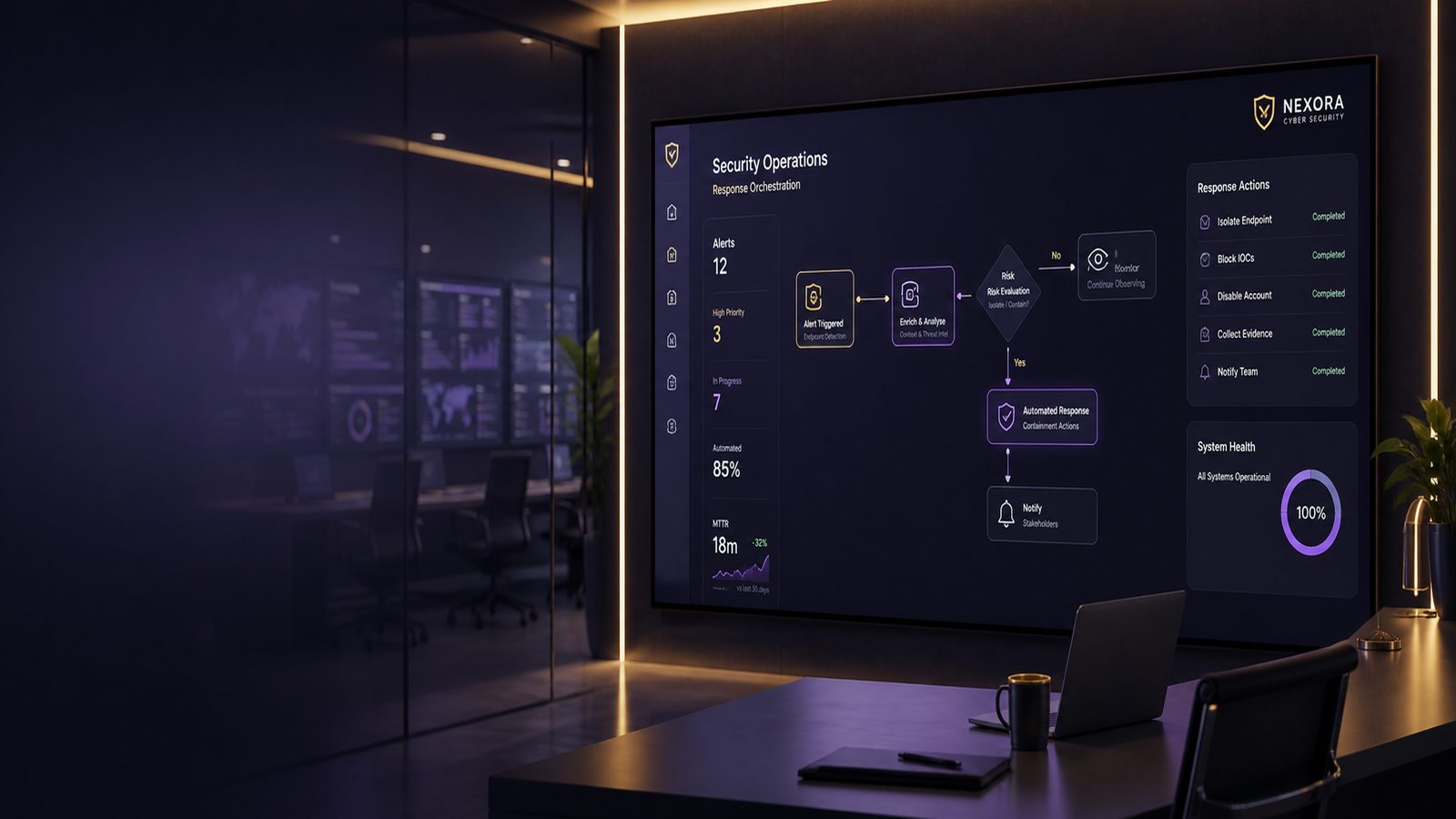
For many UK SMEs, the real cost of a cyber incident is not just the security issue itself. It is the lost time, the interruption to customer service, the pressure on a small IT team, and the damage to trust if the business cannot respond quickly. That is why the benefits of automated response in cyber security are worth understanding in business terms, not just technical ones.
Automated response can help a business act faster when something suspicious happens. Instead of waiting for someone to notice an alert, investigate it, decide what to do, and then carry out the action, some steps can happen automatically. Used well, this can reduce the time an attacker has to do damage and can make everyday security operations more manageable.
That does not mean automation should replace people. It works best when it supports a sensible incident response process, with clear rules about what can happen automatically and what still needs human judgement. For a practical overview of the wider response process, see our article on incident response fundamentals for SMEs.
Key takeaways
- Automated response helps UK SMEs contain common security incidents faster, which can reduce downtime and business disruption.
- The best automation is low-risk, reversible, and focused on repeatable events such as risky sign-ins, phishing emails, and suspicious devices.
- Automation should support people, not replace them, especially where a response could affect staff, customers, or operations.
- Clear thresholds, logging, and ownership are essential if automated actions are to be trusted and improved over time.
What automated response means in plain English
Automated response means setting up your security tools so they can take a predefined action when a known condition is met. A simple example is locking an account after repeated failed sign-in attempts from a risky location. Another is moving a suspicious email into quarantine so staff do not open it.
The key point is that the action is triggered by a rule, not by a person making a fresh decision every time. That can save time, but it also means the rule must be carefully designed. If the trigger is too broad, the business may block legitimate users. If it is too narrow, the response may be too slow to matter.
How it differs from manual incident handling
In a manual process, an alert lands with a person, who then checks the evidence, decides whether it is serious, and carries out the next step. That approach gives flexibility, but it can be slow, especially outside office hours or when the team is already busy.
Automated response is different because it removes some of the delay. It is best suited to situations where the right action is clear, the risk of making a mistake is low, and the action can be reversed if needed. In practice, many SMEs use a mix of both: automation for routine containment, and people for higher-risk decisions.
Where automation fits in a small business security setup
Automation is most useful where your business already has a basic security foundation. That means you have some form of alerting, a way to record incidents, and a clear owner for security decisions. It also helps if your systems are reasonably well configured, because automation is only as reliable as the data and controls behind it. Stronger baseline settings and simpler system design make automated actions easier to trust, which is why they sit well alongside endpoint hardening using CIS Benchmarks and reducing attack surface using system hardening techniques.
The main benefits for UK SMEs
Faster containment and less business disruption
The biggest benefit is speed. If a compromised account is locked quickly, or a suspicious device is isolated from the network, the business may prevent a small problem from becoming a major one. That can reduce downtime, protect customer data, and limit the spread of the issue across other systems.
For an SME, even a short interruption can be costly. Staff may be unable to access email, finance systems, or shared files. Customers may face delays. Suppliers may be left waiting. Automated response helps shorten the window between detection and action, which is often where the real value lies.
Reduced pressure on small IT and security teams
Many SMEs do not have a full security operations team. The same person may manage laptops, user accounts, backups, and support tickets. When alerts arrive in volume, it is easy for important ones to be delayed.
Automation can take some of the repetitive work off the team. It can create tickets, collect basic evidence, and carry out low-risk actions without waiting for someone to be free. That means staff can spend more time on the incidents that genuinely need attention.
More consistent handling of common alerts
People are good at judgement, but they are not always consistent when they are busy. One analyst may respond to an alert one way, another may handle it differently, and a third may miss a step entirely. Automation helps by applying the same response every time.
This consistency matters because it reduces the chance of gaps in the process. It also makes it easier to review what happened later, because the business can see exactly which action was taken and why. If you are improving your monitoring and response capability, it is worth reading our guide to automating incident response to reduce impact for UK SMEs alongside this article.
Which security tasks are good candidates for automation
Account lockout, password reset, and risky sign-in handling
Identity-related incidents are often good candidates for automation because they are common and time-sensitive. If a user signs in from an unusual country, uses a device that has not been seen before, or triggers multiple failed logins, the system can take a cautious action such as forcing a password reset, requiring additional verification, or temporarily locking the account.
These actions can stop an attacker from using stolen credentials. They can also protect the business from the knock-on effects of account misuse, such as fraudulent emails, unauthorised file access, or changes to payment details.
Endpoint isolation, email quarantine, and alert enrichment
Some device and email actions are also well suited to automation. A suspicious laptop can be isolated from the network while still allowing security staff to inspect it. A malicious or high-risk email can be quarantined before a user opens it. An alert can be enriched with extra context, such as the user name, device name, recent sign-ins, and related events, so the person reviewing it has better information.
These are useful because they either reduce immediate risk or make the next decision faster. They are also easier to control than more aggressive actions, such as deleting files or wiping devices, which should usually require human approval.
Ticket creation, escalation, and evidence capture
Automation is not only about blocking threats. It can also improve the admin side of incident handling. For example, a security alert can automatically create a ticket, assign it to the right owner, and attach the relevant logs or screenshots. That reduces the chance of an alert being forgotten or handled without enough context.
It also helps with evidence. If the system captures key details at the moment the alert fires, the business is less likely to lose information that may be useful later. This is especially helpful for small teams that need a simple, repeatable way to keep records. Our article on automated forensics and rapid evidence collection techniques explores this in more depth.
When automation can create risk
False positives and over-blocking legitimate users
The main risk is that a rule fires when it should not. If that happens, a legitimate employee may be locked out, a customer may be blocked, or a business process may stop. For example, a staff member travelling for work might trigger a location-based rule even though their sign-in is genuine.
That is why automated response should be introduced carefully. The business needs to know what the rule is looking for, how often it is likely to trigger, and what the impact will be if it does.
Poorly designed actions that interrupt the business
Some actions are simply too disruptive to automate without strong safeguards. Deleting files, disabling accounts permanently, or shutting down systems can create more harm than the original alert if the rule is wrong. In a small business, even a short interruption can affect sales, service delivery, and reputation.
Good automation should be reversible where possible. It should also be limited to actions that are proportionate to the risk. If a response would stop staff from doing their jobs, it needs a higher level of control.
Why human approval still matters for higher-risk cases
Human judgement is still essential when the situation is unclear, the impact could be significant, or the response could affect many users at once. A sensible model is to automate the first containment step, then hand over to a person for review and follow-up.
That balance gives you speed without losing control. It is also easier to explain to the business, because the rules are clear: routine, low-risk actions can be automated, while anything that could materially affect operations needs review.
How to choose the right response actions
Start with low-risk, reversible actions
A good starting point is to automate actions that are easy to undo. Examples include quarantining an email, forcing a password reset, or isolating a device from the network for a short period. These actions can reduce risk without causing lasting damage if the alert turns out to be benign.
It is usually better to begin with containment and notification rather than remediation. Once the business is comfortable with the process, more advanced steps can be considered.
Match automation to your most common incidents
Do not automate for the sake of it. Focus on the incidents you see most often and the ones that cause the most disruption. For many SMEs, that means suspicious sign-ins, phishing emails, and compromised endpoints.
By starting with common scenarios, you are more likely to see a real return on effort. You are also more likely to build confidence in the process, because the team can see the same pattern working repeatedly.
Set clear thresholds and approval points
Every automated action should have a clear trigger. That might be a number of failed sign-in attempts, a device reputation score, or a combination of signals from different tools. The threshold should be high enough to avoid constant false alarms, but low enough to act before damage spreads.
It is also sensible to define approval points. For example, a low-risk action may happen automatically, but a more disruptive action may require a manager or security lead to approve it. This keeps the process practical and avoids over-reliance on a single rule.
A practical rollout approach for SMEs
Begin with a small number of repeatable scenarios
Most SMEs should not try to automate everything at once. Start with two or three scenarios that are easy to understand and easy to test. Phishing email quarantine, risky sign-in handling, and endpoint isolation are common starting points.
Keeping the first phase small makes it easier to spot problems and build trust. It also helps the business understand what the automation is doing and why.
Test, measure, and tune before wider use
Before you rely on automation, test it in a controlled way. Check what happens when the trigger fires, whether the action is appropriate, and how quickly the team is notified. Then measure how often it runs, how many times it was correct, and how many times it caused unnecessary disruption.
Those results will tell you whether the rule is ready for broader use. If the false positive rate is too high, the rule should be tightened. If the action is too slow, the workflow should be simplified.
Review ownership, logging, and escalation paths
Automation needs ownership. Someone must be responsible for approving the rules, reviewing the results, and updating them when the business changes. That owner does not need to be highly technical, but they do need to understand the operational impact.
You should also make sure the automation is logged properly. If a rule locks an account or isolates a device, the business should be able to see when it happened, what triggered it, and who reviewed it afterwards. That makes it easier to learn from incidents and improve the process over time.
How automation supports better incident response overall
When used well, automation improves more than speed. It can improve consistency, reduce manual effort, and give the business better visibility of what is happening. It can also make it easier to collect evidence and follow a repeatable process, which supports better decisions after the incident.
It is also a useful way to strengthen resilience. If the business can contain common incidents quickly, it is less likely to suffer long outages or repeated disruption. That matters for customer confidence, staff productivity, and the wider cost of recovery.
Automation should sit alongside other defensive measures, not replace them. Good account protection, strong device settings, sensible logging, and a clear response plan are still essential. If you want to see how this fits into broader monitoring and visibility, our article on designing Integrated Network Detection and Response is a useful companion piece.
For many UK SMEs, the real value of automation is not that it makes security perfect. It is that it helps the business respond in a more controlled, timely, and repeatable way when something goes wrong.
If you are considering where automation could reduce risk without adding unnecessary complexity, a short review of your current alerts, response steps, and escalation paths is often a sensible place to start. If helpful, speak to a consultant about how this could fit your environment and your priorities.
Frequently asked questions
What are the benefits of automation in cybersecurity?
The main benefits are faster response, less manual work, more consistent handling of common alerts, and reduced business disruption when something suspicious happens.
What are the benefits of an automated system?
An automated system can act quickly, follow the same rules every time, and reduce the chance that important steps are missed when people are busy.
Comments are closed