
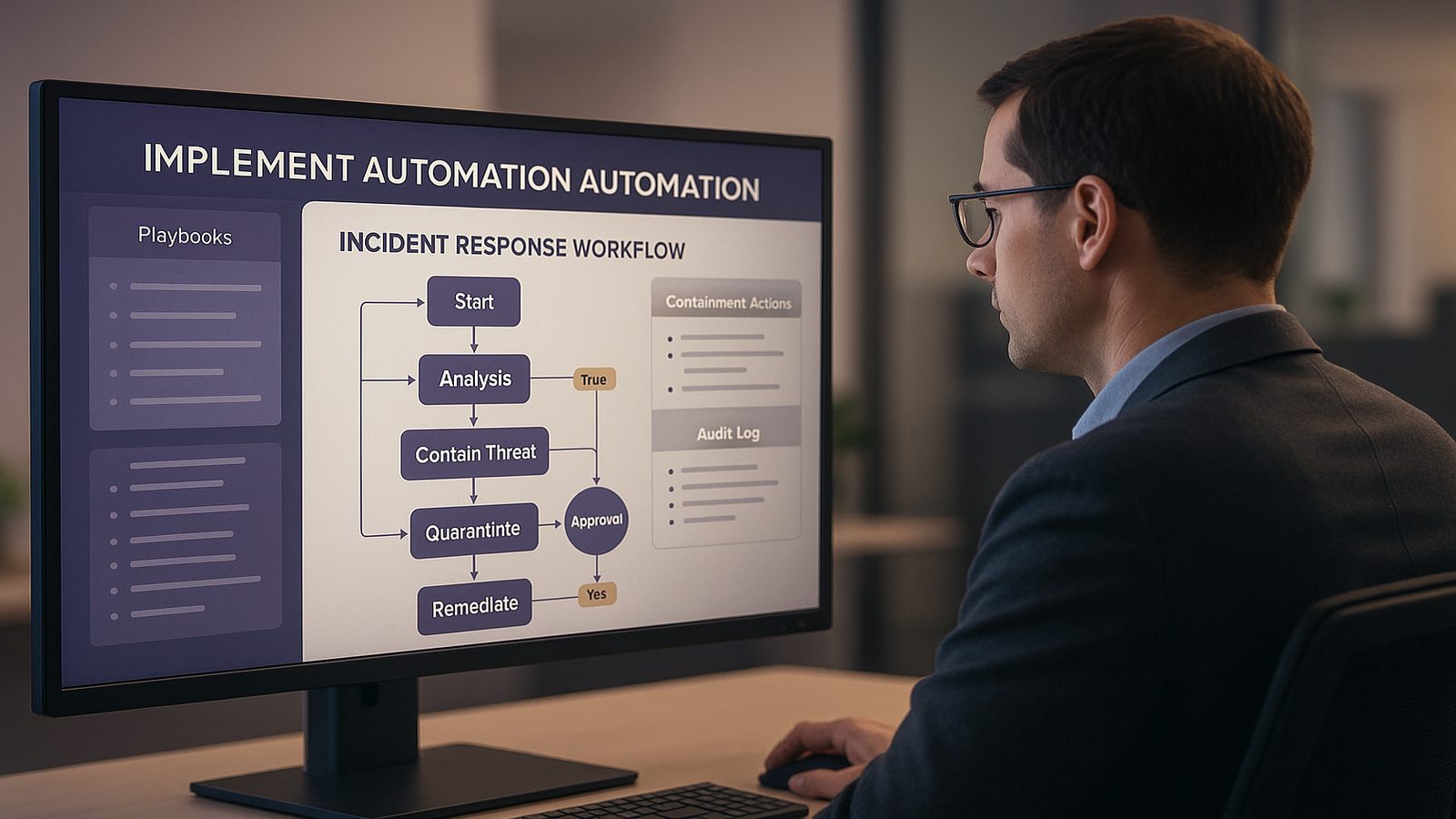
Automating containment and remediation actions safely for UK SMEs
For many UK SMEs, the appeal of automation is straightforward. Security alerts arrive outside normal working hours, small teams are stretched, and some response tasks are repetitive enough to slow people down. If a system can isolate a device, disable a suspicious account, or open a ticket automatically, response can become faster and more consistent.
That said, automation is not a shortcut to better security by itself. A poorly designed automated response can interrupt staff, block legitimate work, or make a small incident harder to understand. The aim is not to automate everything. The aim is to automate the right actions, with clear boundaries, so your team can respond quickly without creating avoidable business disruption.
Why automation is useful, and where it can go wrong
Common benefits for small security teams
Automation is most valuable when it removes delay from routine, well understood actions. In a small team, that can mean the difference between containing an issue in minutes rather than hours. It also helps with consistency. People under pressure may forget a step, but a playbook can follow the same sequence every time.
For UK SMEs, the practical benefits usually include faster containment, less manual effort, and better use of limited staff time. If an alert is clearly malicious, an automated response can buy time while someone investigates. It can also help outside office hours, when there may be no one available to act immediately.
Typical risks of over-automation
The main risk is acting too broadly on incomplete information. An alert might look suspicious but still be tied to a legitimate business process, such as a user travelling, a software update, or a scheduled admin task. If automation responds too aggressively, the business may lose access to a device, account, or service it still needs.
Another risk is hidden complexity. A playbook that looks simple on paper may depend on other systems, permissions, or data quality that are not reliable in practice. If the automation is not well tested, it can create a false sense of control. The response appears to be working, but the underlying issue remains unresolved.
Deciding which actions are safe to automate
Low-risk containment actions
Start with actions that are bounded and reversible. In other words, the action should be limited in scope and easy to undo if needed. Good early candidates often include isolating an endpoint from the network, disabling a clearly compromised account, forcing a password reset, or creating an incident ticket with the relevant evidence attached.
These actions work best when the trigger is specific. For example, an endpoint that is confirmed to be running known malicious software is a better candidate than a vague alert about unusual behaviour. The more confidence you have in the detection, the safer the automation becomes.
It is also sensible to automate notification steps. If a suspicious event is detected, the system can alert the right person, record the details, and start a workflow. That reduces delay without immediately taking disruptive action.
Actions that should stay human-approved
Some actions are too disruptive, too broad, or too dependent on context to automate without review. Examples include deleting data, wiping a device, changing firewall rules across a large environment, or making changes that affect many users at once. These may be appropriate in some incidents, but they need human judgement.
Anything that could affect a critical business service should also be treated carefully. If a response could stop finance, customer support, or production systems from working, it should normally require approval. The same applies where the evidence is weak, the impact is uncertain, or the action is difficult to reverse.
Building guardrails before you automate
Approval thresholds and escalation paths
Before you automate any response, define who can approve it, when approval is needed, and what happens if no one responds. This is especially important for SMEs where the same person may wear several hats. A clear escalation path prevents automation from stalling, but it also stops it from acting beyond its remit.
A practical model is to separate response into tiers. Low-risk actions can run automatically. Medium-risk actions can require approval from IT or security. High-risk actions can be escalated to a business owner or service owner. The thresholds should reflect your own risk appetite, not a generic template.
Logging, rollback, and change control
Every automated action should be logged in plain language. You need to know what triggered the action, what the system did, when it happened, and who approved it if approval was required. Good logging makes it easier to investigate mistakes and improve the playbook later.
Rollback matters just as much. If an account is disabled, there should be a controlled way to re-enable it. If a device is isolated, there should be a documented process to reconnect it once the issue is resolved. Without rollback, automation can turn a temporary containment step into a longer outage.
Change control should not be heavy, but it should exist. Treat playbooks as controlled changes to your operating environment. Test them, record versions, and review them after significant incidents. That discipline keeps automation aligned with the way your business actually works.
Designing playbooks for containment and remediation
Using clear triggers and bounded responses
A playbook should answer three questions: what event starts it, what action it takes, and when it stops. If those answers are vague, the playbook will be hard to trust. Good triggers are specific and measurable, such as a confirmed malicious hash, a known phishing pattern, or a high-confidence identity alert.
Bounded responses are equally important. A playbook should do one or two things well, not attempt to solve the whole incident. For example, a phishing playbook might quarantine a message, alert the user, and open a case. It does not need to investigate every possible downstream effect at the same time.
That approach makes automation easier to maintain. Smaller playbooks are simpler to test, easier to explain, and less likely to fail in unexpected ways.
Keeping playbooks simple enough to maintain
Complex playbooks are difficult for small teams to support. If only one person understands how a workflow works, it becomes fragile. Simpler designs are usually better, even if they are less ambitious. Focus on the most common scenarios first, then expand only when the earlier steps are stable.
It helps to write playbooks in plain English before building them in a tool. Describe the trigger, the decision point, the action, the notification, and the rollback. If you cannot explain the workflow clearly to a non-specialist manager, it may be too complicated for safe automation.
How to reduce business disruption
Testing in a controlled environment
Never assume a playbook will behave exactly as expected in production. Test it in a controlled environment first, using realistic but safe scenarios. Check whether the right alerts are generated, whether the action is reversible, and whether the logs are complete enough for later review.
Testing should include failure cases as well as success cases. What happens if a system is unavailable, if an approval is delayed, or if the response action partially succeeds? These are the situations that often cause operational problems, so they are worth checking before the playbook is live.
For SMEs, it is often sensible to begin with a small pilot. Choose one use case, one business unit, or one type of endpoint. Learn from that before widening the scope.
Defining business hours, exceptions, and service owners
Not every automated action should run the same way at all times. Some actions are safer outside business hours, when fewer people are affected. Others should pause during critical periods, such as month-end processing, major customer events, or planned maintenance windows.
Service owners should be involved where a playbook could affect their systems. They know what normal looks like, which exceptions matter, and what level of disruption is acceptable. That input helps avoid response actions that are technically correct but commercially unhelpful.
It is also worth documenting exceptions. If a particular account, device, or service should never be isolated automatically, record that clearly. Exceptions should be limited and reviewed, but they are sometimes necessary to protect business continuity.
Measuring whether automation is helping
Tracking false positives and missed actions
Automation should be measured, not just deployed. Two useful indicators are false positives and missed actions. A false positive is when the playbook responds to something harmless. A missed action is when the playbook should have acted but did not. Both matter.
If false positives are high, the trigger may be too broad. If missed actions are high, the playbook may be too cautious or the detection may be too weak. Either way, the solution is usually to refine the logic, improve the input data, or adjust the approval threshold.
It is also useful to track how long it takes to contain an incident with and without automation. The goal is not speed alone. The goal is faster containment with fewer mistakes and less disruption.
Reviewing outcomes and improving playbooks
After each incident or test, review what happened. Did the automation do the right thing? Was the evidence sufficient? Did anyone have to intervene manually? Were there any unexpected side effects? These questions help turn automation into a learning process rather than a one-off project.
Small improvements are often the most valuable. You may only need to tighten a trigger, add an approval step, or improve a notification. Over time, those adjustments make the playbook more reliable and more useful to the business.
A practical starting point for UK SMEs
A phased approach to introducing automation
If you are starting from scratch, take a phased approach. Begin with alert enrichment and ticket creation. Then move to low-risk containment actions such as account suspension or endpoint isolation for high-confidence cases. Only after that should you consider more complex remediation steps.
This staged approach reduces risk and helps build confidence. It also gives your team time to understand how automation changes day-to-day operations. In many SMEs, that learning is just as important as the technical implementation.
A sensible first phase is often to automate the response to one or two well understood scenarios, such as confirmed phishing or known malware on a managed device. Once those are stable, you can decide whether there is a business case for broader coverage.
When to seek external support
External support can be useful when you are defining response thresholds, designing playbooks, or deciding which actions should remain human-approved. It can also help if your environment spans multiple platforms, or if you need to align automation with wider governance and risk management processes.
For UK SMEs, the key is to keep the design proportionate. You do not need a large security operations function to benefit from automation, but you do need clear ownership, testing, and oversight. Done well, automation can improve resilience without taking control away from the business.
If you would like help shaping a practical approach to containment, remediation, and wider security governance, speak to a consultant.
Frequently asked questions
What containment actions are safe to automate for a small UK business?
The article suggests starting with bounded, reversible actions. Good early examples include isolating an endpoint, disabling a clearly compromised account, forcing a password reset, or creating an incident ticket with the relevant evidence attached. These work best when the trigger is specific and the detection is high confidence.
When should an automated response stay human-approved?
Actions that are broad, disruptive, or hard to reverse should normally stay with a person. The article gives examples such as deleting data, wiping a device, changing firewall rules across a large environment, or making changes that affect many users. Anything that could interrupt a critical business service should also be reviewed before it runs.
How do I stop automation from blocking legitimate work?
The article recommends using clear boundaries and specific triggers rather than broad alerts. That matters because legitimate activity, such as travel, software updates, or scheduled admin tasks, can sometimes look suspicious. Testing playbooks and keeping rollback steps in place also helps reduce unnecessary disruption.
What should be included in an automated response playbook?
A playbook should clearly state what event starts it, what action it takes, and when it stops. It should also include logging, approval steps where needed, and a rollback process if the action needs to be reversed. Treating playbooks as controlled changes makes them easier to trust and review.
How do I decide which automated actions need approval?
The article suggests using tiers based on risk. Low-risk actions can run automatically, medium-risk actions can require IT or security approval, and high-risk actions can be escalated to a business or service owner. The thresholds should reflect your own risk appetite and the impact on your business services.
Comments are closed