
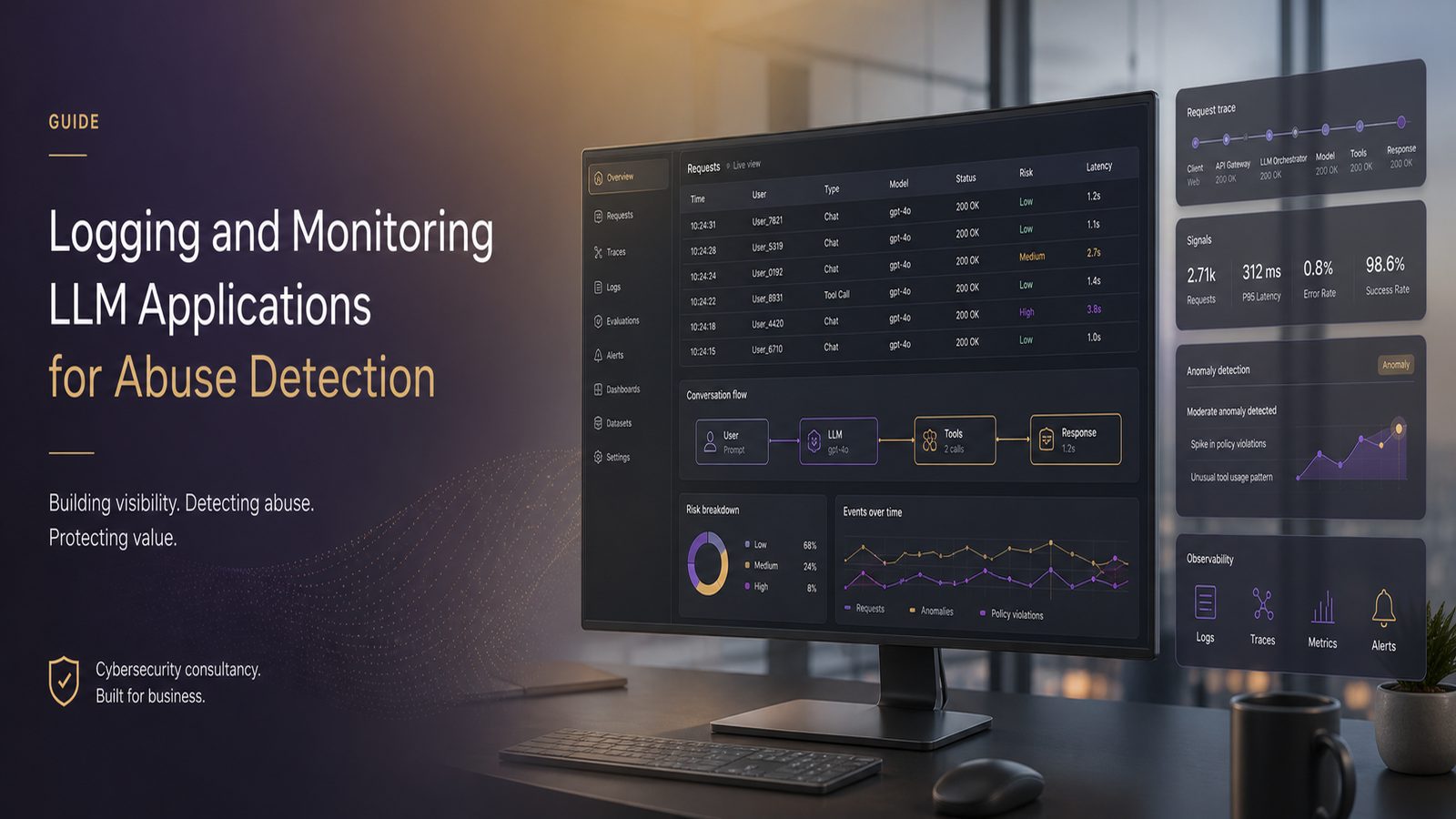
Large language model applications are now being used for customer support, internal knowledge search, workflow automation, and developer productivity. That makes them useful, but it also means they can be abused in ways that are different from traditional web applications. A chatbot can be manipulated into revealing sensitive context, a retrieval-augmented generation system can be pushed towards unsafe sources, and an agent with tool access can be coaxed into taking actions it should not take.
For technical teams, the practical question is not whether to log everything. It is what to log, how to keep it useful, and how to turn it into detection and response. Good logging and monitoring gives you visibility into prompt injection attempts, jailbreak behaviour, unusual usage patterns, tool abuse, and data leakage signals. It also helps with reliability and cost control, because token spikes, latency regressions, and repeated failures often show up in the same telemetry stream.
If you are already thinking about the broader control set, it is worth pairing this topic with applying the OWASP Top 10 for LLM Applications in production and threat modelling LLM systems for prompt injection. Logging and monitoring does not replace those activities. It makes them operational.
Key takeaways
- Log prompts, responses, tool calls, retrieval context, and request metadata so you can investigate abuse without relying on guesswork.
- Use redaction, tokenisation, and retention limits to avoid turning observability into a sensitive-data store.
- Detect prompt injection, jailbreak attempts, abnormal usage, and tool abuse by combining content signals with behavioural patterns.
- Send high-value security events into the SIEM and keep high-volume traces in the observability platform for correlation and tuning.
- Treat LLM monitoring as part of a broader secure development and incident response process, not as a standalone feature.
Why LLM logging and monitoring matters
Traditional application logging tends to focus on authentication, authorisation, errors, and transaction flow. LLM applications need that too, but they also need visibility into model-specific behaviour. The model is not just processing a request. It is interpreting natural language, possibly combining it with retrieved content, and sometimes calling tools or APIs on the user’s behalf. That creates a wider attack surface and a more ambiguous set of failure modes.
What abuse detection looks like in practice
Abuse detection in an LLM environment usually means spotting behaviour that is inconsistent with normal user intent or system policy. Examples include repeated attempts to override instructions, requests that try to exfiltrate hidden prompts or system messages, unusually long or repetitive prompts, sudden bursts of requests from one account, or tool calls that do not match the user’s stated task.
In a customer-facing chatbot, abuse detection may be as simple as identifying repeated jailbreak phrases, suspicious prompt patterns, or attempts to get the model to disclose internal policy text. In an internal assistant, the same controls may need to catch attempts to retrieve confidential documents, query data outside the user’s role, or trigger actions in connected systems without a legitimate business reason.
How monitoring supports security, reliability, and cost control
Security teams often start with abuse detection, but the same telemetry supports other outcomes. If a model starts producing more errors, slower responses, or higher token consumption, that may indicate a prompt loop, a bad retrieval source, a tool integration issue, or deliberate misuse. Monitoring therefore becomes a shared control plane for security operations, engineering, and platform teams.
That is why it helps to treat LLM observability as part of your detection engineering approach rather than as a separate product feature. The same discipline you would apply to endpoint or identity telemetry also applies here, including baselining, alert tuning, and clear ownership. If you want a refresher on the underlying logging principles, logging and monitoring basics for small teams is a useful companion article.
What to log in an LLM application
The goal is to capture enough context to investigate abuse, reproduce behaviour, and tune detections. You do not need to store every raw byte forever, but you do need enough fidelity to understand what happened.
Prompts, responses, tool calls, and retrieval context
At minimum, log the user prompt, the model response, the model name or version, the prompt template or system instruction identifier, and any tool calls made during the interaction. If the application uses retrieval-augmented generation, log the document identifiers, chunk identifiers, retrieval scores, and the source collection or index. If the model output is post-processed, log the sanitisation or policy enforcement step as well.
For tool-using systems, the tool call record is often more valuable than the final response. You want to know which function was invoked, with what parameters, whether the call was authorised, and whether the result was returned to the model or the user. This is especially important for agentic workflows where one user request can trigger multiple downstream actions.
User, session, tenant, and request metadata
Every event should be tied to a stable set of identifiers. Useful fields include user ID, tenant ID, session ID, request ID, source IP, user agent, authentication method, role, and the application entry point. If the system supports multiple tenants, tenant separation in logs is essential for both investigation and access control.
It is also worth logging request timing and sequence information. Abuse often appears as a pattern, not a single event. A single prompt may look harmless, but ten similar prompts in two minutes from the same account can be a strong signal. Correlating events across a session is therefore more valuable than looking at isolated requests.
How to design logs without creating new risk
LLM logs can quickly become a liability if they capture too much sensitive content. Prompts may contain personal data, commercial information, credentials pasted by users, or confidential business context. Responses may echo that information back. Retrieval logs may expose document titles or snippets that should not be broadly visible. The design challenge is to preserve investigative value while reducing unnecessary exposure.
Avoiding sensitive data overcollection
Start with data minimisation. Ask whether each field is needed for detection, investigation, or operational support. If a field does not support one of those purposes, do not collect it by default. In many cases, you can log a hash, a token count, a document ID, or a policy decision instead of the full content.
For example, if you need to know whether a user repeatedly submitted the same malicious prompt, a keyed hash of the prompt may be enough for correlation. If you need to understand whether a response leaked a policy string, you may only need the matched rule identifier and a short excerpt, not the full output. This is a practical application of secure logging principles, and it reduces the chance that your observability stack becomes a secondary data store full of sensitive content.
Redaction, tokenisation, and retention choices
Where raw content is genuinely needed, apply redaction or tokenisation before it reaches long-term storage. Common patterns include masking email addresses, phone numbers, API keys, and obvious secrets. If you use structured logging, separate the sensitive payload from the metadata so that access controls can be applied more tightly.
Retention should be deliberate. High-fidelity prompt and response logs are useful for a short period, especially during rollout and tuning, but they should not be kept indefinitely by default. Define a shorter retention period for raw content and a longer one for aggregate metrics and security events. If you need to preserve evidence for investigations, make sure that access is restricted and that the retention decision is documented in your operational procedures.
Core abuse patterns to detect
Detection works best when you define the behaviours you care about before you start tuning rules. For LLM applications, the most useful categories are prompt manipulation, abnormal usage, and tool abuse.
Prompt injection, jailbreak attempts, and policy evasion
Prompt injection attempts often include phrases that try to override the system prompt, reveal hidden instructions, or force the model to ignore policy. Jailbreak attempts may use role-play, encoding tricks, repeated instruction stacking, or adversarial formatting to bypass guardrails. Policy evasion can also appear as indirect attempts to get the model to summarise hidden content, translate restricted text, or compare internal instructions with user-visible output.
These are not always easy to detect with simple keyword matching. A better approach is to combine pattern-based rules with behavioural signals such as repeated failures, escalating prompt length, and unusual use of instruction-like language. If you are testing these behaviours, the article on testing LLM applications for prompt injection with open-source tooling is a useful reference point for the kinds of inputs you may want to monitor in production.
Abnormal usage, data exfiltration signals, and tool abuse
Abnormal usage includes request bursts, high token consumption, repeated retries, and access from unusual geographies or IP ranges. In a SaaS environment, it may also include one account suddenly querying many unrelated topics or many tenants in a short period. Those patterns can indicate automation, account compromise, or deliberate scraping.
Data exfiltration signals are often visible in the output rather than the input. Watch for responses that contain large blocks of copied text, repeated references to confidential document names, or output that mirrors the structure of a retrieved source too closely. Tool abuse is similar. A model that starts calling internal APIs in an unexpected sequence, or that repeatedly requests data outside the user’s normal scope, should be treated as suspicious until explained.
Monitoring signals and metrics that are worth tracking
Good monitoring is not just about alerts. It is also about the metrics that help you understand whether the system is healthy and whether your detections are working. For LLM applications, the most useful signals usually fall into two groups: service health and behavioural anomalies.
Volume, latency, error rate, and token usage
Track request volume by tenant, user, endpoint, and model. Track latency percentiles, error rates, timeout rates, and retry counts. Token usage should be measured for both prompts and completions, because sudden increases can indicate abuse, a broken prompt template, or a retrieval loop. If you pay per token, this is also a direct cost control measure.
These metrics help establish a baseline. Once you know what normal looks like for a given use case, deviations become easier to spot. A customer support assistant may have predictable peaks during business hours, while an internal coding assistant may show different patterns around release cycles. The baseline should reflect the application, not a generic average.
Anomaly indicators across prompts, outputs, and tool execution
Useful anomaly indicators include unusually long prompts, repeated system prompt references, high similarity across many prompts, a sudden increase in blocked responses, and unusual tool call sequences. You can also monitor the ratio of successful to failed policy checks, the number of retrievals per request, and the frequency of requests that hit sensitive document collections.
In practice, these indicators are often more useful when combined. A single long prompt is not necessarily suspicious. A long prompt, repeated across multiple accounts, followed by tool calls to sensitive systems, is much more interesting. That is the sort of correlation your SIEM or observability platform should support.
Alerting and triage workflows
Alerting should be based on a mix of thresholds, baselines, and behavioural rules. The aim is to catch meaningful abuse without overwhelming the team with noise. This is especially important for SMEs, where the same engineer may be responsible for both platform reliability and security response.
Thresholds, baselines, and behavioural rules
Start with simple thresholds for obvious cases, such as repeated blocked prompts from one account, a sudden spike in token usage, or a high number of failed tool calls. Then add behavioural rules that look for sequences, such as repeated attempts to reveal hidden instructions followed by a retrieval request for confidential content.
Where possible, tune alerts against real traffic before you rely on them operationally. False positives are not just an annoyance. They reduce trust in the monitoring stack and make it more likely that a genuine abuse pattern will be missed. If you already use detection engineering methods elsewhere, the same approach applies here. A detection-as-code mindset helps keep rules versioned, testable, and reviewable.
How to route alerts into SOC or engineering workflows
Not every alert needs the same response. Security-relevant events should go to the SOC or security owner, while service degradation and cost anomalies may belong with the platform or engineering team. Some events need both. For example, a prompt injection campaign that also causes high token usage is both a security issue and an operational one.
Define triage fields up front: severity, affected tenant, user identity, model version, tool calls, retrieval sources, and whether the event was blocked or allowed. A good alert should answer the first five questions an analyst will ask. If it does not, the alert is probably too thin.
Using observability tools for LLM security monitoring
Many teams now use dedicated observability platforms for LLM applications. Tools such as Langfuse, LangSmith, and Datadog can help with tracing, prompt inspection, latency analysis, and evaluation. The key is to use them as part of a security monitoring design, not just as a developer dashboard.
What to look for in platforms such as Langfuse, LangSmith, and Datadog
Look for structured tracing across the full request path, support for custom metadata, access controls, retention controls, and export options. You want to be able to trace a single request from user input through retrieval, model invocation, tool execution, and final response. You also want the ability to tag events with policy decisions, risk scores, and detection outcomes.
For security use cases, the most valuable feature is usually not a pretty chart. It is the ability to correlate a suspicious prompt with the exact retrieval context and tool calls that followed. That is what turns observability into evidence.
How to integrate LLM telemetry with SIEM and detection engineering
Security teams should forward selected events into the SIEM, not necessarily every raw prompt. The SIEM is best used for correlation, alerting, and case management. Keep the high-volume application traces in the observability platform, and send summarised security events, policy violations, and anomaly indicators into the SIEM.
That split lets you build detections around meaningful events such as blocked jailbreak attempts, repeated access to sensitive collections, or suspicious tool invocation patterns. It also makes it easier to align with existing detection engineering processes. If your team already works with Sigma or similar rule formats, you can express many LLM abuse detections in the same style as other behavioural detections.
Practical implementation approach for UK SMEs
For most UK SMEs, the right approach is incremental. You do not need a perfect telemetry architecture on day one. You do need a minimum viable set of logs, a few high-value detections, and a clear owner for review and tuning.
Minimum viable logging and monitoring stack
A sensible starting point is application logs, structured LLM traces, a central log store, and a SIEM or alerting layer. The application should emit request IDs, user and tenant identifiers, model metadata, prompt and response references, tool call records, and policy outcomes. The central store should support search, retention, and access control. The SIEM should receive only the events that matter for security triage.
If you are building this from scratch, start with one customer-facing assistant or one internal use case. Define the fields you will collect, the retention period, the redaction rules, and the first three detections you want to operationalise. Then test them against real traffic and known abuse cases before expanding the scope.
Prioritising controls for customer-facing and internal assistants
Customer-facing assistants usually need stronger abuse monitoring because they are exposed to untrusted users. Focus on prompt injection, rate limiting, account abuse, and output leakage. Internal assistants often have broader access to documents and tools, so the priority shifts towards authorisation, retrieval scoping, and monitoring for insider misuse or compromised accounts.
In both cases, the monitoring design should reflect the trust boundary. A model that can read internal documents but serves external users needs tighter retrieval logging and stronger alerting on document access. A model that can trigger business actions needs detailed tool-call telemetry and approval records.
Common mistakes to avoid
The first mistake is logging too little. If you only keep the final response, you will struggle to explain why the model behaved badly or whether a user attempted abuse. The second mistake is logging everything without a plan. That creates privacy risk, storage cost, and analyst fatigue. The right balance is selective, structured, and intentional.
Another common problem is treating LLM monitoring as a one-off implementation task. It is not. Prompts change, models change, retrieval sources change, and attackers adapt. Detections need tuning, and the telemetry schema needs to evolve with the application. This is why monitoring should sit alongside secure development and operational review, not as an afterthought.
It is also easy to over-focus on model output and ignore tool execution. In many real systems, the most serious issue is not what the model said. It is what it caused the system to do. That is why tool-call logging, authorisation checks, and execution traces matter so much.
How this fits with broader LLM security controls
Logging and monitoring works best when it is part of a layered control set. Prompt hardening, retrieval filtering, output controls, and tool restrictions all reduce the chance of abuse. Monitoring then tells you what is still getting through, how often, and in what form. That feedback loop is what improves the system over time.
It also supports incident response. If you can reconstruct the sequence of prompts, retrievals, and tool calls, you can determine whether the issue was a false alarm, a policy gap, or a genuine compromise. That makes containment and remediation much more targeted. For teams building a broader control framework, the article on secure development practices for AI systems is a useful companion, because it shows how monitoring fits into the wider engineering lifecycle.
Finally, monitoring gives governance teams evidence that controls are being used and tuned. That is useful for internal assurance, supplier oversight, and management reporting, without turning the system into a compliance exercise. The point is to improve resilience and decision-making, not to generate logs for their own sake.
If you are designing or improving an LLM application and want a pragmatic review of the logging, monitoring, and abuse-detection approach, speak to a consultant for implementation guidance tailored to your environment.
Frequently asked questions
How do you monitor LLM performance and abuse together?
Use the same telemetry pipeline for both, but separate the use cases. Track latency, error rate, token usage, and retries for performance, then add behavioural detections for prompt injection, unusual access patterns, and suspicious tool calls. That gives you one operational view with different alerting paths.
What are the most useful observability metrics for LLM applications?
The most useful metrics are request volume, latency percentiles, error rate, token usage, blocked response rate, retrieval frequency, and tool-call success or failure. Together they show whether the system is healthy, expensive, or being abused.
Comments are closed