
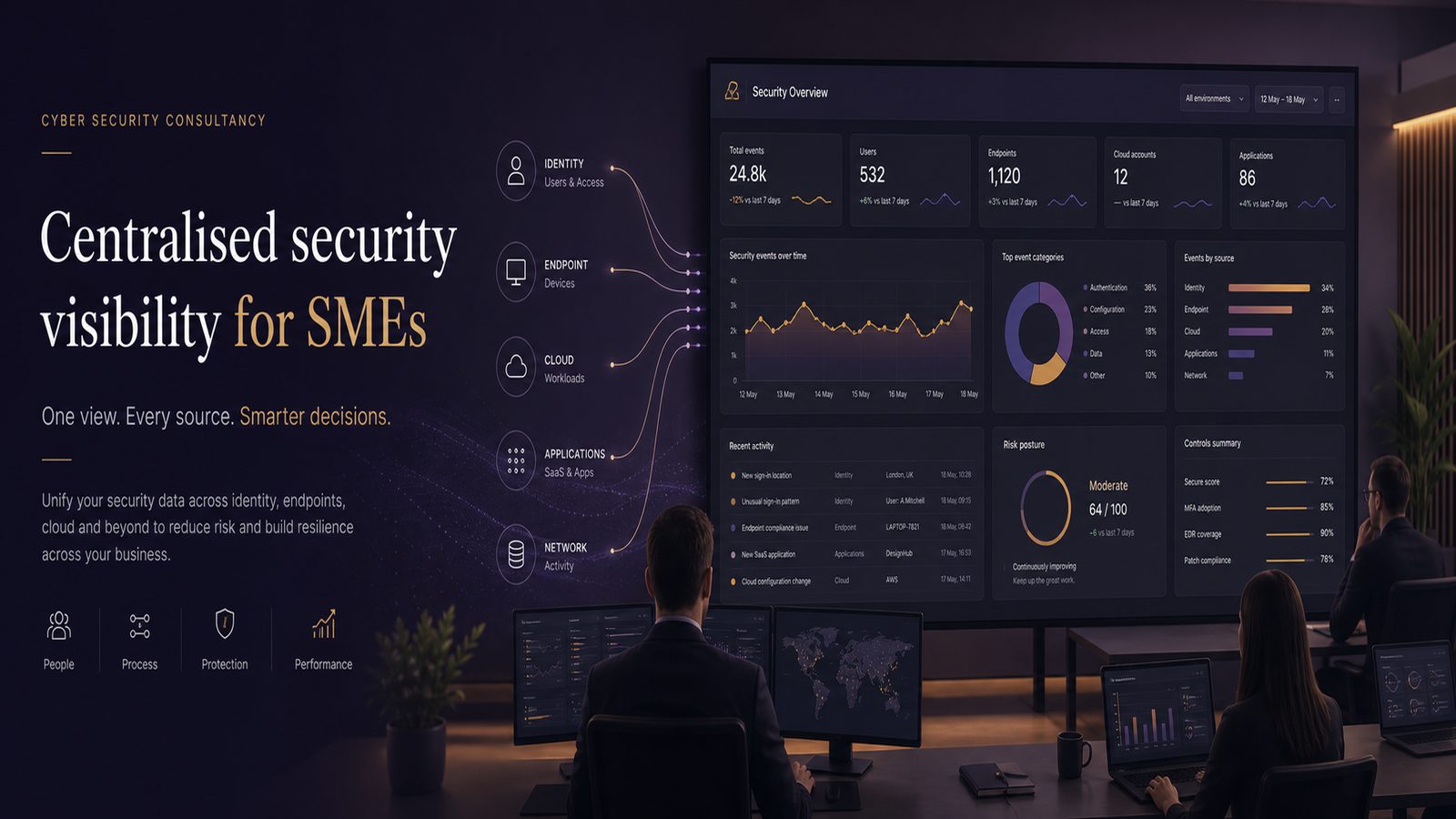
Centralised security visibility explained for SMEs
For many SMEs, the real problem is not a complete lack of security controls. It is that no one can see the full picture quickly enough when something looks wrong. Alerts arrive in different tools, logs sit in separate systems, and the person who needs to make a decision has to wait for someone else to gather the evidence. That delay costs time, money, and often confidence.
Centralised security visibility is a practical way to reduce that problem. In simple terms, it means bringing the most important security information into one place so you can understand what is happening across your business without chasing half a dozen systems. For a small organisation, that can be the difference between a minor issue being handled calmly and a small incident turning into a disruptive one.
This is not about building a huge security operation. It is about making better decisions with the information you already have, then improving coverage in sensible steps.
Key takeaways
- Centralised security visibility gives SMEs one practical view of the security activity that matters most, making issues easier to spot and understand.
- The main business benefits are faster decisions, less wasted effort, and lower disruption during incidents.
- Start with the systems that matter most, such as email, identity, laptops, and cloud services, rather than trying to centralise everything at once.
- Visibility is only useful if someone owns the review process and knows what action to take when something suspicious appears.
What centralised security visibility means in plain English
A simple definition for non-technical leaders
Centralised security visibility means having one practical view of the security activity that matters most to your business. That view might be a dashboard, a reporting tool, or a managed service portal. The format matters less than the outcome: you can see important events, understand whether they are normal or suspicious, and decide what to do next.
Think of it as a control room for security. You do not need every detail in front of you all the time. You need the right information, in the right place, at the right time.
What you can see from one place and why that matters
A useful central view usually shows activity from users, devices, cloud services, and security alerts. It may also show changes to important settings, failed login attempts, unusual access, and signs that a device or account is behaving differently from normal.
That matters because security issues rarely stay in one place. A suspicious email may lead to a stolen password, which may lead to access to cloud files, which may then lead to data loss. If you can see those steps together, you can respond earlier and with more confidence.
Why SMEs benefit from a single view of security
Faster decisions when something looks wrong
When a manager receives a warning, the first question is usually simple: is this serious, and what should we do now? A central view helps answer that question faster. Instead of waiting for separate reports from IT, a supplier, and a cloud provider, you can see the relevant signals together.
That speed has business value. It reduces downtime, limits disruption to staff, and helps avoid unnecessary panic. It also makes it easier to decide whether to pause a process, reset access, or escalate to outside support.
Less time spent chasing information across tools
Many SMEs have accumulated tools over time. There may be one system for email, another for laptops, another for cloud services, and another for network security. Each tool may be useful on its own, but the effort needed to join the dots can be high.
Centralised visibility reduces that manual work. It gives your team one place to look first, which saves time during routine checks and during incidents. That is especially valuable where the same people are responsible for security, IT support, and day-to-day operations.
What security visibility is not
Why it is more than collecting logs
Logs are records of events. They are important, but they are not the same as visibility. A business can collect a large amount of log data and still struggle to understand what is going on. If the information is scattered, incomplete, or hard to interpret, it does not help much in practice.
Visibility means the data is organised in a way that supports action. It should help you answer questions such as who did what, from where, on which device, and whether the activity fits normal behaviour.
Why it is not the same as buying more tools
It is easy to assume that better visibility means more software. Often, that is not the answer. More tools can create more alerts, more cost, and more confusion if they are not connected properly.
The better question is whether your current tools are giving you a clear enough picture. In many cases, the first improvement is not a new product. It is deciding what information matters most, where it should live, and who will review it.
The business problems it helps solve
Spotting suspicious activity earlier
Small warning signs are easier to miss when they are spread across systems. A login from an unusual location, a device that has not checked in, and a sudden change to a user account may not look serious on their own. Together, they may tell a different story.
Centralised visibility helps you spot those patterns earlier. That gives you more time to contain the issue before it affects more users, more data, or more of the business.
Reducing the cost and disruption of incidents
Every hour spent investigating a problem is an hour not spent serving customers, delivering work, or supporting staff. If the team has to search for evidence across multiple systems, the cost rises quickly.
A central view can reduce that cost by shortening investigation time and making it easier to separate genuine issues from false alarms. It also supports better record keeping, which helps if you need to explain what happened internally or to an external provider.
Supporting better reporting to leadership
Owners and managers do not need every technical detail. They need to know whether the business is exposed, whether controls are working, and whether action is needed. Centralised visibility makes that reporting more meaningful.
Instead of saying, “We have a lot of alerts,” you can say, “We saw unusual access attempts on two accounts, checked the affected devices, and confirmed no wider spread.” That is a much more useful basis for decision-making.
What should be visible in a central view
User and identity activity
Identity is often the first place to look because stolen or misused accounts are a common route into business systems. Your central view should show logins, failed login attempts, password resets, privilege changes, and sign-ins from unusual locations or devices.
If your business uses cloud services, this is especially important. A single account can give access to email, files, finance systems, and collaboration tools.
Endpoints, servers, and cloud services
Endpoints are the laptops, desktops, and mobile devices used by staff. Servers and cloud services hold the systems and data the business depends on. Visibility across these areas helps you see whether a device is healthy, whether a service has changed unexpectedly, and whether there are signs of compromise.
For SMEs, it is usually better to start with the systems that hold sensitive data or support critical operations. That may include finance, customer records, email, and remote access tools.
Alerts, incidents, and key changes
A good central view should not only show alerts. It should also show whether alerts were investigated, what was found, and whether the issue was closed, escalated, or still open. That gives you a clearer sense of risk over time.
It should also highlight important changes, such as new administrator accounts, altered security settings, disabled protections, or unexpected software installations. These changes can be just as important as alerts.
How centralised visibility supports detection and response
Turning alerts into a clearer picture
Alerts are only useful if someone can interpret them. A centralised approach helps by combining alerts with context. For example, a failed login alert is more meaningful if you can also see that the same account was used successfully from another location shortly afterwards.
This is where centralised visibility supports detection and response. It helps the team understand whether several small events are linked, rather than treating each one as isolated noise. If you are also improving your monitoring approach, our article on unified threat detection across endpoint, identity, and network may help you see how the pieces fit together.
Helping teams prioritise what needs attention first
Not every alert deserves the same response. A central view helps teams prioritise by showing which systems are affected, whether privileged accounts are involved, and whether the activity is still ongoing.
That matters in smaller organisations where time is limited. If the team can quickly see what is most important, they can focus on the issue that is most likely to affect the business, rather than spreading effort too thinly.
Common SME challenges when trying to centralise visibility
Too many tools and inconsistent data
Different systems often use different formats, different names for the same event, and different levels of detail. That makes it hard to compare information. One tool may show a user login, while another shows only a device event with no clear link to the account.
The answer is not to force everything into a perfect model on day one. It is to decide which data sources matter most and standardise those first.
Limited time, budget, and internal skills
SMEs rarely have a dedicated security operations team. The same person may manage support tickets, supplier issues, and security alerts. That makes simplicity essential.
A central view should reduce workload, not add to it. If a solution creates more manual checking than it removes, it is probably too ambitious for the organisation’s current stage.
Poorly defined ownership
Visibility fails when nobody owns the process. Someone needs to decide what is monitored, who reviews alerts, how often checks happen, and what happens when something suspicious is found.
Without clear ownership, even a good tool can become shelfware. It looks reassuring, but it does not improve decisions.
A practical starting point for smaller organisations
Choose the most important systems first
Start with the systems that would cause the most disruption if they were compromised or unavailable. For many SMEs, that means email, identity accounts, laptops, file storage, finance systems, and remote access.
Do not try to centralise everything at once. A focused start is more likely to succeed and easier to maintain.
Agree what good visibility looks like
Before changing tools, agree the questions you want the central view to answer. For example:
- Who accessed our most important systems?
- Were there failed login attempts or unusual sign-ins?
- Did any device behave in a way that looks abnormal?
- Were important security settings changed?
- Which alerts still need action?
If you can answer those questions quickly, you are already in a better position than many organisations.
Build from existing tools before adding new ones
Most SMEs already have some useful data in place. The first step is often to make better use of what you have. That may mean turning on additional reporting, improving alert routing, or bringing existing information into a single dashboard.
If you are reviewing your wider design approach at the same time, our article on secure system design for maintainability and observability is a useful companion piece.
How to judge whether your current setup is good enough
Questions to ask your IT provider or internal team
Ask simple, practical questions:
- Can we see the most important security events in one place?
- Do we know who reviews alerts and how often?
- Can we tell whether an alert is linked to a real user, device, or service?
- Can we quickly see what changed before an incident?
- Would a manager understand the current risk without a technical briefing?
If the answers are vague, the visibility is probably still fragmented.
Signs that visibility is still fragmented
Common warning signs include repeated delays in investigations, unclear ownership of alerts, too much reliance on individual staff knowledge, and reports that are hard to explain to non-technical leaders. Another sign is when the same issue is discovered more than once because no one had the full picture the first time.
If that sounds familiar, the problem is usually not effort. It is structure.
When to consider outside help
If alerts are not being reviewed consistently
If alerts are being missed, ignored, or handled differently each time, outside help can be useful. A consultant can help you decide what should be monitored, what can be ignored, and how to create a review process that fits your size and budget.
If you need a clearer operating model for security oversight
Some SMEs have the tools but not the operating model. In other words, they have information, but no clear way to turn it into action. External support can help define roles, reporting, escalation, and the minimum level of oversight needed for the business.
That kind of support is often most valuable when it is practical and proportionate, not over-engineered. If you want help shaping that approach, speak to a consultant.
Frequently asked questions
What is security visibility?
Security visibility is the ability to see what is happening across your systems in a way that helps you understand risk and take action. It is not just collecting data. It is making the right information easy to review and use.
What is centralised security?
Centralised security means bringing important security information, alerts, and activity into one place so it is easier to monitor and manage. For SMEs, that usually means one practical view rather than many separate tools and reports.
How can SMEs implement centralised security visibility effectively?
Start with the systems that matter most, decide what events you need to see, use the tools you already have where possible, and make sure someone owns the review process. Keep the first version simple and improve it over time.
For many SMEs, the goal is not perfect coverage. It is enough visibility to make faster, better decisions when something does not look right.
Comments are closed