
Why security in delivery pipelines matters for SMEs
For many UK SMEs, software delivery is a balancing act. You need to release changes quickly, keep customers happy, and avoid creating extra work for already busy teams. Security can feel like one more thing to add to the list. If it is introduced badly, it does slow people down. If it is built into the way work already flows, it usually saves time.
The business case is straightforward. Problems found late are more expensive to fix. A defect discovered after release can mean emergency patches, customer support calls, lost confidence, and in some cases downtime. Security issues can also create reputational damage that is hard to undo, especially for smaller firms that rely on trust and repeat business.
What can go wrong if security is added too late
When security checks only happen at the end, teams often discover issues after code has already been merged, tested, and prepared for release. At that point, the fix may affect several parts of the system. It can also delay a launch that other parts of the business are waiting on.
Common outcomes include:
- Rework because the same issue appears in several places.
- Release delays while developers investigate findings.
- Pressure to ignore warnings so the deadline is met.
- More support calls after release because problems were not caught early.
Why teams worry security will slow releases
That concern is understandable. If every change triggers long scans, unclear warnings, or manual sign-off for low-risk work, developers will see security as a blocker. The answer is not to remove security. It is to place the right checks in the right place, and to make sure they are fast enough to fit the pace of delivery.
In practice, the best approach is to automate the routine checks, keep them lightweight where possible, and reserve human review for the changes that genuinely need it.
What a secure CI/CD pipeline looks like in practice
A CI/CD pipeline is the automated path code follows from a developer’s machine to a live environment. CI means continuous integration, where code changes are combined and tested regularly. CD means continuous delivery or continuous deployment, where approved changes move towards release in a controlled way.
A secure pipeline does not try to inspect everything in the same way. It uses a layered approach:
- Quick checks early, when code is first added.
- Deeper checks later, when the change is more stable.
- Manual review only for higher-risk changes or exceptions.
Where security checks fit in the build and release flow
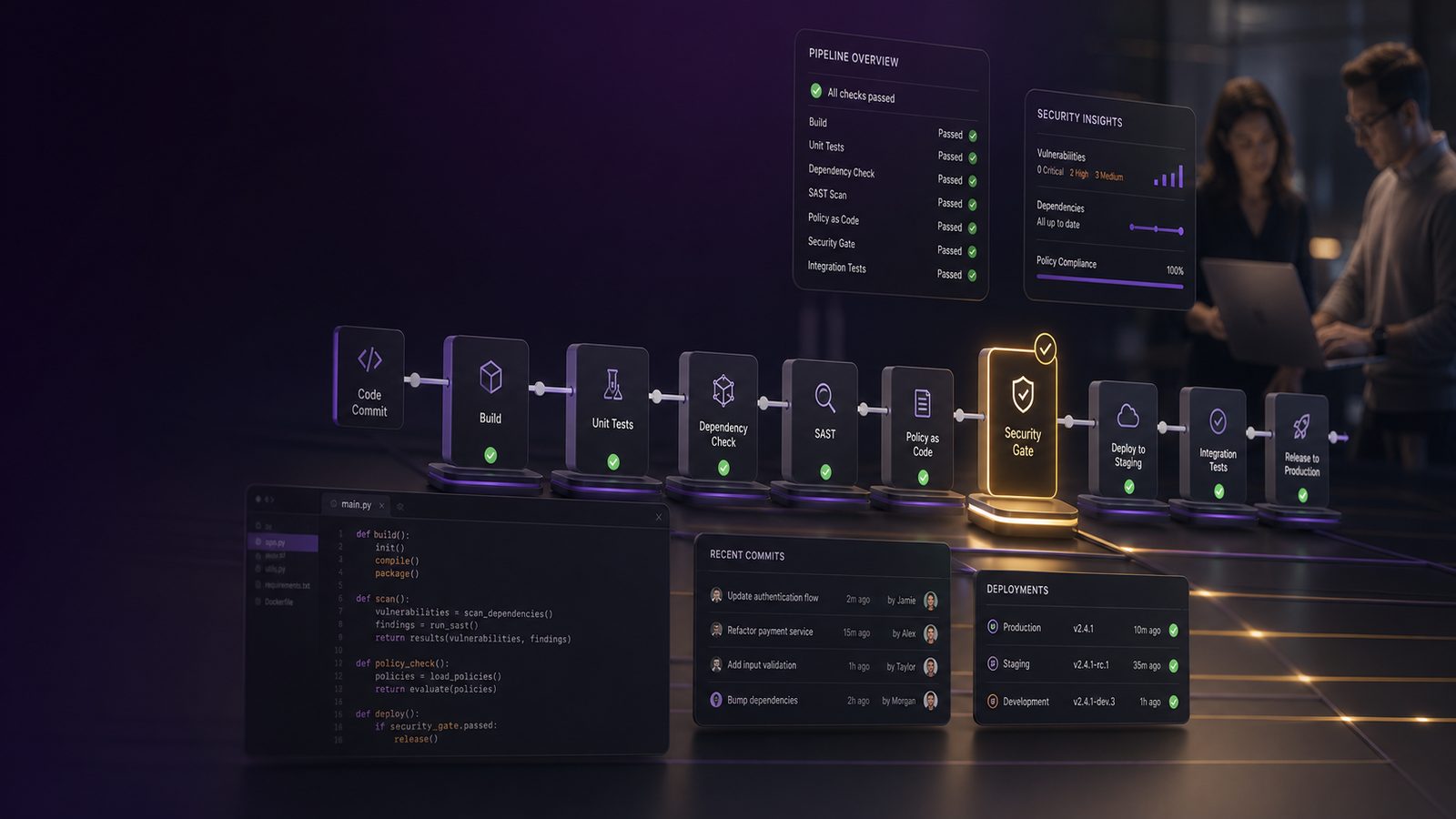
Think of the pipeline as a series of gates. The first gates should be fast and automatic. They should catch common mistakes before they spread. Later gates can be slower, because they run less often and on fewer changes.
A sensible flow for an SME might look like this:
- Developer writes code and runs local checks.
- Code is merged only if basic quality and security checks pass.
- Build process scans dependencies and packaged software.
- Release process runs deeper testing on higher-risk changes.
- Only critical issues stop a release.
The difference between lightweight checks and manual review
Lightweight checks are automated and quick. They are useful because they catch common issues without needing a person to inspect every line. Manual review is slower, but it is valuable for unusual changes, sensitive data handling, or anything that affects authentication, payments, or customer access.
The key is not to treat every warning as equal. A small formatting issue should not block a release in the same way as a hard-coded password or a known vulnerable component.
Start with the controls that give the most value
Small teams do not need to do everything at once. Start with the controls that reduce the most risk for the least effort. That usually means focusing on common mistakes, third-party components, and secrets.
Checking code for common mistakes before it is merged
Automated code checks can spot patterns linked to common weaknesses, such as unsafe input handling or insecure use of libraries. These checks are not perfect, and they will produce some false alarms. Even so, they are useful because they catch issues early, when they are cheapest to fix.
For SMEs, the best use of these checks is as an early warning system, not as a final judgement. Let them highlight likely problems, then have a developer confirm whether the finding matters.
Scanning open-source dependencies and container images
Most modern software relies on open-source components. That is normal, but it means your risk is not limited to your own code. If a dependency has a known weakness, your product may inherit that weakness too.
Container images, which package software and its supporting files, can also carry unnecessary tools or outdated components. Scanning these images helps reduce the chance of shipping something that is already known to be unsafe.
For a small business, this is one of the highest-value controls because it addresses risk that often sits outside the direct control of the development team.
Blocking exposed secrets and unsafe configuration
One of the most avoidable mistakes is accidentally storing passwords, access keys, or private tokens in code. Once that happens, the secret may be copied into multiple places, shared in logs, or exposed in a public repository.
Automated checks should look for secrets before code is merged. They should also check for unsafe settings, such as debug mode being left on, overly permissive access, or test data being used in the wrong environment.
These are practical controls because they prevent simple errors from becoming expensive incidents.
How to avoid slowing developers down
Security slows teams when it is noisy, unclear, or badly timed. It does not have to. The aim is to make the secure path the easiest path.
Run fast checks automatically and keep heavier checks for later stages
Put the quickest checks as early as possible. These should complete in seconds or a few minutes. Examples include basic code checks, secret scanning, and simple dependency checks.
Heavier checks, such as deeper testing of a running application, can happen later in the pipeline or on a schedule. That way, developers are not waiting on long scans every time they make a small change.
Use clear thresholds so only real risks interrupt a release
Not every finding should stop a release. If the pipeline blocks work for low-value issues, teams will learn to ignore it. Set clear rules for what is advisory, what needs fixing soon, and what must stop the build.
A practical model is:
- Low-risk issues are logged for later review.
- Medium-risk issues are assigned to the team with a deadline.
- High-risk issues block release until they are fixed or formally accepted.
This keeps the pipeline focused on business risk rather than technical noise.
Make results easy to understand and action
Developers should not need to decode a long report to know what to do next. Each finding should explain:
- What the issue is.
- Why it matters.
- Where it appears.
- What action is expected.
If the output is clear, fixes happen faster. If it is vague, the finding becomes another ticket that sits in a queue.
A simple rollout plan for small teams
You do not need a large programme to improve security in delivery. A phased approach works well for SMEs because it reduces disruption and lets the team learn as they go.
Phase 1: quick wins in the first month
Start with the basics that are easy to adopt and easy to explain:
- Secret scanning in the repository.
- Dependency scanning for known weaknesses.
- Basic code checks on every merge request or pull request.
- A simple rule for when a release must be paused.
At this stage, the goal is not perfection. It is to reduce obvious risk without changing the team’s working rhythm.
Phase 2: add deeper testing as the process matures
Once the team is comfortable, add more detailed checks for higher-risk applications or release types. That may include testing a running application, checking configuration more deeply, or reviewing changes that affect customer data or payment flows.
Introduce these controls gradually. If you add too much at once, you make it harder to tell what is helping and what is creating friction.
Phase 3: review what is working and remove friction
After a few release cycles, review the results with both engineering and leadership. Ask what is catching real issues, what is creating noise, and where the process is slowing delivery without adding value.
Good security is not static. It should improve as the product, team, and risk profile change.
Common mistakes that create delay instead of control
Many teams do the right things in the wrong way. That is usually where the delay comes from.
Too many alerts and no prioritisation
If every scan produces a long list of findings, the important items get lost. Teams then spend time sorting through noise instead of fixing the real problem. Keep the number of checks manageable and focus on the ones that matter most to your business.
Security checks that fail builds for low-value issues
Blocking a release because of a minor issue creates frustration. It also encourages workarounds. Reserve hard stops for issues that create meaningful risk, such as exposed secrets, known vulnerable components, or serious coding mistakes.
No ownership for fixing findings
A finding without an owner is just a note. Every issue should have a clear person or team responsible for deciding what happens next. That does not always mean the developer who wrote the code. Sometimes it is a product owner, team lead, or external supplier.
How to measure whether the approach is working
If you want security to support delivery, measure both. Do not look only at the number of issues found. Look at whether the process is helping the business release safely and predictably.
Track release speed, fix time, and repeat findings
Useful measures include:
- How long it takes to move a change from code to release.
- How quickly security findings are fixed.
- How often the same issue appears again.
- How many releases are delayed by security checks.
These figures show whether the pipeline is improving quality or simply adding overhead.
Use metrics that help both engineering and leadership
Engineering teams need practical detail. Leadership needs a business view. A short monthly summary can cover the number of releases, the main risks found, the time taken to fix them, and any patterns that suggest more training or better controls are needed.
That gives decision-makers enough information to support the process without getting lost in technical detail.
A practical checklist for SME leaders
If you are responsible for a development team, ask these questions:
- Are we checking for obvious mistakes before code is merged?
- Are we scanning third-party components and packaged software?
- Do we block only the issues that really matter?
- Can developers understand and act on findings quickly?
- Do we know who owns each type of security issue?
- Are we measuring whether security is helping or hindering delivery?
If you use external developers or suppliers, ask them:
- What security checks are built into their delivery process?
- How do they handle known weaknesses in third-party components?
- How do they stop passwords and access keys from being exposed?
- What happens when a serious issue is found close to release?
- Can they show how they prioritise and fix findings?
These questions help you judge whether security is part of normal delivery or something added at the end.
Final thought
Embedding security into CI/CD pipelines without slowing teams is mainly about design and discipline. If the checks are early, automated, and focused on real business risk, they support faster delivery rather than getting in the way. For UK SMEs, that usually means fewer avoidable defects, less rework, and a more reliable release process.
If you want help reviewing your current delivery process or deciding where to start, speak to a consultant.
Comments are closed