
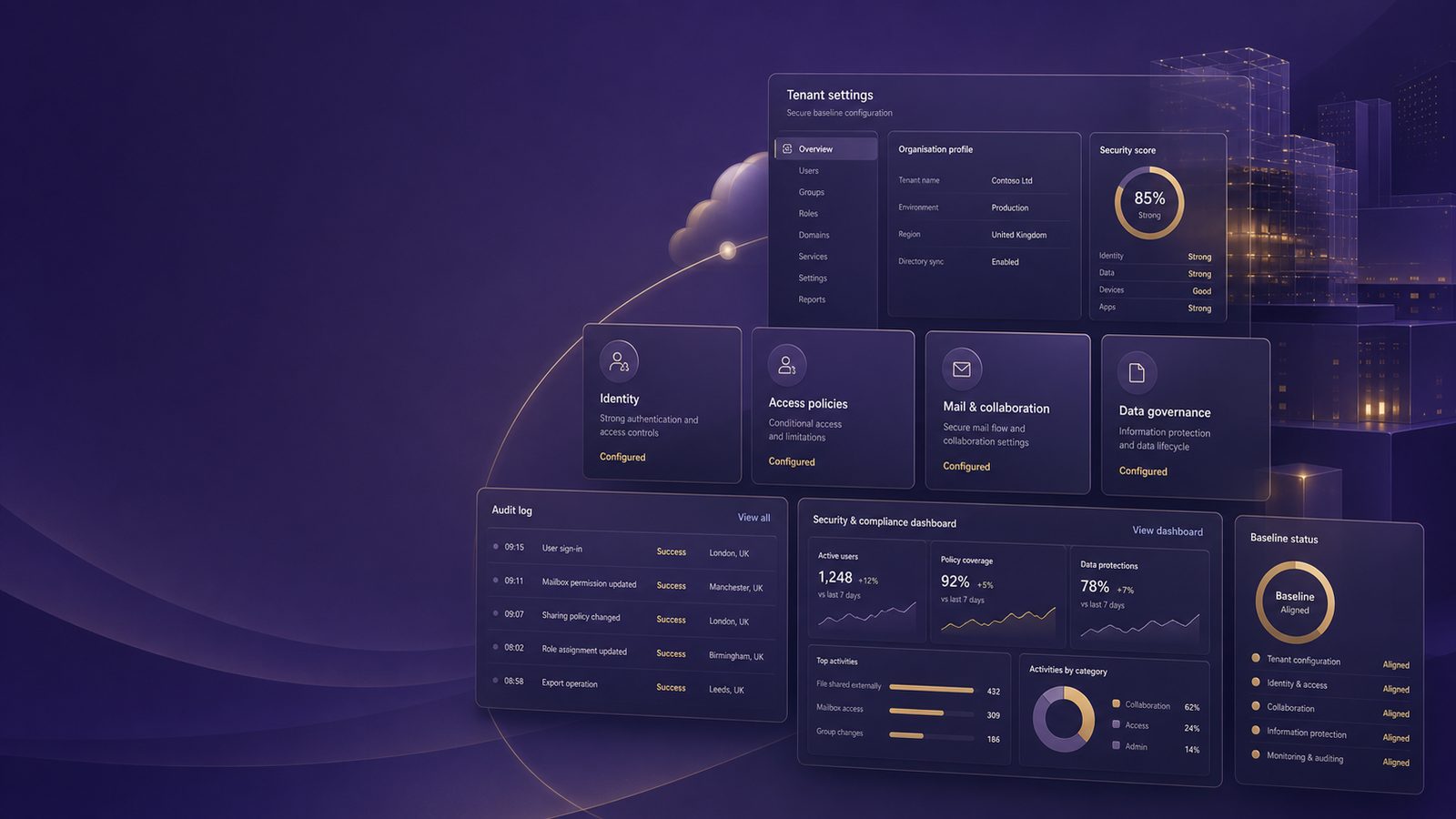
Secure baseline configurations for Microsoft 365
Microsoft 365 is often the centre of identity, email, collaboration, and document sharing for UK SMEs. That makes it one of the highest-value places to establish a secure baseline. A baseline is not a one-off hardening exercise. It is the minimum set of tenant, identity, mail, collaboration, and logging controls that should remain in place unless there is a documented business reason to deviate.
For a technical practitioner, the aim is to reduce the attack surface, make abuse harder, and ensure the tenant produces enough telemetry for detection and investigation. In practice, that means focusing on Entra ID, Exchange Online, SharePoint, OneDrive, Teams, and the Microsoft Defender stack, then making sure the configuration is monitored for drift.
What a Microsoft 365 secure baseline should cover
Scope the baseline across Entra ID, Exchange Online, SharePoint, Teams, and Defender
A useful baseline should cover the services attackers most commonly abuse after initial access. For Microsoft 365, that usually means identity compromise, mailbox abuse, consent abuse, and data exfiltration through collaboration tools. The baseline should therefore span:
- Entra ID for authentication, conditional access, privileged access, and app consent.
- Exchange Online for mail authentication, anti-phishing, and mailbox rule controls.
- SharePoint and OneDrive for external sharing and link governance.
- Teams for guest access, federation, and app permissions.
- Defender for Office 365 and Defender for Endpoint where licensed, to improve prevention and detection.
- Audit logging and SIEM integration so security events are visible outside the tenant.
It helps to define the baseline as a set of control objectives rather than a list of product settings. For example, the objective might be “all privileged access requires strong authentication and is time-bound”, or “external sharing is allowed only with explicit approval and expiry”. That makes the baseline easier to maintain as Microsoft changes the portal and feature names.
Define minimum controls for identity, mail, collaboration, devices, and audit logging
At a minimum, the baseline should answer five questions:
- Who can sign in, from where, and under what conditions?
- Who can administer the tenant, and how is privilege reduced?
- How is email authenticated and filtered?
- How is data shared externally, and how is that sharing reviewed?
- What logs are retained, and where are they analysed?
If you cannot answer those questions quickly, the tenant is probably not yet at a stable baseline.
Identity and access controls to prioritise first
Enforce multifactor authentication and conditional access for privileged and high-risk users
Identity is the first control plane to harden. Start by requiring multifactor authentication, ideally phishing-resistant methods for privileged users where practical. Conditional Access should then enforce access decisions based on user risk, sign-in risk, device compliance, location, and application sensitivity.
A common pattern is:
- Require MFA for all users.
- Require stronger authentication for admins and finance users.
- Block legacy authentication completely.
- Require compliant or hybrid-joined devices for access to sensitive apps.
- Restrict access from countries or networks that are not part of the business operating model.
For technical teams, it is worth separating policies by user population. Privileged accounts, standard staff, contractors, and service accounts should not share the same access rules. This reduces policy complexity and makes exceptions easier to reason about.
Reduce standing privilege with role separation, PIM, and admin account hygiene
Standing privilege is one of the most common weaknesses in Microsoft 365 tenants. Use role separation so administrators have separate daily-use accounts and privileged accounts. Privileged Identity Management, or PIM, should be used to make admin role activation just-in-time and time-bound.
Practical steps include:
- Create separate admin accounts with no email inbox and no day-to-day browsing use.
- Require MFA every time a privileged role is activated.
- Use approval or ticket-based activation for higher-risk roles.
- Review role assignments regularly and remove unused admin accounts.
- Protect break-glass accounts with strong controls, long passwords, and monitored sign-in exclusions.
Break-glass accounts should be tightly controlled. They are not a convenience account. They exist for emergency access when normal authentication paths fail, and they should be excluded from conditional access only where necessary and with compensating monitoring.
Core tenant hardening settings in Microsoft 365
Harden external sharing, guest access, and tenant-level collaboration defaults
Microsoft 365 collaboration features are useful, but they also create data exposure risk if left at permissive defaults. Review tenant-wide sharing settings before individual site or team settings. The baseline should define what external sharing is allowed, who can approve it, and how long access should last.
Useful controls include:
- Disable anonymous sharing links where the business does not need them.
- Set default link types to specific people rather than anyone with the link.
- Apply link expiry and access review for guest users.
- Restrict guest invitations to approved users or groups.
- Limit external collaboration to trusted domains where possible.
For SharePoint and OneDrive, the safest default is usually to make external sharing more restrictive than the business initially expects, then loosen it only where there is a clear operational need. That approach reduces accidental oversharing and makes exceptions visible.
Review legacy authentication, consent settings, and service-to-service permissions
Legacy authentication should be disabled because it bypasses modern authentication controls and is commonly used in password-spraying and credential-stuffing attacks. In Entra ID, review user consent settings so users cannot grant broad application permissions without oversight.
Also review service principals and app registrations. Attackers increasingly abuse OAuth applications because they can provide persistent access without repeated password prompts. A secure baseline should include:
- Restricting user consent to verified, low-risk permissions only, or disabling it entirely.
- Requiring admin consent for sensitive permissions.
- Reviewing enterprise applications for unused or over-privileged access.
- Monitoring for new app registrations and consent grants.
Where service-to-service integrations are required, document the business purpose, the permissions granted, and the owner responsible for periodic review.
Exchange Online and email protection baseline
Apply anti-phishing, anti-spam, and safe links or safe attachments controls
Email remains a primary entry point for account compromise. Exchange Online should therefore be configured with layered protection. If Defender for Office 365 is available, use anti-phishing policies, anti-spam policies, Safe Links, and Safe Attachments where appropriate.
At a minimum, the baseline should:
- Enable anti-phishing protection for impersonation and domain spoofing.
- Tune anti-spam policies to reduce obvious bulk and malicious mail.
- Use Safe Links to rewrite and scan URLs at click time.
- Use Safe Attachments to detonate suspicious files in a sandbox.
- Quarantine high-confidence malicious mail rather than delivering it to inboxes.
Be careful with policy overlap. Multiple mail security layers can create false positives if they are not tuned together. Start with the recommended defaults, then adjust based on observed business mail flow and security telemetry.
Tune mail flow rules, spoof protection, and domain authentication with SPF, DKIM, and DMARC
Mail flow rules should be reviewed for hidden bypasses. Attackers who gain access often create inbox rules or transport rules to hide replies, forward mail externally, or suppress security notifications. Baseline controls should include alerts for new forwarding rules and restrictions on automatic external forwarding.
Domain authentication is also essential. SPF, DKIM, and DMARC work together to reduce spoofing and improve trust in legitimate mail. A practical sequence is:
- Publish an SPF record that reflects authorised sending sources.
- Enable DKIM signing for all relevant domains.
- Move DMARC from monitoring to enforcement once legitimate mail paths are understood.
For UK SMEs, the key point is not to chase perfect DMARC alignment on day one. It is to understand all legitimate mail senders first, then move gradually towards enforcement so business mail is not disrupted.
SharePoint, OneDrive, and Teams configuration choices
Set sensible sharing defaults, link expiry, and access review expectations
SharePoint and OneDrive are often where sensitive documents end up, especially in smaller organisations where collaboration is fast-moving. The baseline should define the default sharing model, the expiry period for external links, and the review cycle for guest access.
Good practice includes:
- Defaulting to internal sharing only unless a site has an approved external collaboration requirement.
- Setting link expiry for external access.
- Using sensitivity labels or equivalent controls to guide sharing behaviour.
- Reviewing externally shared sites and files on a recurring basis.
Where possible, use policy to reduce user choice at the point of sharing. The more options users have, the more likely they are to choose convenience over control under time pressure.
Control Teams guest access, federation, and app permissions
Teams can become a shadow collaboration layer if guest access and app permissions are left broad. Review whether federation with external domains is required, and if so, whether it should be limited to known partners.
Baseline controls should include:
- Restricting guest access to approved use cases.
- Controlling who can create teams and channels.
- Reviewing third-party app permissions in Teams.
- Disabling or limiting external federation where it is not needed.
Teams governance is often overlooked because it feels operational rather than security-related. In practice, it is a common route for data leakage, unauthorised sharing, and persistence through collaboration artefacts.
Logging, monitoring, and detection engineering considerations
Enable unified audit logging and retain events long enough for investigations
A baseline is incomplete if it cannot support investigation. Enable unified audit logging and confirm the retention period is long enough for your detection and response processes. If your organisation investigates incidents over weeks rather than days, short retention will limit what you can prove later.
Useful event sources include:
- Entra ID sign-in and audit logs.
- Exchange Online message trace and mailbox audit events.
- SharePoint and OneDrive file access and sharing events.
- Teams audit events where available.
- Defender alerts and incident records.
Do not rely on the Microsoft 365 portal alone for operational monitoring. Export the logs to a SIEM so they can be correlated with endpoint, network, and identity data.
Forward Microsoft 365 signals into Sentinel or another SIEM and map detections to MITRE ATT&CK
Microsoft Sentinel is a common choice for SMEs that want cloud-native SIEM capability, but the same principles apply to other platforms. The objective is to normalise Microsoft 365 telemetry and build detections around common abuse patterns.
Examples of high-value detection areas include:
- Impossible travel or anomalous sign-in patterns.
- Consent grants to suspicious applications.
- Mailbox forwarding rules created after a successful sign-in.
- Mass download or sharing of files from SharePoint or OneDrive.
- Suspicious admin role activation or privilege escalation.
Mapping detections to MITRE ATT&CK helps structure coverage. For example, consent abuse maps to persistence and initial access techniques, while mailbox rule abuse and forwarding map to collection and exfiltration. This gives the SOC a common language for prioritising detections and identifying gaps.
How to operationalise the baseline without creating friction
Use policy as code where possible with Intune, Conditional Access, and PowerShell automation
Microsoft 365 baselines are easier to maintain when they are treated as configuration artefacts rather than manual portal settings. Use Intune for device compliance and configuration profiles, Conditional Access for access policy, and PowerShell or Microsoft Graph automation for repeatable checks and changes.
A practical operating model is:
- Define the baseline in a controlled document or repository.
- Implement settings through policy rather than ad hoc changes.
- Export configuration regularly for comparison and drift detection.
- Use scripts to validate key settings across tenants or environments.
For example, you might use PowerShell to review mailbox forwarding, guest users, or privileged role assignments on a scheduled basis. The exact tooling matters less than the discipline of repeatability and evidence.
Create a change control process for exceptions, break-glass accounts, and periodic review
Every baseline needs exceptions, but exceptions should be explicit and time-bound. Create a change control process that records the business reason, the risk accepted, the compensating control, and the review date.
That process should also cover:
- Break-glass account testing.
- Conditional Access exclusions.
- Temporary collaboration exceptions for projects or suppliers.
- App consent and service principal approvals.
Without review, exceptions become the real baseline. That is where many tenants drift into a weaker state over time.
Validation and maintenance of the baseline
Test the baseline against common abuse cases such as token theft, consent abuse, and mailbox rule abuse
Validation should focus on realistic abuse cases rather than abstract configuration checks. For a Microsoft 365 environment, useful test scenarios include:
- Can a user authenticate from an unmanaged device when policy says they should not?
- Can a legacy protocol still be used anywhere?
- Can a user grant a risky application permission without approval?
- Can a mailbox forwarding rule be created without alerting?
- Can guest access be expanded beyond the intended scope?
These tests do not need to be offensive in nature. They are simply control validation exercises that confirm the baseline behaves as expected.
Track drift, review configuration changes, and align the baseline to NIST CSF and internal risk appetite
Configuration drift is inevitable unless it is actively managed. Track changes to Conditional Access, Exchange policies, sharing settings, and privileged roles. Review them against internal risk appetite and the organisation’s broader security framework. NIST CSF is useful here because it provides a simple structure for identifying, protecting, detecting, responding, and recovering.
In practice, the baseline should be reviewed whenever there is a major change in business model, collaboration pattern, or threat profile. New acquisitions, new suppliers, and new remote working patterns often require policy adjustments.
A secure Microsoft 365 baseline is not about locking everything down. It is about making the default state safe, visible, and maintainable. For UK SMEs, that usually delivers more value than a long list of isolated settings that nobody revisits.
If you want support turning this into a tenant-specific hardening plan, a consultant can help you prioritise the highest-risk settings, document exceptions, and align the baseline with your operational reality.
Frequently asked questions
What is the difference between a Microsoft 365 secure baseline and a full hardening programme?
A secure baseline defines the minimum acceptable configuration that should apply across the tenant. A full hardening programme goes further by adding deeper controls, more detailed monitoring, and broader governance across devices, identities, applications, and operations.
Which Microsoft 365 controls should be enabled first for the biggest risk reduction?
Start with MFA, Conditional Access for privileged and high-risk users, legacy authentication blocking, admin role separation, external sharing restrictions, and audit logging. Those controls usually reduce the most common abuse paths with the least operational complexity.
How often should a Microsoft 365 baseline be reviewed?
Review it at least quarterly, and sooner after major tenant changes, incidents, or new collaboration requirements. The review should include policy drift, new apps, guest access, forwarding rules, and privileged role assignments.
Do I need every Microsoft 365 security feature turned on?
Not necessarily. The right baseline depends on your risk appetite, licensing, and business workflows. The important thing is to make deliberate choices, document exceptions, and ensure the controls you do use are consistently enforced and monitored.
How do I know if my baseline is working?
Test it against common abuse cases, review alert quality, and check whether the SIEM receives the logs needed to investigate suspicious activity. If users can still bypass the intended controls, or if you cannot see the relevant events, the baseline needs more work.
Comments are closed